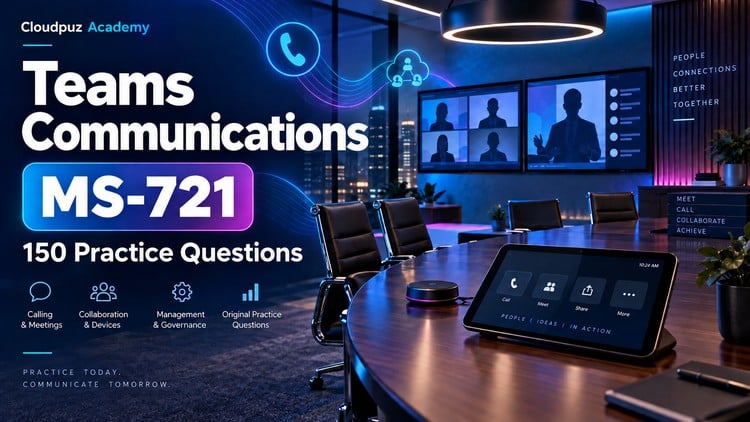
Review Teams Phone, Direct Routing, meetings, webinars, town halls, Teams Rooms and devices with answer explanations
What You Will Learn:
- Plan communications systems for Teams Phone, meetings, PSTN connectivity, emergency calling, and policy packages.
- Apply supported controls for webinars, town halls, meeting protection, recordings, and audio conferencing.
- Configure Teams Phone users, numbers, call routing, auto attendants, call queues, and voicemail.
- Plan and troubleshoot Teams Rooms, certified devices, shared meeting spaces, updates, and device security.
Alright, let’s talk about the MS-721: 150 Practice Questions course. If you’re looking to truly master Microsoft Teams as a communications platform, and not just dabble, this is the kind of resource that can make a real difference. I’ve been in the trenches with Teams deployments for a while now, and I’ve seen firsthand how crucial it is to have a solid understanding of its deeper capabilities, especially as organizations increasingly rely on it for everything from daily calls to large-scale events.
Overview
This isn’t just another “click-through” guide. The “150 Practice Questions” tag might sound a bit dry, but what it really represents is a concentrated dose of real-world scenarios. The course dives into the nitty-gritty of Teams Phone, which is often the most complex piece of the puzzle for many IT pros. It covers everything from the fundamental planning of PSTN connectivity and emergency calling strategies (critical for compliance!) to the more advanced configurations of auto attendants and call queues. What really impressed me was the section on meetings, webinars, and the increasingly important town halls. Understanding how to properly set up, manage, and secure these events is a massive value-add. The inclusion of Teams Rooms and certified devices is also a huge plus, as these hardware components are becoming ubiquitous in hybrid work environments. It’s about building a comprehensive, end-to-end communication ecosystem, and this course hits all the key touchpoints.
Prerequisites
Honestly, you’re not going to get much out of this if you’re starting from zero. While it’s not explicitly a beginner to advanced course in the strictest sense, it’s definitely geared towards those with a foundational understanding of Microsoft 365 and general IT administration. I’d say having some experience with Teams administration, perhaps having set up basic meetings or chat policies, would be beneficial. A grasp of networking concepts is also going to help, especially when you get into the PSTN connectivity and Direct Routing discussions.
Skills & Tools
This course is all about equipping you with job-ready skills that translate directly to the workplace. You’ll be sharpening your abilities in:
- Designing and implementing Teams Phone solutions, including Direct Routing and Operator Connect.
- Configuring advanced meeting features like webinars, town halls, and ensuring meeting protection.
- Managing Teams Rooms and certified devices, from deployment to troubleshooting.
- Understanding and applying policy packages effectively.
- Troubleshooting common issues related to call routing, voicemail, and device performance.
The “tools” here are primarily the industry-standard tools you’d expect in any M365 environment: the Teams Admin Center, PowerShell for deeper scripting, and a good understanding of the underlying Azure AD and network infrastructure. The answer explanations are invaluable for solidifying your understanding of how these tools interact.
Career Benefits & Job Roles
Let’s be real, in today’s job market, having specialized Microsoft certifications is a significant differentiator. This course is an excellent stepping stone for anyone pursuing or maintaining certifications related to Teams, such as the Microsoft 365 Certified: Teams Voice Engineer Expert. Beyond just certifications, the skills learned here are directly applicable to roles like:
- Microsoft Teams Administrator
- UC (Unified Communications) Engineer
- Collaboration Solutions Specialist
- IT Support Specialist (with a focus on M365)
- Network Administrator
Investing in this kind of targeted practice directly contributes to your career growth and makes you a more attractive candidate for positions requiring deep Teams expertise.
Pros
- Deep Dive into Practical Application: The 150 questions are structured to simulate real-world problems, forcing you to think critically about solutions rather than just memorizing facts. This is crucial for genuine understanding.
- Comprehensive Coverage: It doesn’t shy away from the complex aspects of Teams, particularly Teams Phone and event management. The breadth of topics covered is impressive and covers most of what you’d encounter in an enterprise deployment.
- Valuable Answer Explanations: The explanations aren’t just “correct/incorrect.” They detail *why* an answer is right or wrong, providing context and reinforcing learning, which is essential for certification prep.
Cons
My only real critique is that while the course provides a fantastic theoretical and scenario-based understanding, it’s not a substitute for actual hands-on labs. Ideally, you’d be working through these practice questions *while* actively configuring a Teams environment, or at least have access to a demo tenant. Without that practical application, some of the configuration details might remain a bit abstract, though the explanations do a good job of bridging that gap.