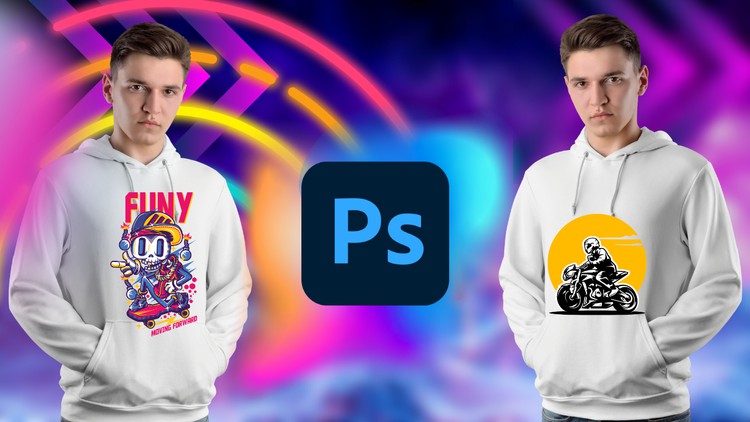
Unleash Your Creativity: Master T-Shirt Design from Beginner to Advanced with Adobe Photoshop
What you will learn
Function of Adobe Photoshop
Tools of Adobe Photoshop
T-Shirt Design Fundamentals
T-Shirt Design Projects
Description
Welcome to the ultimate T-Shirt Design course where creativity meets technology! Whether you’re a beginner looking to explore the world of graphic design or an experienced designer seeking to enhance your skills, this comprehensive Udemy course is designed to take you from zero to hero in T-Shirt design using Adobe Photoshop.
In this hands-on course, we’ll dive into the exciting world of T-Shirt design and unleash your creative potential. We’ll start with the basics, introducing you to the essential tools and functions of Adobe Photoshop, ensuring that even if you have zero prior experience, you’ll be able to follow along seamlessly.
As we progress, we’ll explore fundamental design principles, color theory, typography, and composition techniques, empowering you to craft visually stunning T-Shirt designs. You’ll learn how to conceptualize your ideas, sketch out designs, and bring them to life using Adobe Photoshop’s powerful features.
The course is structured in a step-by-step manner, guiding you through the entire T-Shirt design process. We’ll cover techniques for creating eye-catching illustrations, using custom shapes, applying stunning effects, and integrating text seamlessly into your designs. We’ll also explore advanced techniques such as creating distressed and vintage looks, achieving realistic textures, and optimizing your designs for print.
Throughout the course, you’ll have access to a variety of practical exercises and real-world examples, allowing you to apply your newly acquired knowledge and skills. Additionally, you’ll receive valuable tips, tricks, and industry insights that will elevate your designs to a professional level.
By the end of this course, you’ll not only have mastered T-Shirt design with Adobe Photoshop but also gained the confidence to tackle any design project that comes your way. Whether you dream of launching your own T-Shirt brand, freelancing as a designer, or simply expressing your creativity through stunning T-Shirt designs, this course will equip you with the skills you need to succeed.
Enroll now and let’s embark on this exciting journey of T-Shirt design together! Unleash your creativity and become a T-Shirt design pro with Adobe Photoshop!
Content
Introduction
Overview: Beyond the Basic Canvas
Let’s be real for a second—the internet is flooded with “designers” who think slapping a piece of Clipart onto a white background counts as a brand. If you’ve spent any time in the tech or creative industry, you know that the difference between a hobbyist and a pro comes down to workflow and technical precision. This course, “T-Shirt Design for Beginner to Advanced with Adobe Photoshop,” isn’t just another tutorial on how to make a cool picture; it’s a deep dive into the industry-standard tools required to turn a creative spark into a commercial product.
What I appreciated most about this curriculum is that it treats t-shirt design as a legitimate engineering problem. You aren’t just learning to “draw”; you’re learning how to manage file architecture, resolution constraints, and color profiles that won’t fall apart when they hit the printer. The course bridges the gap between pure artistic expression and job-ready skills. It moves quickly from the “What is a layer?” stage into the “How do I optimize this for a high-volume screen print?” stage. For anyone looking to escape the 9-to-5 or add a high-value side hustle to their repertoire, this is the kind of hands-on labs experience that actually moves the needle.
Prerequisites: What You Actually Need
You don’t need a degree from a fancy art school, but you do need a bit of “tech-savviness” and the right hardware. Here’s the breakdown:
- A Subscription to Adobe Creative Cloud: You specifically need the desktop version of Photoshop. Don’t try to wing this on a mobile app; you need the full power of the industry-standard tools.
- A Decent Workstation: While you don’t need a NASA supercomputer, Photoshop is a memory hog. 8GB of RAM is the bare minimum, but 16GB will keep you from pulling your hair out during real-world projects with 50+ layers.
- Basic Computer Literacy: You should know your way around a file system. If you can install software and manage folders, you’re ready for the beginner to advanced journey.
- A Creative Itch: This is the only thing the course can’t teach you. Bring an idea, and the course will give you the technical scaffolding to build it.
Mastering the Skills & Tools
The course excels at taking the intimidation factor out of the Photoshop interface. Instead of showing you every single button (half of which you’ll never use for apparel), it focuses on the “power tools” of the trade. You’ll spend significant time mastering Layer Masks and Adjustment Layers, which are non-negotiable for professional-grade non-destructive editing.
We also dig into Smart Objects. For the uninitiated, this is how you maintain high-fidelity graphics even when you’re scaling and warping designs for mockups. The course also touches on the Pen Tool—the bane of every beginner’s existence—but teaches it in a way that feels intuitive rather than mechanical. By the end, you aren’t just clicking buttons; you’re building a technical foundation that allows you to troubleshoot design errors before they become expensive printing mistakes.
Career Benefits & Job Roles
The beautiful thing about mastering Photoshop in the context of t-shirt design is that these skills are highly transferable. You aren’t just learning “merch”; you’re undergoing certification prep for the real world. Here is where this course can take you:
- Print-on-Demand Entrepreneur: Use your real-world projects to launch a brand on platforms like Printful, Redbubble, or Amazon Merch.
- Graphic Designer: Transition into a role at a marketing agency or a local print shop. These businesses are always looking for people with job-ready skills who understand print specs.
- Creative Director: Understanding the “how” behind the design allows you to manage other creatives effectively, fostering significant career growth.
- Freelance Brand Consultant: Help small businesses develop their visual identity through custom apparel and merchandise.
The Pros: Why This Course Works
- Logical Progression: It truly respects the beginner to advanced promise. It doesn’t skip the “boring” technical setups that actually matter for print quality (DPI, CMYK vs. RGB, etc.).
- Project-Based Learning: You aren’t just watching videos; you’re building a portfolio. The hands-on labs ensure that the muscle memory sticks.
- Efficiency-First Mindset: The instructor focuses on shortcuts and workflows that professionals use to save time. In the design world, time is literally money.
- Versatility: While the focus is on shirts, the techniques you learn for blending modes and typography are applicable to web design, social media graphics, and digital art.
The Cons: An Honest Critique
If there’s one “gotcha,” it’s the inherent limitation of Photoshop itself. While this course is fantastic, it doesn’t spend much time discussing Vector graphics (Adobe Illustrator). For massive billboard-sized scaling or specific types of logo work, vectors are king. Photoshop is a raster-based tool, meaning if you aren’t careful with your initial resolution settings, you can run into pixelation issues. The course does a good job of teaching you how to mitigate this, but a “pro” should eventually learn how Photoshop fits into a larger ecosystem with Illustrator.