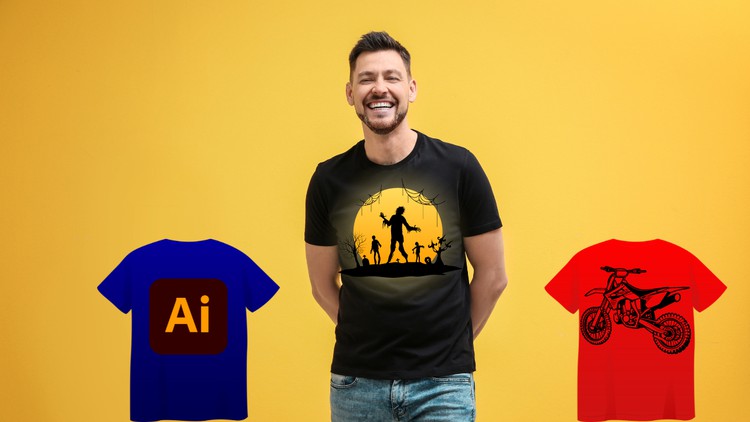
Become a T-Shirt Design Pro: Create Eye-Catching Tees with Illustrator
What you will learn
Introduction to T-Shirt Design
Getting Started with Adobe Illustrator for T-Shirt Design
Creating Colorful Typography T-Shirt Design
Text & Shapes based Design
Creative Rockstar T-Shirt Design Using Basic Shapes And Art Brush
Designing a Comic Based T-Shirt
Simplistic Slogan Based T-Shirt Design
Creating an Amazing Fitness T-Shirt Design
Creating a Hot-Selling T-Shirt Design
Turning Plain Text into an Awesome T-Shirt Design
Quick & Powerful Techniques for T-Shirt Design
Using Free Resources for Designers
An Honest Look at Mastering the Vector Thread
I’ve spent over a decade navigating the tech and design landscape, and if there’s one thing I’ve learned, it’s that a “cool idea” is worthless if you can’t execute it for production. I’ve seen countless designers try to use raster-based programs for apparel, only to have their real-world projects come back from the printer looking like a pixelated mess. That’s why I was skeptical but curious about “Adobe Illustrator for T-Shirt Design: From Sketch to Print.” Most courses just teach you how to draw; this one actually focuses on the transition from a digital canvas to a physical product.
What sets this course apart isn’t just the technical walkthrough; it’s the philosophy of vector-first design. In the apparel world, scalability is everything. Whether you are designing for a small pocket print or a massive back graphic, using industry-standard tools like Adobe Illustrator is non-negotiable. This course skips the fluff and dives straight into the “how-to” of creating high-fidelity, job-ready skills that actually translate to the garment industry. It’s less about being a “fine artist” and more about being a strategic designer who understands how lines, weight, and color separations work in a commercial environment.
The instructor doesn’t just show you where the buttons are; they walk you through the mental framework of a beginner to advanced workflow. You start to see how simple shapes can be manipulated into complex, aggressive, or minimalist aesthetics. It’s a hands-on lab experience that mirrors what you’d actually do if a client handed you a brief and a 24-hour deadline. It’s about efficiency, precision, and making sure your file doesn’t crash the print shop’s computer.
Prerequisites
You don’t need a Master’s in Fine Arts to get started here, but you do need a functional copy of Adobe Illustrator (Creative Cloud is preferred). A basic understanding of how to use a mouse or a drawing tablet is helpful, but the course is designed to be accessible. Most importantly, you need a “designers itch”—the willingness to fail at a few hands-on labs before you get that perfect curve on a typography piece.
Skills & Tools Mastered
- Vector Illustration: Mastering the Pen Tool and Pathfinder for clean, scalable graphics.
- Typography Manipulation: Learning how to warp, arch, and customize fonts so they don’t look like “off-the-shelf” templates.
- Color Management: Understanding the difference between RGB for screens and CMYK/Spot colors for screen printing.
- Art Brush Techniques: Creating custom brushes to give digital art a hand-drawn, organic feel.
- File Preparation: Setting up industry-standard artboards and exporting files that are actually ready for a heat press or screen printer.
Career Benefits & Job Roles
Completing a course like this is a massive boost for your career growth, especially if you’re looking to move into the freelance market or a branding agency. You aren’t just learning a hobby; you’re gaining job-ready skills that apply to roles like Apparel Designer, Graphic Artist, or Merchandise Coordinator. For those looking at certification prep, the deep dive into Illustrator’s core functions provides a solid foundation for the Adobe Certified Professional exam. In an era where “Print on Demand” is a billion-dollar industry, being able to produce high-quality vectors puts you miles ahead of the competition on platforms like Upwork or 99Designs.
Pros
- Production Focused: It doesn’t just stop at a pretty picture; it emphasizes the “To Print” part of the title, which is where most designers fail.
- Niche Diversity: The course covers everything from fitness branding to comic styles, ensuring you have a diverse portfolio of real-world projects.
- Workflow Efficiency: You’ll learn shortcuts and “rockstar” methods that cut your design time in half, which is crucial for profitability in freelance work.
- Zero Fluff: It’s conversational and direct, focusing on the tools you’ll actually use 90% of the time in a professional setting.
Cons
If I have to be honest, the course could spend a little more time on the “Sketch” phase. While it excels at the digital execution in Illustrator, if you are someone who truly cannot draw a stick figure on paper, you might find the initial conceptualization a bit of a leap. It assumes you have at least a baseline level of creative spark to get your ideas onto the screen.