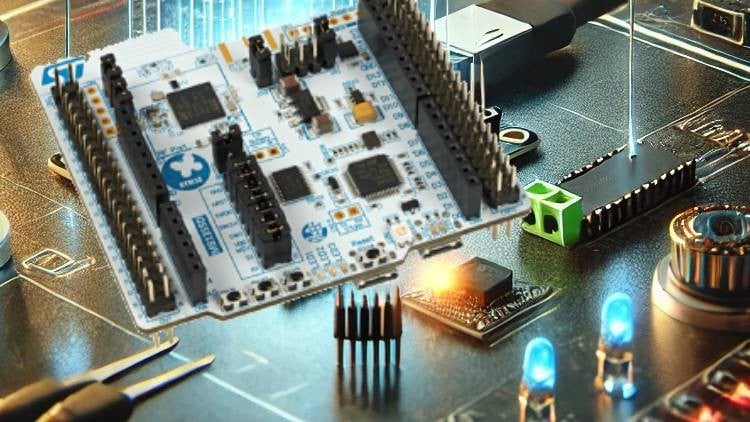
Program a real STM32 from your browser: GPIO, ADC, PWM, servos and a smart parking project with LabsLand and Mbed CE
What You Will Learn:
- Compile and run Mbed CE C++ programs on a real STM32 through the LabsLand browser IDE.
- Read active-low buttons and control LEDs using the lab pin table and the DigitalIn and DigitalOut APIs.
- Use serial messages and ADC readings to debug and test a voltage warning controller.
- Control RGB brightness and servo position with appropriate PWM periods and pulse widths.
- Combine sensor logic, timing and manual overrides in a smart parking controller, then document its behavior.
- Explain a basic IoT device–gateway–cloud architecture and identify the firmware, protocol and peer needed for a wireless link.
- Record predictions, real observations and test results to explain embedded program behavior.
Overview: Taking the Pain Out of the STM32 Learning Curve
Let’s be honest: setting up an STM32 development environment for the first time usually feels like trying to assemble a jet engine in a dark room. Between driver conflicts, bloated IDEs, and the inevitable “it works on my machine” hardware gremlins, many aspiring developers quit before they even blink their first LED. That’s why I was genuinely intrigued by the “STM32 Embedded Systems with Mbed CE: Real Hardware Online” course. It promises to bypass the traditional setup friction by using LabsLand, allowing you to flash and debug code on actual physical hardware through a browser-based IDE.
The standout feature here isn’t just the remote access; it’s the pivot to Mbed CE (Community Edition). If you’ve spent any time in the industry, you know that the original Arm Mbed had its limitations, but the CE version provides a more robust, community-driven framework that bridges the gap between the simplicity of Arduino and the complexity of professional industry-standard tools. This course isn’t just about writing code; it’s about the “hardware-in-the-loop” experience. You aren’t playing with a simulator that behaves perfectly every time; you’re interacting with the physical quirks of a real microcontroller, which is essential for developing job-ready skills in the embedded space.
Prerequisites
- Foundational C++ Knowledge: You don’t need to be a templates wizard, but you should understand classes, objects, and basic logic.
- Basic Electronics Awareness: Knowing what a resistor and a pull-up/pull-down configuration does will help you appreciate the lab pin tables.
- A Stable Internet Connection: Since you are interacting with real hardware online via LabsLand, a laggy connection can disrupt the flow of your real-time debugging.
Skills & Tools Mastered
- Hardware: STM32 Microcontrollers (Nucleo/Discovery style boards).
- Frameworks: Mbed CE for modern C++ embedded development.
- Peripheral Control: Mastering GPIO, ADC (Analog-to-Digital Conversion), and PWM (Pulse Width Modulation).
- Platform: LabsLand remote hardware lab integration and browser-based IDEs.
- System Design: Building a smart parking project using integrated sensor logic and timing.
- IoT Architecture: Understanding the link between firmware, gateways, and cloud protocols.
Career Benefits & Job Roles
If you’re looking for career growth in the tech sector, embedded systems is one of the most stable and high-paying niches you can enter. This course serves as excellent certification prep for those looking to pivot into hardware engineering. By working through real-world projects rather than just theoretical exercises, you build a portfolio that demonstrates you can handle the complexities of timing, interrupts, and power management. Completion of this course positions you for several high-demand roles:
- Firmware Engineer: Writing the low-level code that brings hardware to life.
- Embedded Software Engineer: Bridging the gap between high-level logic and register-level constraints.
- IoT Solutions Architect: Designing the end-to-end connectivity from the sensor to the cloud.
- Systems Integration Engineer: Ensuring that diverse hardware components play nice together in a single ecosystem.
The Pros
- Zero-Install Friction: The ability to jump straight into hands-on labs without spending three days troubleshooting toolchains is a massive win for productivity. It allows you to focus on logic and architecture rather than environment variables.
- Real Hardware vs. Simulation: Simulators are lies. They don’t account for noise, signal bounce, or timing jitter. Using LabsLand ensures you see how STM32 silicon actually responds in the real world.
- Balanced Progression: The curriculum moves logically from beginner to advanced. Starting with simple DigitalOut and ending with a complex parking controller ensures you don’t feel overwhelmed, but you also don’t feel bored.
- Modern C++ Focus: Using Mbed CE keeps you current. You aren’t learning antiquated “C-style” hacks; you’re learning how to write clean, object-oriented embedded code.
The Cons
- The “Physical” Disconnect: While remote hardware is convenient, there is a certain “tactile memory” you lose when you aren’t physically plugging in jumpers or smelling a component that’s getting too hot. If you want to be a pure hardware hacker, you’ll eventually need to buy your own bench tools.