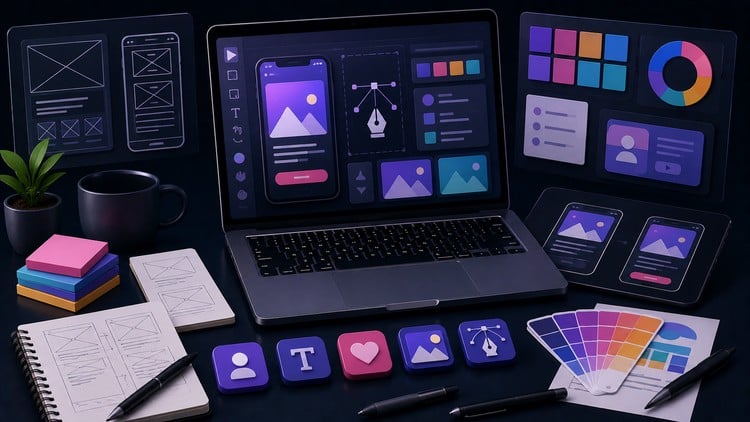
Test your skills in UX Research, Graphic Design Principles, Figma prototyping, and Adobe Creative Cloud workflows.
What You Will Learn:
- Evaluate your understanding of core UX/UI principles like user journey mapping, wireframing, and accessibility.
- Test your knowledge of Graphic Design fundamentals, including typography, color theory, and grid systems.
- Assess your proficiency in Figma, focusing on Auto Layout, Design Components, and interactive prototyping.
- Validate your workflow in Adobe Creative Cloud (Photoshop & Illustrator) utilizing non-destructive editing and vector tools.
A No-Nonsense Deep Dive into Design & UX/UI Mastery Practice Tests
Let’s be honest for a second: the design world is currently flooded with “overnight experts” who have watched a few YouTube tutorials but crumble the moment they’re asked to explain the mathematical logic behind a grid system or the technical nuances of non-destructive editing. If you’ve been stuck in “tutorial hell,” where you follow along with a video but can’t actually build anything from scratch, you’re not alone. That’s exactly why I decided to put the Design & UX/UI Mastery: Complete Practice Tests to the test. This isn’t your standard “watch and forget” course; it’s a high-pressure reality check for anyone serious about career growth in the creative tech space.
Most resources tell you what a button should look like, but very few challenge you on why it works or how it fits into a complex design system. These practice tests bridge the gap between being a “Figma tinkerer” and a professional with job-ready skills. I approached this from the perspective of someone who has sat on both sides of the interview table. I wanted to see if these questions actually mirrored the technical hurdles of real-world projects or if they were just fluff. Spoiler alert: they’re surprisingly rigorous. They force you to think about accessibility, component architecture, and user journey mapping in a way that actually prepares you for certification prep and high-stakes client pitches.
What You Need Before Diving In
While the course covers a range from beginner to advanced concepts, this isn’t an “Intro to Design 101” where someone holds your hand. To get the most out of these tests, you should have the following under your belt:
- A fundamental understanding of the UX design process (don’t worry about being an expert, but know your wireframes from your prototypes).
- Basic familiarity with industry-standard tools like Figma, Adobe Photoshop, and Illustrator.
- A desire to move beyond “vibes” and actually understand the color theory and typography rules that make or break a commercial interface.
- At least a passing interest in UI development handoff—the tests will call you out if you don’t know how to prep your files for engineers.
The Toolkit: Skills & Tools Validated
This course acts as a digital hands-on lab, simulating the technical questions you’d face during a mid-to-senior level UX/UI design interview. It covers a massive amount of ground, but specifically drills down into:
- Figma Proficiency: You’ll be tested on Auto Layout, variants, and interactive prototyping. If you think you know Figma because you can draw a rectangle, these tests will humble you.
- Adobe Creative Cloud Workflows: It dives deep into Photoshop and Illustrator, focusing on vector tools and efficiency—essential for anyone handling brand assets or high-fidelity UI assets.
- UX Research & Strategy: This isn’t just about pretty pixels. You’ll tackle user journey mapping, information architecture, and the psychology behind user behaviors.
- Graphic Design Fundamentals: You’ll validate your knowledge of grid systems, visual hierarchy, and accessibility standards (WCAG) to ensure your designs are inclusive.
Career Benefits & Targeted Job Roles
The primary value here is validation. In a competitive market, having a “good eye” isn’t enough; you need to prove you have the technical discipline to work in a professional product design squad. Successfully clearing these practice tests puts you in a prime position for several high-paying career paths:
- UX/UI Designer: Ready to handle end-to-end product lifecycles.
- Product Designer: Capable of balancing business goals with user needs through real-world projects.
- Visual Designer: Mastering the aesthetics and graphic design principles required for top-tier branding agencies.
- Freelance Consultant: Giving you the confidence to talk “shop” with developers and stakeholders without sounding like an amateur.
The Pros: Why This Matters
- Mimics Real Interviews: The questions are framed in a way that feels like a technical screening at a top-tier tech firm. It’s excellent certification prep for those eyeing professional credentials.
- Wide Tool Breadth: Most courses stick to just Figma. This course recognizes that Adobe Creative Cloud is still a massive part of the professional ecosystem, making your job-ready skills more versatile.
- Focus on Logic: It forces you to understand the why. You’ll learn why a grid system matters for responsiveness, not just how to turn it on.
- Efficiency Gains: By mastering non-destructive editing and component-based design, you’ll find yourself working 2x faster in your day job.
The Cons: An Honest Critique
If I have one gripe, it’s that because these are practice tests, there’s no room for subjective “creative” feedback. You can have a technically perfect answer that is aesthetically boring. This course will make you a technical master of the tools and theory, but it won’t teach you “taste.” You’ll still need to spend time in the trenches of real-world projects to develop your unique creative voice. It’s a tool for precision, not necessarily for artistic inspiration.