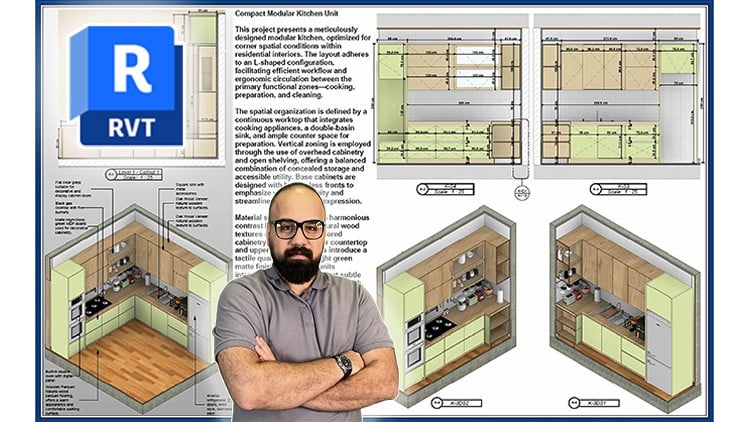
Master professional architectural drafting, technical details, construction drawing, sheet layout in real world projects
What you will learn
Note➛ Make sure your 𝐔𝐝𝐞𝐦𝐲 cart has only this course you're going to enroll it now, Remove all other courses from the 𝐔𝐝𝐞𝐦𝐲 cart before Enrolling!
Basic Revit training from scratch for beginners, including architectural modeling, BIM fundamentals, construction documentation, and real-world project workflow
how to model residential and villa projects using professional BIM workflows
Create construction-ready drawings (Phase 1 & Phase 2) directly from your Revit models
Get step-by-step guidance to complete an architectural project from zero to final output
Explore the full power of Revit tools: walls, floors, roofs, stairs, railings, curtain walls, and more
Learn how to design and present interior layouts for real architectural spaces
Develop the essential Revit skills required to start working in architecture firms or as a freelancer
Learn how to produce high-quality visual outputs, camera views, sun studies, and 3D presentations
Access to ongoing updates and new content as the course develops.
Add-On Information:
- Deep Dive into Documentation Standards: Master the creation of professional-grade architectural documentation, ensuring compliance with industry best practices and local building codes for seamless project submission and execution.
- Advanced Detailing & Annotation Workflows: Learn to generate intricate construction details, section cuts, and callouts with precision, utilizing advanced annotation tools to clearly communicate design intent and buildability.
- Strategic Sheet Composition: Develop expertise in laying out comprehensive drawing sets, including custom title blocks, drawing lists, revision clouds, and sheet indexes, to create organized and easily navigable documentation packages.
- Intelligent Data Management with Schedules: Harness Revit’s powerful scheduling capabilities to extract and present critical project data – from material take-offs and door/window schedules to room finishes – enhancing cost estimation and specification accuracy.
- Multi-Disciplinary Coordination Techniques: Understand how to effectively manage and integrate linked models from structural, MEP, and landscape consultants, identifying clashes and ensuring holistic project coordination within the BIM environment.
- Client & Stakeholder Presentation Mastery: Go beyond basic views to craft persuasive visual narratives, employing advanced rendering settings, walkthrough animations, and compelling graphic styles for client presentations and public approvals.
- Template & Project Setup Optimization: Gain insights into setting up efficient project templates, custom families, and shared parameters from scratch, streamlining future workflows and maintaining project consistency.
- Real-World Project Delivery Scenarios: Navigate the typical stages of an architectural project, from schematic design through construction documentation, understanding the deliverables and decision points at each phase.
- Quality Control & Checking Protocols: Implement robust quality assurance/quality control (QA/QC) processes within your Revit models and documentation, minimizing errors and ensuring accuracy before final output.
- Preparing for Professional Practice: Develop a portfolio-ready set of skills specifically targeted at the demands of architectural firms for producing production drawings and managing BIM projects.
- Digital Plotting & Export Strategies: Learn the best practices for publishing drawing sets, creating intelligent PDFs, and exporting various file formats for seamless collaboration with consultants, contractors, and clients.
- PROS:
- Practical, Project-Based Learning: Immediately apply concepts to real-world architectural scenarios, building a tangible portfolio piece that showcases your mastery.
- Comprehensive Skill Set for Employment: Directly equips learners with the advanced, in-demand skills sought by top architecture, engineering, and construction firms globally.
- Future-Proofing Your Career: Learn the latest Revit 2025 features and cutting-edge best practices, ensuring you stay ahead in a rapidly evolving digital construction industry.
- Expert-Led Instruction: Benefit from professional insights and practical tips from experienced architects and BIM specialists, gaining knowledge that goes beyond software operation.
- CONS:
- Software Access & Performance Requirements: Requires access to a licensed version of Revit 2025 and a powerful computer workstation, which might represent an additional upfront investment for some users.
English
language