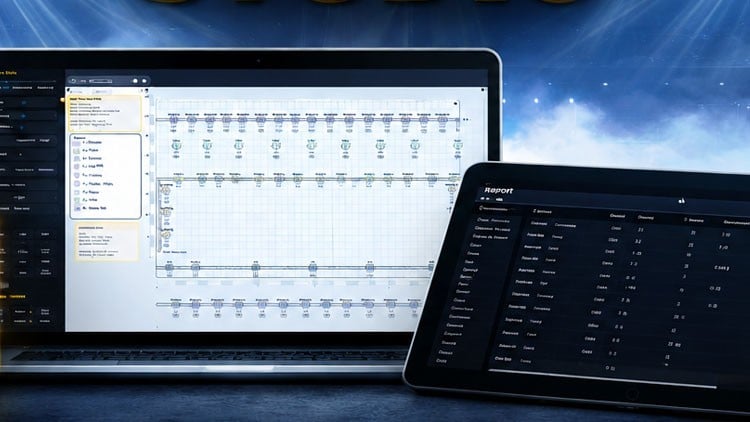
Fast Lightplot creations for real world productions
What You Will Learn:
- Create clean and professional lightplots for theater, concerts and live events
- Build lighting plans quickly without complex CAD or visualization software
- Work with fixtures, symbols, trusses and stage layouts inside Lightplot Studio
- Export and organize lightplots for technicians, venues and productions
- Design practical lightplots for small and medium-sized productions
- Improve communication between lighting designers, technicians and production teams
Overview
Alright, let’s talk about the ‘Proseniq Lightplot Studio – Tutorial for the software.’ As someone who’s spent more than a few years wrangling pixels and pushing faders in the live events world, I’ve got a healthy skepticism when a tool promises to revolutionize workflow, especially around something as critical and detail-oriented as lighting plots. We all know the drill: you either go deep into complex CAD suites like AutoCAD or Vectorworks, which have a steep learning curve and hefty price tags, or you cobble something together with less specialized tools, often leading to messy, ambiguous plans.
This tutorial, then, aims to bridge that gap, promising rapid plot creation for real-world productions without the CAD overhead. My initial take? If it delivers on that promise – clean, professional lightplots that effectively communicate intent without making us jump through a million hoops – it could be a game-changer for a specific segment of the industry. We’re talking about streamlining the process for smaller and medium-sized gigs where time is always short, and budgets for high-end software training are often non-existent. It’s about practicality, not just pretty pictures, and that’s a philosophy I can get behind.
Prerequisites
Before you jump into this tutorial, let’s be clear: this isn’t a “learn lighting design from scratch” course. Proseniq Lightplot Studio is a *tool*. To get the most out of it, you need to bring some foundational knowledge to the table. I’d strongly recommend having a solid grasp of basic lighting design principles – understanding fixture types (spots, washes, beams), how they’re rigged, basic DMX patching concepts, and general stagecraft terminology. You should know what a “front light” or a “side light” is, and why a gel frame isn’t for holding your coffee. Familiarity with reading and interpreting existing lighting plots, even basic ones, will also be a huge advantage. While the software simplifies creation, it doesn’t teach the “why” behind your design choices. Think of it this way: you wouldn’t expect a hammer tutorial to teach you how to build a house from the ground up.
Skills & Tools
This tutorial is all about mastering Proseniq Lightplot Studio. You’ll dive deep into its interface, learning how to leverage its specific features to create comprehensive documentation. Expect to learn how to:
- Navigate the software environment efficiently.
- Build stage layouts using pre-defined elements and custom shapes.
- Populate your plots with various fixtures, symbols, and trusses from the software’s libraries.
- Manage layers effectively to keep your plots clean and organized.
- Create clear, professional plan views, section views, and fixture schedules.
- Annotate plots with text, dimensions, and other crucial information for technicians.
- Master the export functionalities, generating PDFs and other deliverables tailored for venues and production teams.
The focus here is entirely on developing job-ready skills specific to lighting documentation within Lightplot Studio. It’s less about abstract design concepts and more about practical application, turning your ideas into tangible, readable plots.
Career Benefits & Job Roles
The most significant benefit here is increased efficiency and clarity in your workflow. For lighting professionals, time is money, and convoluted communication is the enemy of a smooth show. By mastering Lightplot Studio, you gain the ability to produce clear, actionable plots quickly, which is a massive asset. This skill can significantly boost your career growth, allowing you to take on more projects, especially in the busy small-to-medium production market.
This tutorial primarily benefits roles such as:
- Assistant Lighting Designers: Streamlining plot creation under a lead LD.
- Freelance Lighting Designers: Offering efficient documentation for your own projects.
- Lighting Technicians/Production Electricians: Learning to *create* the plots they typically *read*, improving their overall understanding and ability to contribute.
- Stage Managers: Gaining a deeper understanding of lighting plans for better coordination.
- Anyone involved in real-world projects for theater, concerts, or corporate events who needs to communicate lighting needs effectively.
The emphasis on building lighting plans quickly without complex CAD means you can be more agile, which translates directly into being a more valuable team member or contractor. It’s about adding a practical, immediately applicable skill to your toolkit, enhancing your professional communication, and ultimately, your ability to deliver successful shows.
Pros
- Streamlined Workflow: This is where Lightplot Studio truly shines. It cuts out the immense complexity and overhead of full-blown CAD software, allowing you to focus purely on creating lighting plots. The learning curve is significantly shallower, meaning faster onboarding and quicker plot generation for busy designers and technicians.
- Practicality for Productions: The software is clearly designed with the practical needs of live events in mind. It prioritizes clear communication for crew, venues, and production teams, rather than aiming for photorealistic renders. This pragmatic approach ensures the output is genuinely useful in a high-pressure, real-world environment.
- Enhanced Communication: The tutorial emphasizes creating clean, professional documents. This directly improves communication between lighting designers, technicians, and the wider production team. Clear plots mean fewer misunderstandings, quicker load-ins, and a smoother show, which is invaluable.
- Accessibility for Small/Medium Productions: For those working on projects where the budget doesn’t stretch to expensive CAD licenses or extensive training, Lightplot Studio offers an accessible yet powerful solution. It democratizes the ability to produce high-quality lighting documentation, making professional-grade plots achievable for a broader range of productions.
Cons
- Niche Software Adoption: While Proseniq Lightplot Studio promises an efficient workflow, its major hurdle is its relatively niche presence compared to industry titans like Vectorworks Spotlight. Learning this software means you’re investing time in a tool that might not be universally adopted by every production house or venue. While the *skills* of creating clear plots are transferable, the *specific software proficiency* may not be as broadly marketable as expertise in more established, industry-standard tools. This could limit its utility if you frequently work with teams that are rigidly tied to other platforms, potentially requiring you to learn a different tool down the line if you want to diversify your employment opportunities.