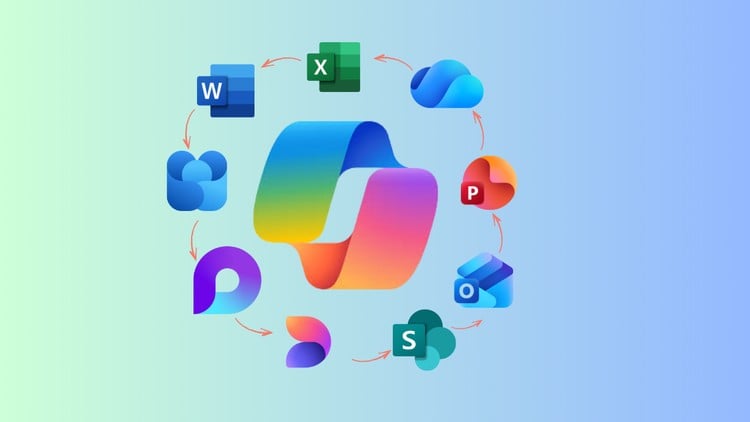
Boost productivity using Copilot across Word, Excel, PowerPoint, SharePoint, Outlook, OneDrive & Viva with real examples
⏱️ Length: 1.2 total hours
👥 16 students
Add-On Information:
Note➛ Make sure your 𝐔𝐝𝐞𝐦𝐲 cart has only this course you're going to enroll it now, Remove all other courses from the 𝐔𝐝𝐞𝐦𝐲 cart before Enrolling!
- Course Overview
- This comprehensive ‘Microsoft 365 Copilot Essentials & Foundations for Beginners’ course introduces you to the transformative power of generative AI within your daily professional applications. Designed specifically for newcomers, it demystifies Copilot, positioning it not just as a tool, but as an indispensable AI co-worker ready to revolutionize how you interact with information and create content across the Microsoft 365 ecosystem.
- Embark on a practical journey to integrate artificial intelligence seamlessly into your core productivity suite. This course serves as your gateway to understanding and applying Copilot’s intelligent assistance, ensuring you’re equipped to leverage its capabilities from your very first interaction, making complex tasks simpler and routine workflows significantly more efficient.
- Uncover the foundational principles of working with Copilot across key Microsoft 365 applications, learning how this intelligent assistant intelligently synthesizes information and generates content based on your instructions. The curriculum is meticulously structured to provide a clear, step-by-step introduction, focusing on hands-on application and immediate impact on your professional output.
- Discover how to navigate the emerging landscape of AI-enhanced productivity, setting the stage for significant personal and organizational efficiency gains. This course emphasizes real-world application, ensuring that participants don’t just learn about Copilot, but actively learn to *use* it to solve everyday business challenges and unlock new creative possibilities within their familiar M365 environment.
- Requirements / Prerequisites
- Participants should possess a fundamental working knowledge of Microsoft 365 applications (e.g., creating documents in Word, managing emails in Outlook, basic spreadsheet navigation in Excel). This foundational familiarity will enable a smoother transition into integrating Copilot with existing workflows and understanding its impact.
- Access to an active Microsoft 365 subscription (such as Microsoft 365 Business Standard, Business Premium, E3, or E5) is essential, along with the Copilot for Microsoft 365 license assigned to your user account. While the course provides foundational knowledge, hands-on practice requires a licensed Copilot environment to fully experience its capabilities.
- A stable internet connection and a modern web browser on a personal computer are necessary to access course materials and engage with the Microsoft 365 Copilot interface effectively. No prior experience with artificial intelligence, advanced technical skills, or complex programming knowledge is required, making it truly accessible for beginners.
- Skills Covered / Tools Used
- Intelligent Document & Presentation Creation: Develop the skill to rapidly generate, refine, and transform textual content and slide decks within Word and PowerPoint, utilizing Copilot for initial drafts, thematic expansion, and structural organization based on minimal input.
- Advanced Information Synthesis: Learn to instruct Copilot to intelligently summarize lengthy documents, emails, or chat threads, and extract key insights or action items from vast amounts of information stored across SharePoint, Outlook, and other M365 apps.
- Dynamic Data Exploration & Reporting: Acquire proficiency in leveraging Copilot within Excel to ask natural language questions about your data, generate insights, identify trends, and formulate executive summaries, transforming raw data into actionable intelligence without complex formulas.
- Streamlined Communication & Collaboration: Master techniques for using Copilot to draft professional email responses, prepare meeting agendas, condense conversation histories, and facilitate more productive exchanges in Outlook and Viva Engage, enhancing your digital communication efficiency.
- Strategic Prompt Engineering Fundamentals: Gain an intuitive understanding of how to craft clear, effective, and context-rich prompts that guide Copilot to produce precise, relevant, and high-quality outputs, a critical skill for maximizing AI assistant utility across all applications.
- Cross-Application Workflow Optimization: Explore how Copilot seamlessly integrates across the entire M365 suite, enabling you to carry context and information between applications (e.g., summarize a document in Word, then draft an email about it in Outlook) for truly interconnected workflows.
- Tools Used: The primary tool is Microsoft 365 Copilot, integrated within Microsoft Word, Excel, PowerPoint, Outlook, SharePoint, OneDrive, and Viva Engage.
- Benefits / Outcomes
- Empower yourself to become a highly efficient Microsoft 365 user, capable of leveraging cutting-edge AI technology to automate routine tasks, accelerate content creation, and derive quicker insights from your data, significantly boosting your daily productivity.
- Gain a competitive edge in the modern workplace by mastering essential AI literacy and practical application skills, positioning you as an innovator eager to embrace new technological advancements to solve business problems and enhance professional output.
- Drastically reduce the time spent on administrative and repetitive tasks, freeing up valuable capacity for more strategic thinking, creative problem-solving, and engaging in higher-value work that truly drives personal and organizational growth.
- Enhance the quality, consistency, and speed of your work output, from meticulously drafted documents and impactful presentations to data-driven reports and concise communications, all powered by Copilot’s intelligent assistance and your refined prompting skills.
- PROS
- Immediate Productivity Gains: The course is intensely focused on practical, actionable skills that can be applied directly to current Microsoft 365 workflows for instant efficiency improvements.
- Broad Application Coverage: It provides a comprehensive introduction to Copilot’s capabilities across multiple core M365 applications, ensuring a versatile skill set rather than a narrow focus.
- Future-Ready Skill Development: Equips learners with foundational AI interaction skills, which are becoming increasingly vital for all professionals in an evolving digital workplace.
- Simplified Learning Curve: Designed for beginners, it breaks down complex AI concepts into easy-to-understand modules, ensuring accessibility for all M365 users without prior AI experience.
- Efficiency-Driven Approach: The curriculum is tailored to demonstrate how Copilot directly contributes to time-saving, accuracy improvement, and overall enhancement of daily tasks.
- CONS
- Given its foundational nature and compact 1.2-hour duration, this course offers an excellent starting point but may not delve into highly advanced Copilot features, complex integration scenarios, or intricate administrative configurations.
Learning Tracks: English,Office Productivity,Microsoft