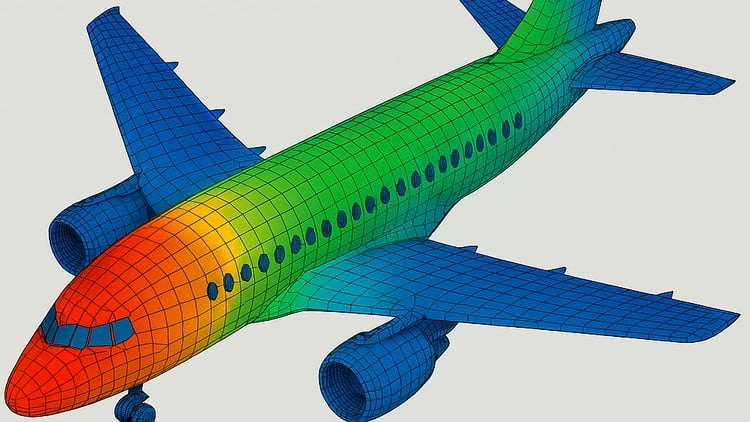
Finite Element Analysis through Aircraft Structures
What You Will Learn:
- Learning the basics of Mechanics (Finite Element Analysis)
- Learning the application of Finite Element Analysis with real time examples and problems
- Learning the application of Finite Element Analysis in Aircraft Engineering
- Learning to use FEA tool PATRAN & NASTRAN from scratch to depth; step by step guide of solving a problem
Overview: Beyond the Theoretical Math Clouds
Look, if you’ve spent any time in a mechanical or aerospace engineering department, you’ve heard the term “Finite Element Analysis” tossed around like it’s some kind of dark magic. For years, I watched colleagues struggle with textbook definitions of stiffness matrices and nodal displacements without ever actually knowing how to validate a design. This course, Intro to Finite Element Analysis, finally bridges that gap between “I think this wing will hold” and “I know exactly where this spar will fail.”
What sets this particular program apart isn’t just the math—it’s the hyper-focus on Aircraft Structures. Most FEA courses use generic blocks or simple beams as examples, which honestly gets boring fast. Here, you’re diving into the meat and potatoes of aerospace. We’re talking about understanding how stress flows through a fuselage and how to simulate those complex loading conditions that keep a 747 in the air. It’s a beginner to advanced journey that feels less like a lecture and more like a mentorship under a senior stress engineer. Instead of just “learning the software,” you’re learning the philosophy of simulation—the “why” behind the mesh.
Prerequisites: What You Actually Need
You don’t need to be a PhD in Applied Mathematics, but don’t walk in totally cold either. To get the most out of this, you should have a solid grasp of Basic Mechanics and Strength of Materials. If you know what “Stress-Strain” means and you’ve seen a Mohr’s Circle before, you’re ready. From a technical standpoint, having a computer that can actually handle simulation software is a must—don’t try running NASTRAN on a tablet. A little bit of patience with complex UIs will also go a long way.
Skills & Tools: The Industry Power Couple
The real “meat” of this course is the deep dive into PATRAN & NASTRAN. In the aerospace world, these aren’t just programs; they are the industry-standard tools. While the rest of the world might be playing with flashier, more “modern” looking UIs, Boeing, Airbus, and Lockheed Martin are still built on the back of NASTRAN.
Through the hands-on labs, you’ll master:
- Geometry Creation & Cleaning: Learning that 90% of FEA is actually just fixing bad CAD.
- Advanced Meshing: Moving beyond simple tet-elements to understand 1D, 2D, and 3D meshing strategies for thin-walled aircraft structures.
- Load Application: How to simulate aerodynamic lift and internal pressure without making the solver crash.
- Post-Processing: Actually interpreting the “pretty colors” (fringe plots) to make engineering decisions.
Career Benefits & Job Roles
If you’re looking for career growth, this is a massive line item for your resume. We are currently seeing a huge demand for engineers who can do more than just draw in CAD. Companies want job-ready skills—they want people who can verify their own designs.
By finishing this and treating it as certification prep, you’re opening doors to roles like:
- Structural Stress Engineer: Specifically within the aerospace and defense sectors.
- FEA Analyst: Working in consultancy firms that specialize in high-stakes simulation.
- Mechanical Design Engineer: Using simulation to iterate faster and reduce prototype costs.
The pay bump for “Design Engineer” vs. “Design Engineer with FEA expertise” is significant. It’s the difference between being a draftsman and being a true analyst.
The Pros
- Real-World Projects: You aren’t just clicking buttons; you are solving problems that look exactly like what you’d see on a hangar floor or in a design bureau.
- Tool Specificity: Most courses stay too general. By focusing on PATRAN & NASTRAN, you are learning the specific language of the aerospace industry.
- Step-by-Step Logic: The transition from beginner to advanced is handled well. It doesn’t throw you into non-linear dynamics before you’ve learned how to properly constrain a static model.
The Honest Con
Let’s be real: PATRAN’s user interface feels like it was designed in the 1990s (because, well, it was). For a beginner used to modern apps, the learning curve on the software side can be frustratingly steep. The course does its best to guide you, but be prepared for a few “Why is this button hidden here?” moments. It’s a hurdle, but once you clear it, you’re using the same tech that put rovers on Mars.