Improving software development productivity. Practical techniques.
What you will learn
This course will help you easily improve the productivity of your team. All those who are engaged in the development of various kinds of software and not only
This course will be useful not only for the technical leader of the development group, but also for managers of different levels, developers and testers.
Task management. Version control systems. Bug tracker.
Automatic machines and scripts in project work
Description
What will be in the course:
- Personal experience;
- How I structured the work in my team;
- What my team and I use;
- What are the alternatives to my tools;
- Which helped speed up development.
What this course will not include:
- A huge amount of theory;
- Calculations that prove how to design;
- Imposing opinions and proving that problems need to be solved only this way and nothing else.
As a result, this course will be useful not only for the technical leader of the development group, but also for managers of different levels, developers and testers.
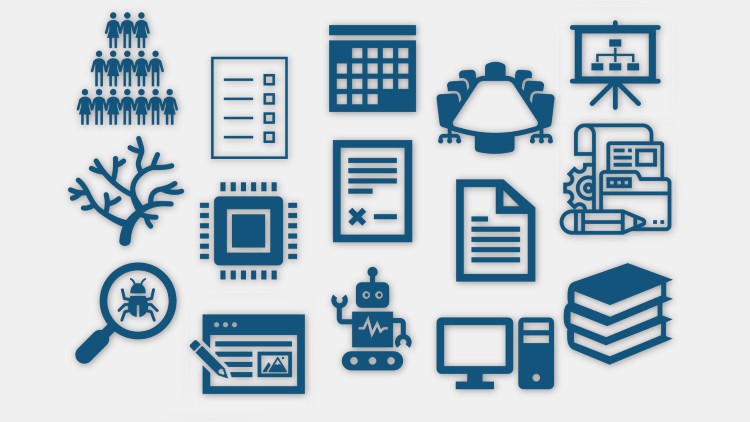
The topics of the lessons that will be discussed in this course are shown on the slide:
- Introductory lesson;
- Team and roles in it;
- Technical task;
- Work planning;
- Task management systems;
- Architecture;
- Version control systems, version accounting;
- Codestyle;
- Description of the code;
- Automatic generation of documentation;
- Testing;
- Bug life cycle, Bug tracker;
- Automatic tests;
- Automatic machines and scripts;
- Instructions;
- Summing up and my results.
For each topic, there will be an explanation of how this innovation in the development process will help increase efficiency.
By efficiency, I mean the following measured parameters:
- The number of mechanical errors will decrease;
- Development time will be reduced;
- The error search time will decrease;
- The time to attract a new developer will decrease;
- The accuracy of the development forecast and adherence to plans is increased.
And not measurable, which will also get better:
- It will become easier to hand over the product to the customer;
- Developers’ interest will increase.
Content
Introductory lesson
What can be done well without starting the project
Architecture
Version control systems, version accounting.
Codestyle, description of the code, documentation
Testing and all about it.
Automatic machines, scripts, instructions. Summing.
An Honest Take on Scaling Engineering Output Without the Burnout
Let’s be real for a second: most developers and managers think “improving productivity” just means drinking more caffeine and typing at 100 words per minute. I’ve spent over a decade in the trenches, and I can tell you that’s a one-way ticket to burnout. Real productivity—the kind that actually moves the needle on real-world projects—is about the systems you build around your code, not just the code itself. This course, “Improving software development productivity,” takes a refreshing, pragmatic swing at the “invisible” bottlenecks that kill momentum in a dev shop.
What I appreciated most isn’t just the focus on industry-standard tools, but the philosophy of removing friction. We often get bogged down in “busy work”—manually moving tickets, fighting with merge conflicts, or chasing down bugs that should have been caught by a script. This course treats your workflow as a product in itself. Whether you are looking for certification prep or just want to stop working 60-hour weeks, the insights here focus on working smarter. It’s about the shift from being a “code monkey” to becoming an efficient technical leader who understands the value of a streamlined pipeline.
The content doesn’t just cater to the seniors; it spans the spectrum from beginner to advanced. If you’re a junior, you’ll learn the “why” behind the tools your seniors are always grumbling about. If you’re a manager, you’ll finally understand why your team is constantly stuck in “deployment hell” and how to fix it with automatic machines and scripts. It’s a holistic view of the software development life cycle (SDLC) that isn’t taught enough in traditional computer science degrees.
Who Needs to Be in the Room? (Prerequisites)
You don’t need a PhD in Distributed Systems to get value out of this, but you shouldn’t be a total tech novice either. To get the most out of the hands-on labs, you should have:
- A foundational understanding of how software is built and deployed.
- Basic familiarity with the command line (you don’t need to be a wizard, but don’t be afraid of the terminal).
- Experience working in a team environment—many of the “productivity” wins here are about communication and shared job-ready skills.
- A hunger for career growth and a willingness to break old, inefficient habits.
The Toolkit: Skills & Industry-Standard Tools
The course dives deep into the tech stack that actually defines a modern, high-performing engineering team. You aren’t just reading theory; you’re looking at how to implement industry-standard tools effectively. Key focus areas include:
- Version Control Systems (Git): Moving beyond simple commits to managing complex branching strategies that don’t break the build.
- Task Management & Bug Trackers: Leveraging tools like Jira or Linear not just as “to-do lists,” but as engines for predictability.
- Automation & Scripting: Using Python or Bash to automate the boring stuff, ensuring your career growth isn’t stalled by repetitive manual tasks.
- CI/CD Concepts: Understanding how automatic machines can handle testing and deployment, allowing the team to focus on shipping features.
Career Benefits & Potential Job Roles
Mastering these workflows is what separates a “coder” from a “software engineer.” Employers aren’t just looking for people who can write functions; they want people who bring job-ready skills that reduce operational overhead. Completing this type of training can pivot your career into several high-paying directions:
- Engineering Manager: By understanding how to unblock a team and optimize the bug tracker workflow.
- DevOps Engineer: By focusing on the automatic machines and scripts aspect of the course.
- Senior Software Developer: Using real-world projects as a playground to demonstrate your ability to lead efficient sprints.
- QA Lead: Improving the feedback loop between testers and devs using integrated task management.
The High Points (Pros)
- Highly Practical: This isn’t academic fluff. Everything mentioned can be applied to your stand-up meeting the very next morning. The focus on hands-on labs ensures the knowledge sticks.
- Cross-Disciplinary: It’s rare to find a course that is equally valuable for a tester and a manager. It builds a common language for the whole team, which is the ultimate productivity hack.
- Focus on Automation: In an era of AI and rapid scaling, the section on scripts in project work is gold. It teaches you to stop being a bottleneck and start being an architect of systems.
The Reality Check (Cons)
- Tool Agnostic to a Fault: While the course covers the concepts of industry-standard tools brilliantly, it sometimes stays at a high level to avoid being dated. If you’re looking for a 10-hour deep dive specifically on the nuances of “Advanced Jira Query Language,” you might find yourself wanting a bit more “under-the-hood” technical detail on specific software vendors.