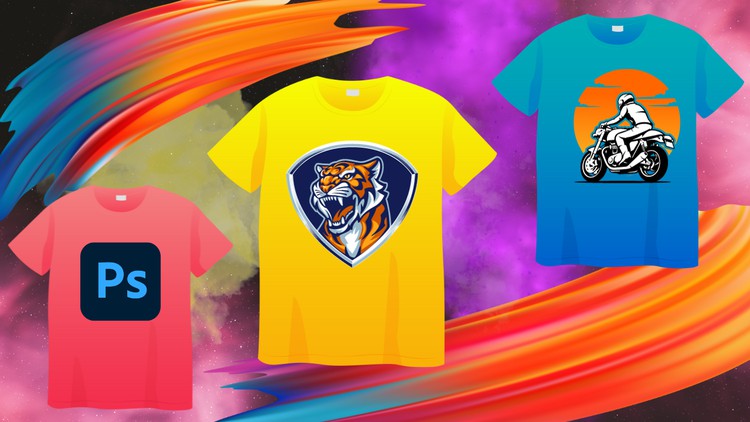
Photoshop for T-Shirt Design: A Beginner-Friendly Guide to Creating Stunning Designs
What you will learn
Master the Essentials of Photoshop
Explore Design Principles
Conceptualize and Sketch Your Designs
Harness Photoshop’s Power
Create Distressed and Vintage Looks
Master Realistic Textures
Optimize Designs for Print
Industry Insights and Tips
Description
Embark on a comprehensive journey to master the art of T-Shirt design using Adobe Photoshop, from the fundamentals to advanced techniques. Whether you’re a complete beginner or seeking to refine your skills, this course caters to all levels of expertise.
What You’ll Learn:
- Master the Essentials of Photoshop: Gain a thorough understanding of Photoshop’s interface, tools, and functionalities, enabling you to navigate the software with ease.
- Explore Design Principles: Delve into the fundamental principles of design, including color theory, typography, composition, and balance, empowering you to create visually appealing and effective T-Shirt designs.
- Conceptualize and Sketch Your Designs: Learn how to transform your creative ideas into tangible concepts and translate them into effective sketches, laying the groundwork for your T-Shirt designs.
- Harness Photoshop’s Power: Utilize Photoshop’s extensive features to bring your designs to life. Master techniques such as layer management, selection tools, masking, and adjustments to create professional-looking T-Shirts.
- Create Distressed and Vintage Looks: Learn how to achieve a variety of artistic effects, such as distressed and vintage looks, to add depth and character to your T-Shirt designs.
- Master Realistic Textures: Discover techniques for creating realistic textures, such as fabric textures and leather textures, to enhance the visual appeal of your T-Shirt designs.
- Optimize Designs for Print: Ensure your designs are print-ready by understanding color separation, resolution, and file formats specific to T-Shirt printing.
- Industry Insights and Tips: Gain valuable insights into the T-Shirt design industry, including industry trends, marketing strategies, and tips for success.
Who Should Take This Course:
- Aspiring T-Shirt designers seeking to master the art of T-Shirt design using Adobe Photoshop
- Individuals with basic Photoshop knowledge looking to enhance their skills and create professional-level T-Shirt designs
- Creative individuals passionate about fashion and design who want to express themselves through T-Shirt designs
Prerequisites:
- A basic understanding of computers and the ability to navigate files and folders
- A computer with Adobe Photoshop installed
- A passion for creativity and a desire to learn T-Shirt design
Course Benefits:
- Gain the skills and knowledge to create professional-looking T-Shirt designs using Adobe Photoshop
- Develop a strong understanding of design principles and techniques
- Expand your creative horizons and express your unique style through T-Shirt designs
- Learn how to market and sell your T-Shirt designs effectively
- Enhance your career prospects in the T-Shirt design industry
Content
Introduction
Overview
Listen, the t-shirt game is incredibly crowded right now. From “Merch by Amazon” enthusiasts to boutique streetwear brands, everyone is trying to slap a graphic on a Gildan tee and call it a day. But here is the cold, hard truth: most of those designs look like amateur hour because they lack the technical polish required for professional apparel. This is where the Beginner Guide to Learn T-Shirt Design With Photoshop steps in. Having spent over a decade navigating the nuances of industry-standard tools, I’ve seen plenty of courses that just show you how to use a brush tool and call it “design.” This course is different because it treats t-shirt creation as a specialized craft, not just a digital doodle.
What I found particularly refreshing here is the emphasis on the “printable” aspect of design. It’s one thing to make a cool-looking image on your 4K monitor; it’s an entirely different beast to prepare that file so it doesn’t look like a muddy mess when it hits the heat press or the screen-printing carousel. This curriculum moves you through real-world projects that simulate the actual workflow of a professional graphic artist. It’s not just a “how-to” on Photoshop; it’s a masterclass in conceptualizing art that actually sells. By bridging the gap from beginner to advanced aesthetic techniques—like those elusive vintage washes—it provides a level of career growth potential that you usually only find in expensive, multi-month bootcamps.
Prerequisites
- Software Access: You’ll need an active subscription to Adobe Creative Cloud to access Adobe Photoshop. While older versions might work, the course leverages modern features that make the workflow significantly faster.
- Basic Hardware: A computer capable of handling high-resolution files (300 DPI is the standard here). A drawing tablet is a plus for the sketching phase, but a mouse is perfectly fine for the technical execution.
- Creative Curiosity: No prior design experience is required, but a “student mindset” is essential. You’re here to learn job-ready skills, not just watch videos.
- File Management Basics: You should know your way around a folder structure so you don’t lose your assets during the hands-on labs.
Skills & Tools
- Mastering Layers & Masks: The bread and butter of non-destructive editing. This ensures your designs remain editable for client revisions.
- High-Resolution Optimization: Learning why 300 DPI and CMYK vs. RGB color spaces are the difference between a pro shirt and a flea-market fail.
- Advanced Texturing: Using industry-standard tools to apply realistic distressed and vintage overlays that make a design look “expensive.”
- Typography & Layout: Understanding how to balance text and imagery so the eye follows a natural path across the garment.
- Print Preparation: Handling transparency, knockouts, and file formats (PNG, TIFF, PSD) tailored for Direct-to-Garment (DTG) and Screen Printing.
Career Benefits & Job Roles
Completing this course isn’t just about making a cool shirt for your gym buddies; it’s about certification prep for the real world. If you’re looking to transition into a new career, the portfolio you build here is your ticket in. I’ve seen designers move from being “the person who knows Photoshop” to “Apparel Lead” just by mastering the print-optimization techniques taught here. The job-ready skills you acquire are directly applicable to roles such as:
- Apparel Graphic Designer: Working for major retail brands or local print shops.
- Freelance Brand Consultant: Helping startups launch their first clothing line with professional-grade mockups.
- Print-on-Demand (POD) Entrepreneur: Dominating platforms like Redbubble or Etsy with designs that stand out from the AI-generated noise.
- Production Artist: A crucial role in the manufacturing side where you ensure designs are technically sound for mass production.
Pros
- Hyper-Focused Content: Unlike generic Photoshop courses, every lesson is filtered through the lens of apparel design. You don’t waste time on photo retouching or web UI; it’s all about the shirt.
- Authentic Texturing Techniques: The section on creating distressed and vintage looks is worth the price of admission alone. It teaches you how to make a design look “worn-in” without looking “low-quality.”
- Realistic Mockups: The course teaches you how to present your work. In the professional world, showing a client a flat file is a mistake; showing them a real-world project mockup on a high-quality model template is how you close deals.
- Efficiency Workflows: It teaches you how to work fast. In a production environment, speed is just as important as creativity, and the shortcuts shared here are genuine “pro tips.”
Cons
- Raster Limitations: While Photoshop is king for textures and effects, some high-end screen printers still prefer vector files (Illustrator). While this course mentions optimization, a brief primer on when to jump from Photoshop to vector would have rounded out the “industry insights” perfectly.