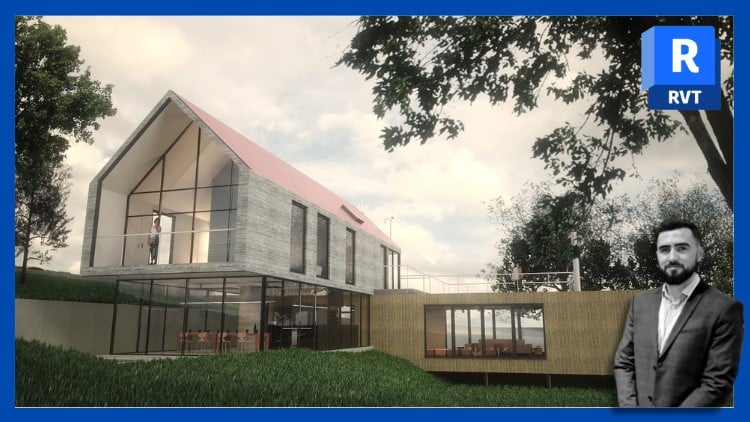
Includes 1 main project, 15 quizzes & a Final Exam. 2024 Revit version right back to 2018.
⏱️ Length: 8.0 total hours
⭐ 4.60/5 rating
👥 49,022 students
🔄 August 2025 update
Add-On Information:
Note➛ Make sure your 𝐔𝐝𝐞𝐦𝐲 cart has only this course you're going to enroll it now, Remove all other courses from the 𝐔𝐝𝐞𝐦𝐲 cart before Enrolling!
-
Course Overview
- This comprehensive course is meticulously designed to transform aspiring designers, architects, and engineers into proficient Autodesk Revit users, navigating them seamlessly from foundational concepts to intermediate-level project execution. It offers a structured and highly practical learning pathway, emphasizing real-world application of BIM principles through a dedicated main project. With an impressive 4.60/5 rating from nearly 50,000 students, it stands as a testament to its effectiveness and student satisfaction. The curriculum is updated to cover the latest Revit 2024 features while remaining fully compatible with versions as far back as 2018, ensuring broad applicability for professionals and students alike. This 8-hour journey is not just about mastering software tools, but about understanding the integrated workflow of Building Information Modeling, preparing learners for contemporary design and construction challenges. The course’s structure, reinforced by regular assessments and a final examination, ensures deep comprehension and retention of critical skills, making it an ideal choice for anyone looking to build a robust foundation in Revit.
-
Requirements / Prerequisites
- While no prior experience with Autodesk Revit or any CAD/BIM software is strictly necessary, a basic understanding of architectural or engineering design principles can provide a beneficial contextual framework. Participants should possess fundamental computer literacy, including navigation of operating systems and file management. A stable internet connection is required for initial course download and software installation; however, the course content itself is conveniently available for offline use. Access to a computer capable of running Autodesk Revit (preferably 2018 or newer) is essential, and students are encouraged to utilize a trial version or an educational license if they do not already possess a full subscription. An eagerness to learn and a commitment to practicing the taught techniques will significantly enhance the learning experience and overall success in the course.
-
Skills Covered / Tools Used
- The course meticulously covers a wide array of essential Revit skills, beginning with the fundamental interface navigation, including mastering the Ribbon, Project Browser, and Properties Palette, to efficiently manage project data. Students will gain proficiency in creating and modifying core architectural elements such as walls, floors, roofs, doors, and windows, understanding their parametric relationships. A significant focus is placed on developing robust documentation skills, including the generation of various plan views, sections, elevations, and detailed schedules, ensuring accurate project representation. Learners will explore basic massing and site modeling techniques, alongside the creation and management of custom families and components to enrich their project libraries. Furthermore, the course delves into fundamental annotation and dimensioning tools, applying materials and rendering settings for basic visualization, and understanding the principles of worksharing and collaboration within a BIM environment. By the end, participants will be adept at utilizing Revit’s powerful tools to conceptualize, design, and document complete building projects.
-
Benefits / Outcomes
- Upon successful completion of this course, students will emerge with a strong, actionable skillset that is highly sought after in the architecture, engineering, and construction (AEC) industry. Graduates will be equipped to confidently tackle real-world design projects, translating concepts into detailed, intelligent 3D models and comprehensive 2D documentation using industry-standard BIM software. The practical experience gained from completing a main project will serve as a valuable addition to their professional portfolio, demonstrating their capability to manage design workflows from inception to final output. This proficiency in Revit significantly enhances career prospects, opening doors to roles requiring BIM expertise and increasing overall employability. Beyond technical skills, participants will develop a deeper understanding of integrated design processes, improve spatial reasoning, and learn efficient project management techniques within a collaborative environment, fostering professional growth and innovation in their respective fields.
-
PROS
- Structured Learning Path: The course provides a clear, step-by-step progression from beginner to intermediate concepts, reinforced by regular quizzes and a comprehensive final exam to solidify understanding.
- Extensive Version Compatibility: Support for Revit versions from 2018 up to 2024 ensures broad applicability for users with varying software access.
- High Student Satisfaction: A 4.60/5 rating from over 49,000 students speaks to the quality and effectiveness of the instruction.
- Practical Application: Centered around a main project, the course emphasizes hands-on learning and real-world application of Revit tools.
- Offline Accessibility: The option to download course content for offline use provides flexibility for learning anytime, anywhere.
- Imperial Notes Provided: Inclusion of Imperial notes specifically caters to students working with Imperial units, enhancing usability.
-
CONS
- Time Commitment Required: While comprehensive, mastering the software and concepts requires dedicated practice and a significant time investment beyond the core 8 hours.
Learning Tracks: English,Design,Architectural Design