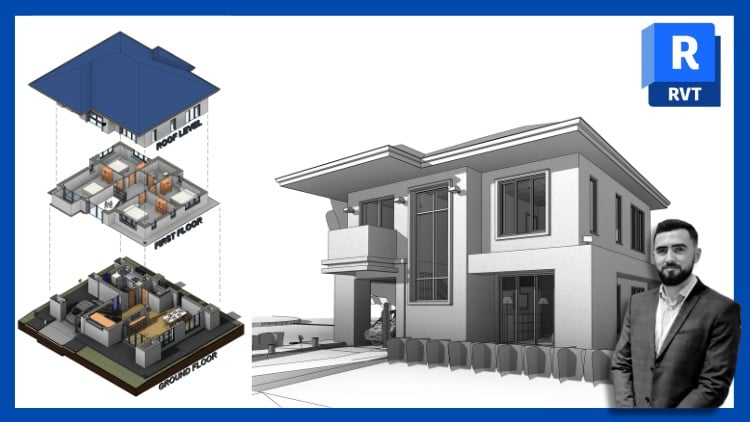
Includes 11 projects, 3 quizzes & a Final Exam. For all versions of Revit
⏱️ Length: 22.0 total hours
⭐ 4.59/5 rating
👥 15,004 students
🔄 August 2025 update
Add-On Information:
Note➛ Make sure your 𝐔𝐝𝐞𝐦𝐲 cart has only this course you're going to enroll it now, Remove all other courses from the 𝐔𝐝𝐞𝐦𝐲 cart before Enrolling!
-
Course Overview
- This comprehensive course transforms you from a Revit novice into a proficient professional, mastering Autodesk Revit for Building Information Modeling (BIM) across all project phases.
- Embark on a structured learning journey covering foundational BIM principles, advanced architectural modeling, and critical project management techniques essential for modern AEC.
- Gain deep practical understanding of Revit, focusing on both “how-to” operations and the “why” behind efficient, collaborative workflows for successful project delivery.
- Tackle diverse real-world challenges through hands-on projects, ensuring theoretical knowledge is immediately reinforced with practical, industry-relevant application.
- Develop a holistic view of Revit’s integration across disciplines, fostering a collaborative mindset vital for multidisciplinary project execution in architecture, engineering, and construction.
- The curriculum boasts frequent updates (2024, 2025 & 2026), guaranteeing your skills remain cutting-edge and highly competitive in the evolving AEC industry.
-
Requirements / Prerequisites
- Basic Computer Literacy: Familiarity with standard computer operations, file navigation, and software usage is recommended.
- Windows Operating System: Recommended access to a Windows PC for optimal Revit performance and compatibility, as Revit is primarily Windows-based.
- A Desire to Learn: Eagerness to delve into the world of BIM and master industry-standard architectural and engineering design software.
- No Prior Revit Experience: This course is meticulously designed for absolute beginners, requiring no prior knowledge of Autodesk Revit or BIM concepts.
- Revit Software Access: Necessary access to Autodesk Revit software (trial or licensed version) is essential for engaging with the practical exercises.
-
Skills Covered / Tools Used
- Parametric Design Mastery: Develop an intuitive understanding of Revit’s parametric modeling capabilities, where changes in one element intelligently propagate across the entire project model.
- Advanced Family Creation: Learn to design, customize, and manage robust custom families (e.g., specific components, annotation symbols) beyond standard libraries, including nested families and shared parameters.
- Comprehensive Project Management: Master efficient project setup, create and utilize custom templates, manage design phases, explore design options, and implement worksharing for complex, collaborative projects.
- Precision Documentation: Generate professional-grade construction documents, detailed plans, sections, elevations, and schedules adhering to industry standards using sophisticated annotation and dimensioning tools.
- Effective Visualization: Create compelling 3D views, immersive walkthroughs, and high-quality rendered images directly within Revit, utilizing advanced graphic display options and material libraries for impactful presentations.
- Data Extraction & Reporting: Leverage Revit’s intelligent data for automated schedules, precise material take-offs, and crucial project reporting, significantly enhancing project efficiency and decision-making.
- Site Modeling & Context: Develop accurate site models, incorporating existing topography, building pads, and contextual elements, including performing basic cut/fill calculations.
- Interdisciplinary Coordination: Understand the principles of linking various discipline models (architectural, structural, MEP) to facilitate early clash detection and promote seamless data exchange within the broader BIM ecosystem.
- Workflow Acceleration: Master the Revit user interface, implement keyboard shortcuts, and employ efficient navigation techniques for maximized productivity and a streamlined design process.
- Cloud Collaboration Fundamentals: Grasp foundational concepts of cloud-based worksharing and model coordination within the Autodesk platform, essential for modern collaborative practices.
-
Benefits / Outcomes
- Career Acceleration: Position yourself as a highly competent Revit professional, unlocking new career opportunities in architecture, engineering, and construction firms.
- Enhanced Project Efficiency: Streamline design and documentation workflows, significantly reducing errors, rework, and project delivery times through intelligent BIM processes.
- Superior Collaboration: Develop expertise in collaborative project environments, fostering better communication and coordination with multidisciplinary design and construction teams.
- Robust Portfolio: Build an impressive portfolio showcasing diverse Revit projects, demonstrating your ability to handle complex designs from conception to completion.
- Industry Credibility: Attain proficiency in an industry-leading software, making you a valuable and sought-after asset to any modern AEC organization.
-
PROS
- Comprehensive Coverage: Spans Revit’s entire spectrum, from foundational basics to advanced techniques, ensuring a complete and well-rounded skill set.
- Project-Driven Learning: Extensive hands-on projects provide practical experience, solidifying theoretical knowledge application and real-world problem-solving.
- Up-to-Date Content: Frequent updates (2024, 2025, 2026) ensure your skills are current with the latest software advancements and industry best practices.
- Flexible Access: Downloadable content facilitates convenient offline learning, catering to varied schedules and internet accessibility limitations.
- High Market Value: Mastering an industry-standard software like Revit significantly boosts your professional standing and employability within the AEC sector.
-
CONS
- Requires Consistent Practice: Mastery of complex software like Revit demands dedicated time for practice and self-application beyond initial course hours.
Learning Tracks: English,Design,Architectural Design