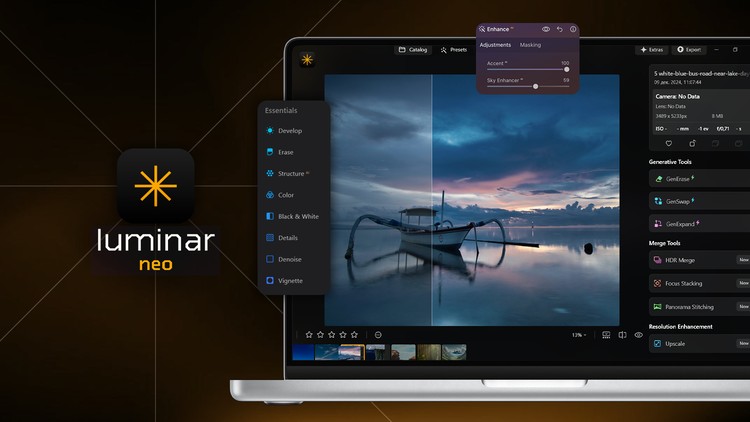
Start Editing Stunning Photos in Minutes with AI
What you will learn
Note➛ Make sure your 𝐔𝐝𝐞𝐦𝐲 cart has only this course you're going to enroll it now, Remove all other courses from the 𝐔𝐝𝐞𝐦𝐲 cart before Enrolling!
The fundamentals of AI‑driven photo editing and how it differs from traditional workflows
Advantages and limitations of AI in photo editing
Complete mastery of Luminar Neo’s generative features: GenErase, GenSwap, GenExpand
Genre‑specific editing recipes for landscapes, portraits, wildlife, cityscapes, street, real‑estate, and product shots
Time‑saving strategies to automate routine tasks while protecting artistic integrity
Add-On Information:
- Course Overview
- Discover the paradigm shift where computational photography meets artistic vision, allowing creators to focus on creative direction rather than technical drudgery.
- Explore how neural networks analyze image data to perform complex retouching tasks that previously required years of manual expertise to master.
- Understand the non-destructive nature of AI-powered editors, ensuring that your original raw data remains intact while you experiment with radical visual transformations.
- Learn to navigate user-centric interfaces designed specifically to bridge the gap between amateur snapshots and professional-grade gallery exports.
- Identify the specific metadata and color profiles that allow AI algorithms to render the most realistic textures and lighting transitions in your final renders.
- Analyze the evolution of digital darkrooms, moving from static filter applications to dynamic, content-aware adjustments that respond to image depth.
- Requirements / Prerequisites
- A standard desktop or laptop (macOS or Windows) with sufficient RAM to handle real-time AI processing and rendering.
- An active internet connection for initial software activation and to access cloud-based generative processing features.
- A collection of personal photographs (JPEG or RAW format) to use as practice files throughout the guided modules.
- Basic computer literacy, including the ability to manage file folders and install software applications.
- A creative curiosity and an openness to integrating automated technology into the traditional artistic process.
- Skills Covered / Tools Used
- Intelligent Semantic Masking: Automatically isolating subjects, skies, and backgrounds without the need for manual brush strokes or lasso tools.
- Post-Capture Relighting: Manipulating the 3D depth map of a 2D image to change light sources and shadows after the shot is taken.
- Neural Noise Reduction: Utilizing deep learning to strip away digital grain while maintaining high-frequency details and edge sharpness.
- Atmospheric Synthesis: Integrating realistic 3D elements like mist, haze, and light rays that interact naturally with the geometry of the scene.
- AI-Driven Upscaling: Enhancing the resolution of cropped or low-quality images for large-scale printing without losing clarity.
- Benefits / Outcomes
- Rapid Portfolio Development: Produce a high volume of professional-grade images in a fraction of the time required by traditional software.
- Commercial Scalability: Implement batch-processing workflows that allow you to deliver client projects with unmatched speed and consistency.
- Creative Freedom: Overcome technical limitations of your camera gear by using software to simulate expensive lenses and lighting setups.
- Archive Restoration: Gain the ability to breathe new life into old, poorly exposed, or blurry photographs using advanced reconstruction algorithms.
- Marketable Expertise: Position yourself at the forefront of the industry by mastering the tools that are currently redefining the photography profession.
- PROS
- Eliminates Repetitive Tasks: Frees your schedule by automating the most tedious parts of the editing process.
- No Steep Learning Curve: Designed to get you producing high-end results immediately, regardless of your prior experience.
- Cutting-Edge Technology: Grants access to the latest breakthroughs in machine learning applied specifically to visual aesthetics.
- Adaptive Workflows: Tools that learn from your preferences to help suggest the best starting points for every edit.
- CONS
- Platform Specificity: Mastering these advanced features often requires a commitment to specific software ecosystems and their associated subscription or licensing models.
English
language