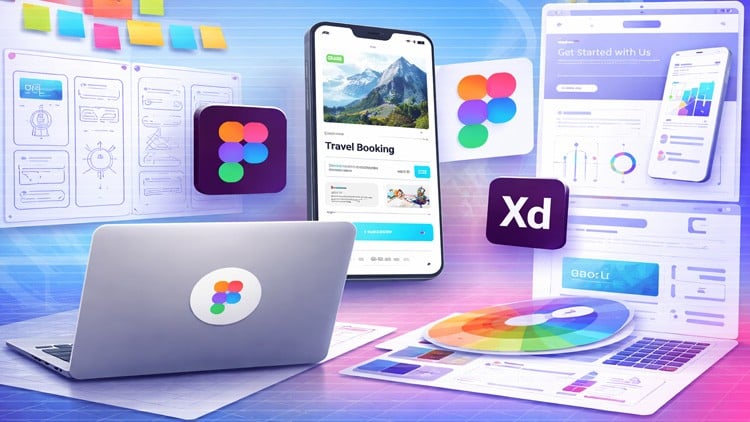
Master Modern UI UX Design, Build Stunning Apps & Websites, and Create User Centered Experiences
What You Will Learn:
- Fundamentals of UI (User Interface) and UX (User Experience) design
- Design principles: color, typography, layout, spacing, and hierarchy
- UX research: user personas, user journeys, and pain point analysis
- Wireframing and low-fidelity design techniques
- High-fidelity UI design for web and mobile apps
- Prototyping and interaction design
- Design systems and reusable components
- Usability testing and improving user experience
- How to design real-world projects from start to finish
- How to build a professional UI/UX portfolio
The Real Deal on UI UX Design Figma 2026
Let’s be honest: the design landscape is shifting faster than most “classic” bootcamps can keep up with. If you’re still designing static screens without thinking about AI-integrated workflows or responsive design systems, you’re already behind. I’ve spent years looking at portfolios, and the biggest gap I see isn’t a lack of “pretty” buttons—it’s a lack of structural thinking. This course, ‘UI UX Design Figma 2026: The Complete Web & Mobile Designer,’ is clearly built to bridge that gap.
What sets this apart from the sea of tutorials on YouTube isn’t just the Figma walkthroughs; it’s the holistic approach to product design. It doesn’t treat UI and UX as separate silos. Instead, it forces you to think like a Product Designer from day one. You’re not just learning where the ‘Auto Layout’ button is; you’re learning why spacing and hierarchy dictate whether a user actually clicks that button or bounces from the page. It’s a beginner to advanced journey that feels less like a lecture and more like a high-intensity certification prep program for the modern market.
What You Need Before You Start
The beauty of industry-standard tools like Figma is the low barrier to entry. You don’t need a $3,000 MacBook Pro or a degree in Fine Arts to get moving here.
- A computer (Windows, Mac, or Linux) with a stable internet connection.
- A free Figma account (the course covers the setup).
- A genuine curiosity about how humans interact with technology—this is the “UX” soul of the course.
- No prior design experience is required, making this a perfect career growth launchpad for career switchers.
Mastering the Skills & Tools
This isn’t just a “watch and forget” type of course. The curriculum is heavily weighted toward hands-on labs. You’ll be spending about 80% of your time inside the Figma canvas, which is exactly how it should be.
- Advanced Figma Proficiency: Mastering reusable components, variants, and the latest 2026 AI-assisted design features.
- Strategic UX Research: Moving beyond guesswork by using user personas and pain point analysis to drive design decisions.
- High-Fidelity Prototyping: Creating interaction design that looks and feels like a real, coded application.
- Design Systems: Learning how to build scalable libraries—a skill that is absolutely mandatory for landing roles at tech giants.
- Real-World Projects: Building a professional UI/UX portfolio that isn’t just full of “concept art” but actual solved problems.
Career Benefits & Job Roles
In today’s market, “UX Designer” is a broad term. This course prepares you for a variety of high-paying job-ready skills niches. By the time you finish the real-world projects, you won’t just be looking for “entry-level” scraps; you’ll have the technical vocabulary to hold your own in a design sprint.
Potential roles include:
- UI/UX Designer: The classic all-rounder.
- Product Designer: Focusing on the business logic and long-term evolution of an app.
- Interaction Designer: For those who love the “feel” and motion of an interface.
- UX Researcher: Perfect for the analytical minds who want to dive deep into user behavior.
- Visual Designer: Focusing on the high-end aesthetic and brand identity side of the house.
The Pros: Why This Course Hits Different
- The “Full-Stack” Designer Mindset: It doesn’t just stop at wireframing. It pushes you through the “messy middle” of usability testing and iteration, which is where real design happens.
- Emphasis on Design Systems: Most courses teach you to design one screen. This course teaches you to design a system. This is the difference between a $50k salary and a $120k salary in the current market.
- Portfolio-First Focus: You aren’t just getting a certificate; you’re ending up with a professional UI/UX portfolio that proves you can take a project from a vague idea to a high-fidelity UI design.
The Cons: An Honest Critique
If I have one gripe, it’s the sheer volume of information. For a total novice, the transition from low-fidelity design techniques to complex prototyping can feel like a vertical climb. It’s a lot to digest, and if you aren’t disciplined with the hands-on labs, you might find yourself “tutorial-trapped”—watching the videos without actually building the muscle memory. You have to put in the hours; the course won’t do the clicking for you.