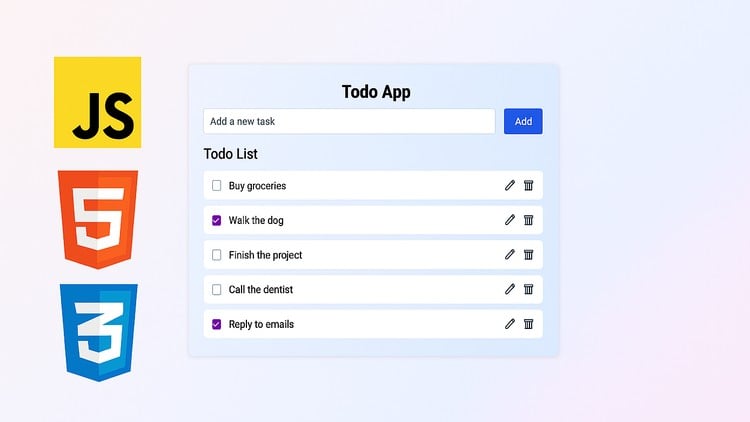
Learn by Building: Create a Todo App with JavaScript, HTML & CSS
⏱️ Length: 40 total minutes
⭐ 4.24/5 rating
👥 5,756 students
🔄 September 2025 update
Add-On Information:
Note➛ Make sure your 𝐔𝐝𝐞𝐦𝐲 cart has only this course you're going to enroll it now, Remove all other courses from the 𝐔𝐝𝐞𝐦𝐲 cart before Enrolling!
-
Course Overview
- This concise, project-based course, “Todo App Project: Master JavaScript, HTML & CSS,” offers a highly practical pathway to solidify foundational web development skills by building a recognized web application.
- Embark on a guided journey to bring a fully interactive Todo list application to life, understanding the symbiotic relationship between HTML structure, CSS styling, and JavaScript behavior that defines engaging user interfaces.
- Serving as an excellent gateway into front-end development, the course distills complex concepts into manageable, actionable steps, demystifying web application creation through a tangible outcome.
- With an impressive 4.24/5 rating from over 5,756 students and a September 2025 update, this course proves its effectiveness as a current and impactful learning resource for practical application.
- Despite its brief 40-minute duration, the “Learn by Building” philosophy ensures maximum value, swiftly transitioning you from theoretical knowledge to a completed, portfolio-ready project.
- It’s an ideal stepping stone for anyone looking to bridge the gap between understanding individual language features and integrating them into a cohesive, functional web application.
-
Requirements / Prerequisites
- A rudimentary understanding of how the web operates (client-server model, browser rendering) will be beneficial.
- Familiarity with basic HTML tag syntax and purpose (headings, paragraphs, lists) will aid in grasping structural aspects.
- An elementary grasp of CSS rules, selectors, and properties would be advantageous for comprehending styling techniques.
- Some conceptual exposure to programming logic, such as step-by-step instructions or conditional execution, will make JavaScript sections more approachable.
- A modern web browser and a text editor (like VS Code) are the only technical tools required to follow along.
- A willingness to experiment and debug, even in a guided environment, will significantly enhance the learning experience.
-
Skills Covered / Tools Used
- Gain proficiency in crafting a well-structured Document Object Model (DOM) using semantic HTML5, inherently touching upon accessibility foundations.
- Develop expertise in applying Cascaded Styling Sheets (CSS) to transform static HTML into an aesthetically pleasing and responsive user interface, focusing on layout and visual presentation.
- Master the art of creating dynamic user experiences by orchestrating changes to the webpage’s content and appearance in response to user input, such as adding or marking tasks.
- Explore fundamental concepts of client-side scripting, utilizing JavaScript to inject logic that manages application state and modifies the rendered output without requiring page reloads.
- Understand the importance of organizing code within distinct files (HTML, CSS, JavaScript) to promote modularity, readability, and easier maintenance of web projects.
- Acquire practical experience with common browser developer tools for inspecting elements, debugging JavaScript, and testing CSS styles.
- Practice implementing iterative processes and conditional logic within JavaScript to handle lists of data and manage different states of application elements effectively.
- Gain insights into fundamental UI/UX principles by building an intuitive interface where users can easily interact with tasks, focusing on a streamlined user journey.
-
Benefits / Outcomes
- Walk away with a fully functional, shareable Todo application, serving as a tangible demonstration of your nascent web development capabilities for your portfolio.
- Cultivate strong accomplishment and confidence in your ability to independently build interactive web components from the ground up, empowering you for more complex projects.
- Develop a robust foundational understanding that serves as a launchpad for exploring more advanced JavaScript frameworks and libraries in future learning endeavors.
- Accelerate your learning curve by experiencing the immediate gratification of seeing your code produce visible and interactive results, reinforcing concepts rapidly.
- Be equipped with practical, in-demand skills directly applicable to entry-level front-end developer roles, offering a clear advantage.
- Improve problem-solving abilities by tackling real-world coding challenges inherent in building applications, fostering critical thinking.
- Gain practical experience in debugging and troubleshooting common web development issues, a vital skill for any developer.
- Understand the end-to-end process of taking an application idea from concept to a working prototype, providing a holistic view of the development lifecycle within a micro-project.
-
PROS
- Project-Based Learning: Provides immediate practical application, reinforcing understanding through hands-on creation.
- Concise and Efficient: Delivers maximum learning in minimal time (40 minutes), ideal for quick skill reinforcement.
- Highly Rated: A 4.24/5 rating from over 5,756 students indicates proven satisfaction and effectiveness.
- Foundational Skill Building: Lays a strong groundwork in core web technologies essential for further development.
- Portfolio Ready: You finish with a tangible project that can be showcased immediately.
- Updated Content: September 2025 update ensures relevancy with current web development standards.
- Demystifies Integration: Clearly demonstrates how HTML, CSS, and JavaScript work together harmoniously.
-
CONS
- Limited Depth: Due to its extremely short duration, the course necessarily sacrifices in-depth exploration of advanced topics, comprehensive best practices, or extensive error handling.
Learning Tracks: English,Development,Web Development