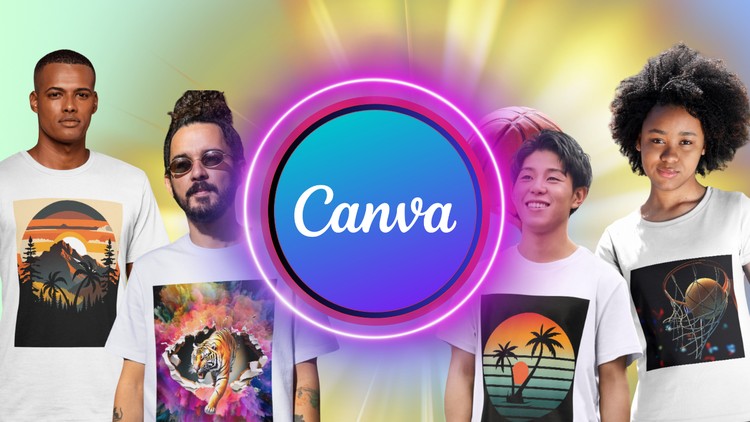
Effortless Design, Professional Results: T-Shirts Made Easy
What you will learn
Design trends and inspiration for t-shirts.
Tips for creating mockups to showcase your designs.
Resources for finding high-quality t-shirt printing services.
Learn how to arrange elements, choose impactful colors, and select fonts for maximum impact.
Overview
Look, I’ve spent the better part of two decades navigating high-end software suites and over-engineered tech stacks. Usually, when I hear “Canva,” I think of quick social media posts or my cousin’s birthday invitation. But after diving into the Ultimate Guide to Canva T-Shirt Design: Mastery in T-Shirt, I had to eat a bit of humble pie. This isn’t just a “point and click” walkthrough; it’s a strategic deep dive into the business of apparel aesthetics. What sets this course apart from the generic YouTube clutter is its focus on the real-world projects that bridge the gap between “that looks cool on my monitor” and “people will actually pay $25 for this.”
The instructor treats Canva as a legitimate industry-standard tool for the modern creator economy. The course moves fast, stripping away the fluff and focusing on the friction points of t-shirt design—like print-ready transparency, resolution scaling, and the psychological impact of negative space. It’s an opinionated look at design that favors speed and marketability over the steep learning curves of legacy software. If you’re looking for a way to monetize your creativity without spending six months learning how to mask a layer in Photoshop, this is the blueprint.
Prerequisites
- A basic understanding of web navigation: You don’t need to be a dev, but you should be comfortable moving around browser-based interfaces.
- A Canva account: While the free version works for learning, a Pro account is highly recommended to unlock the export features needed for professional printing.
- A creative spark: No prior design degree is required, but an interest in current streetwear or corporate apparel trends will help.
- Patience for iteration: The course emphasizes a beginner to advanced progression, so you’ll need to be willing to fail on your first few drafts.
Skills & Tools
The curriculum is essentially a series of hands-on labs disguised as design lessons. You’ll be working within the Canva ecosystem, but the logic you’re learning is universal. You’ll master typography hierarchy, which is arguably the most critical skill for t-shirt success. Beyond just “picking a font,” you’ll learn how to pair typefaces to evoke specific emotions—crucial for career growth in any visual field.
You will also tackle color theory and contrast specifically for fabric—understanding that what looks vibrant on an OLED screen might look muddy on a cotton blend. The course also introduces you to mockup generators and third-party fulfillment platforms, ensuring you have job-ready skills that extend beyond the design canvas and into the logistics of the print-on-demand (POD) industry.
Career Benefits & Job Roles
In today’s “side hustle” economy, being able to rapidly prototype and launch a brand is a massive advantage. Completing this course serves as an informal certification prep for anyone looking to enter the world of freelance graphic design or e-commerce management. You aren’t just learning to make shirts; you’re learning the visual language of branding.
Potential job roles and opportunities include:
- Print-on-Demand (POD) Entrepreneur: Launching your own storefront on platforms like Redbubble or Printful.
- Social Media Content Creator: Designing branded merchandise for influencers or your own community.
- Marketing Coordinator: Handling internal swag and promotional apparel for tech startups or local businesses.
- Freelance Graphic Designer: Offering specialized t-shirt design services on marketplaces like Fiverr or Upwork.
These are job-ready skills that allow for immediate entry into the gig economy while building a portfolio for long-term career growth.
Pros
- Low Barrier to Entry: You don’t need a $2,000 MacBook or a monthly Adobe subscription to get professional-grade results.
- Efficiency-First Workflow: The course teaches you how to leverage Canva’s massive asset library to cut your design time in half.
- Commercial Focus: It’s not just about art; it’s about what sells. The insights on design trends are worth the price of admission alone.
- Actionable Resources: The curated lists of printing services and mockup tools take the guesswork out of the production phase.
Cons
- Vector Limitations: While Canva is incredibly powerful, users may eventually hit a ceiling regarding complex vector manipulation that tools like Illustrator provide—though for 95% of t-shirt designs, this is a non-issue.