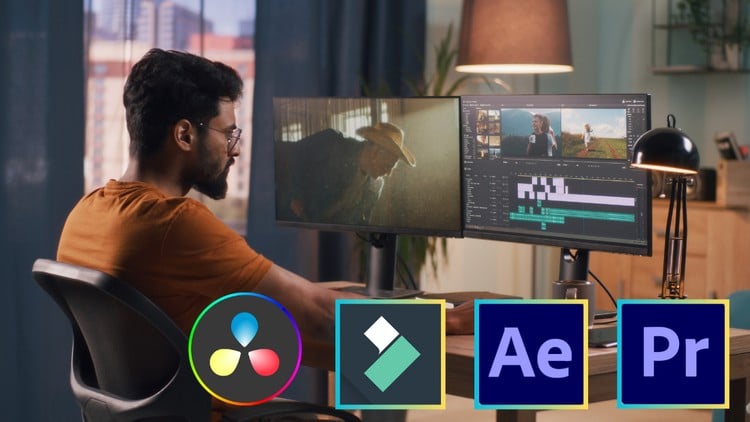
Learn Video Editing With Adobe Premiere Pro, Adobe After Effect, Filmora, Da Vinci Resolve
⏱️ Length: 17.0 total hours
⭐ 4.23/5 rating
👥 30,961 students
🔄 March 2025 update
Add-On Information:
Note➛ Make sure your 𝐔𝐝𝐞𝐦𝐲 cart has only this course you're going to enroll it now, Remove all other courses from the 𝐔𝐝𝐞𝐦𝐲 cart before Enrolling!
-
Course Overview
- This comprehensive bootcamp is meticulously designed to transform aspiring creators into adept video editing professionals, guiding them through a robust curriculum from foundational concepts to advanced post-production mastery.
- Embark on an intensive learning journey that demystifies the complex world of video production, offering a structured pathway to understanding the art and science behind compelling visual storytelling.
- Discover the strategic advantages of a multi-platform approach, equipping you with versatile skills across industry-leading software suites like Adobe Premiere Pro, Adobe After Effects, DaVinci Resolve, and the accessible Filmora.
- Uncover the core principles of cinematic aesthetics and technical proficiency, ensuring you not only know *how* to use the tools but also *why* specific techniques are employed to achieve desired emotional and narrative impacts.
- Prepare for real-world production scenarios by engaging with practical, project-based learning modules that simulate professional workflows and challenge you to apply theoretical knowledge immediately.
- Benefit from an updated March 2025 curriculum, ensuring you’re learning the most current tools, features, and best practices relevant to today’s fast-evolving media landscape.
-
Requirements / Prerequisites
- A genuine enthusiasm for visual media and a keen interest in bringing stories to life through video. No prior editing experience is necessary; this course starts truly from the ground up.
- Basic computer literacy, including navigating operating systems (Windows or macOS), managing files, and using web browsers comfortably.
- Reliable internet access for streaming course lectures, downloading practice assets, and accessing software updates.
- Access to a computer capable of running modern video editing software. While high-end specifications are beneficial, the course accommodates a range of systems, and free/trial versions of most software are available.
- A willingness to actively engage with hands-on exercises and dedicate time to practice the techniques learned to solidify your understanding and skill acquisition.
- While some software mentioned (e.g., Adobe Creative Cloud, DaVinci Resolve Studio) may require subscriptions or purchases for long-term use, the course is structured to allow learning with trial versions or free alternatives (like DaVinci Resolve Free and Filmora’s generous trial).
-
Skills Covered / Tools Used
- Strategic Workflow Design: Develop efficient project pipelines from initial concept to final export, ensuring smooth and organized post-production processes across various project scales.
- Foundational NLE Competency: Gain profound expertise in non-linear editing, understanding the nuances of constructing narratives, managing clips, and assembling coherent video sequences within Adobe Premiere Pro and DaVinci Resolve.
- Visual Storytelling & Pacing: Cultivate an intuitive sense for rhythm and timing in edits, learning how to manipulate sequence flow to evoke specific emotions and effectively convey your intended message.
- Multi-Camera Editing Proficiency: Learn advanced techniques for synchronizing and switching between multiple camera angles, crucial for interviews, live events, and narrative productions.
- Audio Fidelity Enhancement: Master the art of sound design, including noise reduction, equalization, compression, and mixing, to produce crystal-clear dialogue and immersive soundscapes that elevate your visual content.
- Cinematic Color Grading: Transform raw footage into visually stunning imagery by understanding color theory, applying advanced grading techniques, and achieving professional-grade looks that define your unique style using dedicated tools in Premiere Pro and the powerful DaVinci Resolve Color Page.
- Dynamic Visual Effects Integration: Explore the creative potential of visual effects and motion design, learning how to seamlessly blend practical and digital effects to add flair and professionalism using Adobe After Effects.
- Creative Compositing Principles: Dive into the world of compositing to combine different visual elements from various sources into a single, cohesive image, enabling complex visual narratives.
- Efficient Output & Delivery: Understand various video formats, codecs, and export settings tailored for different platforms (web, social media, broadcast), ensuring your final product looks pristine wherever it’s viewed.
- Cross-Platform Adaptability: Develop the critical skill of adapting your editing knowledge across diverse software environments, making you a highly flexible and sought-after editor.
- Accessible Editing with Filmora: Leverage the intuitive interface and powerful features of Wondershare Filmora for rapid prototyping, quick edits, or projects requiring a streamlined workflow without sacrificing quality.
-
Benefits / Outcomes
- Confidently tackle a wide array of video editing projects, from social media content and vlogs to short films and corporate videos, with a professional and polished output.
- Build a compelling portfolio showcasing your diverse skills across multiple software, making you a competitive candidate for freelance opportunities or full-time roles in media production.
- Unlock your creative potential, transforming abstract ideas into concrete visual narratives that resonate with your audience and effectively communicate your message.
- Gain a profound understanding of the entire post-production pipeline, enabling you to collaborate more effectively with other creative professionals and manage complex projects.
- Develop problem-solving skills essential for overcoming common editing challenges and adapting to unexpected technical or creative hurdles.
- Empower yourself with the technical proficiency and artistic discernment to truly master the craft of video editing, evolving from a beginner to an expert practitioner.
-
PROS
- Multi-Software Proficiency: Uniquely positions students with mastery across several industry-standard tools, significantly enhancing versatility and career prospects.
- Beginner to Expert Journey: Caters effectively to all skill levels, providing a clear and progressive learning path.
- High Student Satisfaction: A strong 4.23/5 rating from over 30,000 students indicates proven effectiveness and value.
- Up-to-Date Content: The March 2025 update ensures relevance with the latest software features and industry trends.
- Practical & Hands-On Focus: Emphasizes real-world application, allowing students to build a tangible portfolio.
-
CONS
- Requires a significant time investment beyond the 17 hours of lectures for practice and project completion to achieve true mastery.
Learning Tracks: English,Photography & Video,Video Design