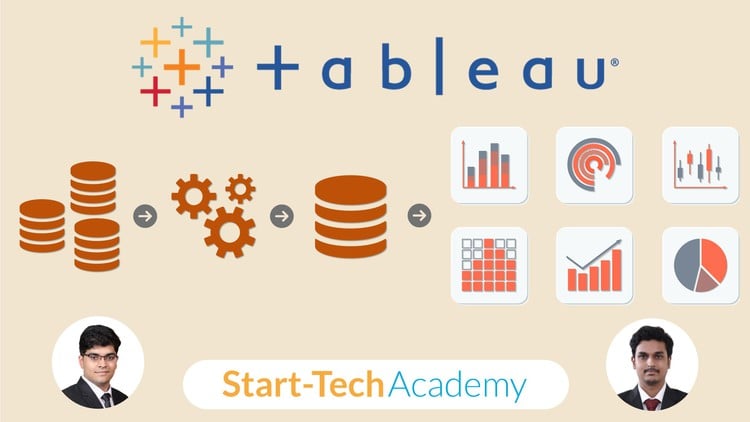
Covers both Tableau and Tableau Prep, visualize & prep your data with ease with hands-on Tableau & Tableau Prep training
⏱️ Length: 13.7 total hours
⭐ 4.43/5 rating
👥 17,500 students
🔄 October 2025 update
Add-On Information:
“`html
Note➛ Make sure your 𝐔𝐝𝐞𝐦𝐲 cart has only this course you're going to enroll it now, Remove all other courses from the 𝐔𝐝𝐞𝐦𝐲 cart before Enrolling!
-
Course Overview
- This comprehensive 13.7-hour program, boasting a 4.43/5 rating from over 17,500 students and updated in October 2025, is meticulously designed to equip you with the essential skills for mastering the entire data analytics pipeline using the industry-leading tools: Tableau Desktop and Tableau Prep.
- Embark on a practical, hands-on journey that transforms you from a novice into a proficient data professional capable of turning raw, messy datasets into clean, insightful, and compelling visualizations.
- Discover the synergy between Tableau Prep for robust data preparation and Tableau Desktop for dynamic data exploration, analysis, and storytelling, enabling you to derive actionable intelligence with unparalleled efficiency.
- Delve into the art of structuring data for optimal analysis, ensuring data integrity, and designing interactive dashboards that empower stakeholders to make informed, data-driven decisions.
- This course is ideal for aspiring data analysts, business intelligence professionals, researchers, and anyone looking to significantly enhance their data management and visualization capabilities.
- Learn to navigate complex data challenges, automate repetitive cleaning tasks, and present your findings with clarity and impact, setting a strong foundation for a career in data.
-
Requirements / Prerequisites
- A fundamental understanding of basic computer operations and file management.
- A genuine interest in working with data and uncovering insights.
- No prior experience with Tableau Desktop or Tableau Prep is necessary; this course starts from the ground up.
- Access to a computer capable of running Tableau Desktop and Tableau Prep (trial versions are sufficient for the duration of the course).
-
Skills Covered / Tools Used
- Building Intelligent Data Flows: Crafting repeatable and robust data preparation workflows in Tableau Prep to ensure consistent data quality and analysis readiness.
- Advanced Dashboard Interactivity: Implementing parameter actions, set actions, and dynamic filters to create highly interactive and dynamic dashboards that empower end-users to explore data autonomously.
- Data Reshaping Techniques: Mastering the art of pivoting and unpivoting data to transform its structure for optimal analysis and visualization in both Tableau Prep and Desktop.
- Complex Aggregations with LOD Expressions: Utilizing Level of Detail (LOD) expressions in Tableau Desktop to perform intricate calculations independent of the visualization’s granularity.
- Connecting Diverse Data Sources: Gaining practical experience in connecting to various data types, including spreadsheets, text files, relational databases, and cloud data sources.
- Table Calculations Mastery: Applying table calculations to compute metrics across a table, enabling sophisticated comparisons and sequential analysis within your visualizations.
- Optimizing Data Extracts: Understanding the benefits and best practices for creating and managing Tableau Data Extracts to enhance performance and manage large datasets efficiently.
- Geospatial Data Enhancement: Augmenting geographic visualizations with custom territories, spatial joins, and advanced background map layers for richer location intelligence.
- Statistical Trend Analysis: Incorporating trend lines, forecasts, and reference lines to identify patterns, predict future outcomes, and highlight key benchmarks within your data.
- Effective Storytelling with Data: Developing the ability to construct compelling narratives around your data visualizations, guiding your audience through insights and recommendations.
-
Benefits / Outcomes
- End-to-End Data Proficiency: You will emerge as a proficient user of both Tableau Prep and Tableau Desktop, capable of managing the entire data lifecycle from raw ingestion to sophisticated visualization.
- Enhanced Career Opportunities: Significantly boost your employability in roles requiring strong data analysis, business intelligence, and data visualization skills across various industries.
- Automated Data Cleansing: Gain the ability to design and implement automated data cleaning and transformation processes, saving countless hours and ensuring data reliability.
- Strategic Decision-Making: Empower yourself to confidently transform complex data into clear, actionable insights, directly contributing to strategic planning and operational improvements.
- Portfolio-Ready Projects: Build a robust portfolio of diverse data preparation flows and interactive dashboards, showcasing your practical skills to potential employers or clients.
- Independent Data Exploration: Develop the critical thinking and technical skills needed to independently tackle new data challenges, extract value, and present findings effectively.
- Improved Data Governance: Understand and implement best practices for data quality, consistency, and integrity, fostering better data governance within any organization.
- Effective Communication: Master the art of communicating complex data insights through clear, concise, and visually engaging dashboards and stories.
- Problem-Solving Acumen: Sharpen your analytical and problem-solving skills by working through real-world data scenarios, identifying discrepancies, and formulating data-driven solutions.
- Future-Proof Skills: Acquire highly sought-after technical skills that remain relevant and critical in the rapidly evolving landscape of data analytics and business intelligence.
-
PROS
- Comprehensive Dual-Tool Coverage: Offers a holistic understanding of both Tableau Prep and Tableau Desktop, crucial for a complete data analytics workflow.
- High User Satisfaction & Popularity: Evidenced by a strong 4.43/5 rating and a large student base of 17,500, indicating a well-received and effective learning experience.
- Up-to-Date Content: The October 2025 update ensures you are learning the latest features and best practices in Tableau, keeping your skills current.
- Practical, Hands-On Approach: Focuses on real-world applications and exercises, facilitating deeper understanding and immediate skill implementation.
- Clear Learning Path: Guides students from foundational concepts to advanced techniques, making complex topics accessible and manageable.
-
CONS
- Requires dedicated time and consistent practice to thoroughly master both powerful tools and their extensive functionalities.
“`
Learning Tracks: English,Business,Business Analytics & Intelligence