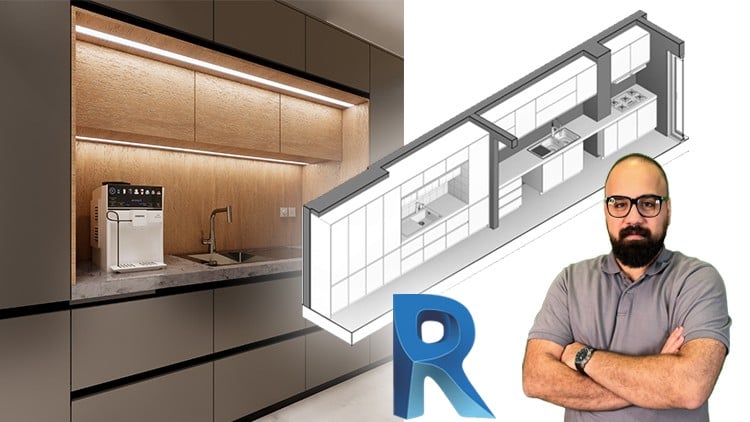
Master BIM Object and BIM Nested Families form Fundamentals to Advanced Techniques + Exercise files & Quizzes
⏱️ Length: 8.1 total hours
⭐ 4.84/5 rating
👥 6,286 students
🔄 September 2025 update
Add-On Information:
Note➛ Make sure your 𝐔𝐝𝐞𝐦𝐲 cart has only this course you're going to enroll it now, Remove all other courses from the 𝐔𝐝𝐞𝐦𝐲 cart before Enrolling!
-
Course Overview
- This intensive training equips participants with foundational principles and advanced strategies for crafting intelligent, adaptable Revit families, using kitchen cabinet design as a tangible, project-driven learning vehicle.
- Go beyond static models to embrace the dynamic power of parametric design, enabling swift, precise modifications and design iterations.
- Uncover the intricate logic behind creating data-rich BIM objects, crucial for comprehensive project planning, cost estimation, and lifecycle management within the BIM ecosystem.
- Explore modular design advantages through nested families, building complex assemblies from simpler, interchangeable components to foster efficiency and reduce redundant work.
- Gain a holistic perspective on integrating custom, parametric content into professional architectural workflows, enhancing collaboration and accelerating project delivery.
- Delve into the systematic process of transforming conceptual design into fully functional, customizable Revit families, establishing a robust framework for future content creation.
- The course offers structured progression from basic family templates to sophisticated conditional logic and material parameters, ensuring a deep grasp of Revit’s family editor.
- Learn to structure family designs for maximum interoperability and ease of use, making custom content a valuable asset for any design team or personal library.
-
Requirements / Prerequisites
- Basic Revit interface familiarity: A general understanding of navigation and UI interaction is recommended for an enhanced learning experience.
- Autodesk Revit (version 2020+ recommended): An installed, operational version is required for exercises and family creation.
- Enscape (optional for rendering): A trial or full license is beneficial for hands-on experience in the rendering module.
- Moderately powerful computer: Capable of running Revit and Enscape; adequate RAM and a dedicated graphics card are advised for optimal performance.
- Curious mindset: A willingness to explore parametric logic, understanding parameters, constraints, and intelligent component building.
- No prior Revit Family Editor experience required: Curriculum guides learners from absolute basics, accessible even for novices.
-
Skills Covered / Tools Used
- Parametric Logic & Constraint Management: Develop a profound understanding of defining and controlling object dimensions, relationships, and behavior.
- Component-Based Design Thinking: Cultivate the ability to break down complex elements into discrete components for individual control and assembly.
- Data-Rich Object Authoring: Learn to embed critical information (manufacturer details, materials, performance data) directly into Revit families.
- Efficient Content Library Development: Acquire strategies for organizing, categorizing, and managing a growing library of custom Revit families.
- Advanced Material Application & Texture Mapping: Gain expertise in applying realistic materials and textures, significantly elevating visual fidelity.
- Dynamic Geometry Manipulation: Explore methods for creating flexible geometry that responds intelligently to parameter changes, ensuring adaptability.
- Integrated Design Visualization: Learn to leverage rendering tools to produce high-quality, photorealistic images of designs, effectively communicating intent.
- Problem-Solving in BIM Object Creation: Develop diagnostic skills to identify and troubleshoot common family creation issues, leading to robust content.
- Tools Used: Autodesk Revit (Family Editor, Project Environment), Enscape (for real-time visualization and rendering).
-
Benefits / Outcomes
- Elevated Design Efficiency & Speed: Drastically reduce design iteration times by deploying intelligent, pre-configured parametric families.
- Enhanced Project Accuracy & Consistency: Minimize errors and ensure uniformity using standardized, data-rich BIM objects, leading to reliable documentation.
- Greater Design Flexibility & Innovation: Empower yourself to explore a wider range of design options easily, fostering creative solutions.
- Improved Client Communication & Presentation: Deliver compelling, visually stunning presentations with custom-designed, realistically rendered models.
- Expanded Career Opportunities: Position yourself as a highly skilled BIM professional capable of developing custom, intelligent content—a sought-after expertise.
- Valuable Personal/Professional Asset Library: Build a comprehensive collection of reusable, parametric components, accelerating future project starts.
- Deep Understanding of BIM’s Data-Driven Advantage: Gain practical insight into how well-constructed BIM objects contribute to project data management.
- Mastery over Complex Component Modeling: Confidently tackle any intricate architectural or furniture component in Revit, applying learned principles.
-
PROS
- Comprehensive & Practical Approach: Offers thorough understanding of parametric family creation through a highly relevant, practical application.
- Structured Learning Path ‘From Zero’: Caters to beginners, providing a clear, step-by-step methodology that progressively builds confidence and expertise.
- High Student Satisfaction & Engagement: Strong 4.84/5 rating from over 6,000 students indicates effective instruction and valuable content.
- Focus on Reusable & Data-Rich Content: Emphasizes creating intelligent BIM objects crucial for project efficiency, data accuracy, and long-term asset management.
- Integration of Advanced Visualization: Includes Enscape rendering instruction, enabling professional, realistic presentation of designs.
- Future-Proof Skill Development: Equips learners with foundational parametric modeling skills essential for advanced BIM implementation across disciplines.
- Resource-Rich Learning Experience: Provides exercise files and quizzes, offering hands-on practice and opportunities for self-assessment.
- Up-to-Date Content: The September 2025 update ensures course material remains current with latest Revit features and best practices.
-
CONS
- Requires Dedicated Time & Effort: Mastering parametric family creation demands consistent practice and engagement beyond recorded hours, necessitating self-discipline.
Learning Tracks: English,Design,Interior Design