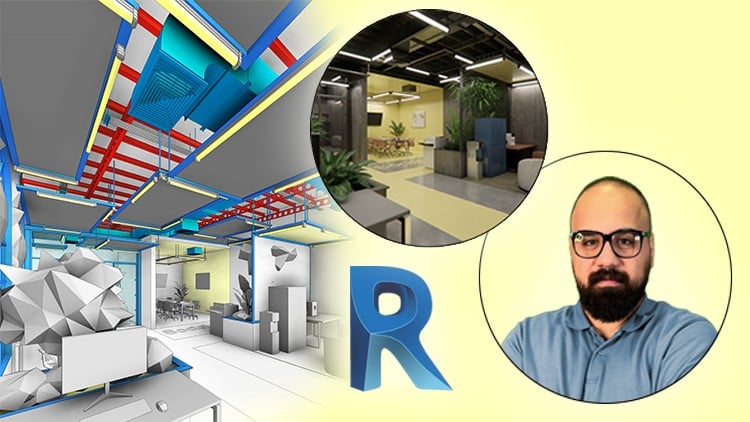
Create Flexible Parametric Families, Advanced HVAC System, Lighting Fixture, MEP Integration, Rendering with Enscape
⏱️ Length: 4.7 total hours
⭐ 4.87/5 rating
👥 5,362 students
🔄 September 2025 update
Add-On Information:
Note➛ Make sure your 𝐔𝐝𝐞𝐦𝐲 cart has only this course you're going to enroll it now, Remove all other courses from the 𝐔𝐝𝐞𝐦𝐲 cart before Enrolling!
- Course Overview
- Explore the comprehensive BIM application for integrated industrial commercial design, blending architectural vision with engineering practicality in Revit.
- Understand the critical interplay between aesthetic design and functional system integration for modern industrial office environments.
- Master the methods for achieving design flexibility and project scalability through sophisticated parametric modeling techniques.
- Delve into industry-standard workflows for multidisciplinary coordination, ensuring seamless collaboration across architectural, structural, and MEP aspects.
- Requirements / Prerequisites
- Possess a foundational understanding of Revit’s user interface and basic navigation to effectively engage with advanced topics.
- Have access to Autodesk Revit and Enscape software installed on a capable computer for hands-on practical exercises.
- Demonstrate a keen interest in advanced BIM practices, interior design, and the intricate coordination of building services.
- Skills Covered / Tools Used
- Develop expertise in advanced parametric content creation within the Family Editor, building intelligent, adaptable components.
- Gain proficiency in precise structural detailing, focusing on modeling exposed elements that define industrial aesthetics.
- Master comprehensive MEP system integration and optimization, covering HVAC, piping, and electrical layouts for functionality and design.
- Establish a robust photorealistic visualization pipeline using Enscape, from advanced materials to immersive lighting and rendering.
- Learn strategies for effective clash detection and model coordination, streamlining project delivery and minimizing on-site conflicts.
- Acquire skills in generating professional BIM documentation and data extraction directly from your complex Revit models.
- Optimize Revit model performance for handling large-scale, detail-rich industrial office projects efficiently.
- Benefits / Outcomes
- Be equipped to confidently contribute to BIM-centric project delivery for sophisticated commercial and industrial interior designs.
- Curate an enhanced professional portfolio showcasing advanced Revit modeling, MEP integration, and high-quality rendering capabilities.
- Achieve significantly increased efficiency in design iteration and comprehensive documentation generation throughout the project lifecycle.
- Gain the ability to seamlessly integrate multidisciplinary design elements into a unified and cohesive Revit project model.
- Master the creation of compelling, photorealistic visual presentations, effectively communicating design intent to clients and stakeholders.
- Deepen your understanding of MEP system coordination within architectural contexts, ensuring integrated and functional designs.
- Prepare for specialized roles in AEC firms seeking expertise in advanced Revit applications for complex commercial and industrial projects.
- PROS
- Offers highly specialized content targeting a unique and in-demand niche within industrial office design.
- Emphasizes a practical, hands-on approach with direct applicability to real-world projects and industry scenarios.
- Provides a holistic understanding by integrating multiple Revit disciplines (architectural, structural, MEP) into one workflow.
- Features a strong focus on photorealistic visualization with Enscape, a crucial skill for engaging client presentations.
- The course’s concentrated length (4.7 hours) allows for efficient, impactful learning in a short timeframe.
- Boasts an exceptional student rating (4.87/5) from a large student base, indicating proven course quality.
- Content is regularly updated (September 2025 update), ensuring relevance with current software and industry best practices.
- CONS
- May require some prior basic familiarity with Revit navigation and conceptual understanding, as it quickly advances to complex topics.
Learning Tracks: English,Design,Architectural Design