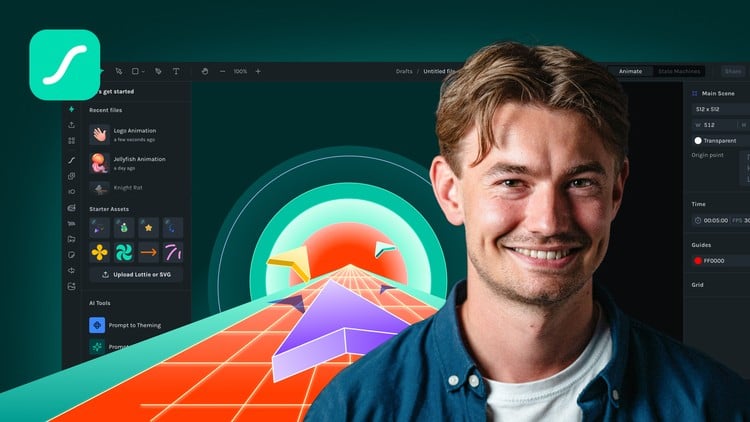
Build responsive animations with state machines & motion tokens — and export them production-ready for web and apps
What You Will Learn:
- Create polished motion graphics using shape tools, keyframes, mattes, duplicators, and AI-powered tools like Prompt to Vector and Motion Copilot.
- Design responsive animations that react to real user interactions like clicks and hover, without writing a single line of code.
- Create and manage multiple animation themes using named variables for colors, scale, opacity, and text to create data-driven animation, all inside one file.
- Package interactive animations as dotLottie files and deliver them to developers with embedded state machine logic and motion tokens ready for production.
- Leverage tools like Prompt to State Machine, Physics Simulator, and Motion Presets to build complex animations faster and smarter.
- Show more
The New Frontier of Interaction: Why Lottie Creator Changes the Game
If you’ve been in the design space for more than five minutes, you know the “Hand-off Hell.” You spend forty hours crafting a gorgeous animation in After Effects, only for the developer to tell you it’s too heavy, the JSON is broken, or—worse—that they can’t make it react to a user’s click without a week of custom JavaScript. I’ve lived that nightmare, and honestly, that’s why the Lottie Creator Course: Interactive Motion Design caught my eye. This isn’t just another “how to move a circle” tutorial; it’s a deep dive into a workflow that treats motion as a functional part of the UI, not just eye candy.
What’s refreshing about this course is the shift in perspective. Most motion courses are stuck in the 2010s, focusing solely on keyframes. This course pushes you into the era of responsive animations and state machines. It addresses the modern reality where motion needs to be data-driven and interactive. We’re talking about animations that don’t just play; they listen. Whether you’re a beginner to advanced designer, the focus here is on moving away from heavy video files toward lightweight, industry-standard tools that actually work in production environments.
Who Needs to Be in the Room? (Prerequisites)
You don’t need to be a math wizard or a senior dev to get value here. While the course covers complex logic, it’s designed for the visual thinker. If you have a basic grasp of design software (think Figma or Illustrator), you’ll be fine. You don’t need to know how to code, but you should have a “logical” brain—meaning you understand the concept of “if this happens, then that should move.” This makes it an excellent certification prep path for UI/UX designers looking to specialize in high-end interaction without the overhead of learning React or Swift.
Mastering the Modern Stack: Skills & Tools
The hands-on labs in this course are where the real magic happens. You aren’t just watching videos; you’re building. You’ll dive deep into the Lottie Creator interface, which feels like a more streamlined, web-native cousin of After Effects. Key focus areas include:
- State Machines: Learning to build logic gates so animations react to hover, click, and scroll states natively.
- Motion Tokens: This is huge for career growth. Learning to use named variables for colors and scale means you can update a brand’s entire motion library from one file.
- AI-Powered Efficiency: Using tools like Prompt to Vector and Motion Copilot to skip the tedious “pixel-pushing” phase and get straight to the creative direction.
- Physics & Duplicators: Creating complex, organic movements that would take hours to keyframe manually but take seconds using the built-in simulator.
Career Benefits & Job Roles: Becoming an Asset
Let’s talk about job-ready skills. In the current market, “Designer” is a broad term. “Motion Systems Designer” is a specialized, high-paying niche. By mastering dotLottie packaging and state machine logic, you position yourself as the bridge between design and engineering. You’re no longer just handing over a video; you’re handing over a production-ready asset that developers can drop into a codebase with zero friction.
Completing these real-world projects makes your portfolio stand out to tech recruiters. You’re proving you understand performance optimization—a critical concern for mobile apps and high-traffic websites. Potential job roles include Interaction Designer, Lead Motion Architect, and Product Designer. In terms of career growth, being the person who can reduce app load times while increasing engagement through motion is a very secure place to be.
The Pros: What They Got Right
- Zero-Code Interactivity: The ability to build complex, branching animation logic without touching a line of code is a massive win for visual designers.
- The “Prompt to State Machine” Workflow: The AI integration isn’t just a gimmick; it genuinely speeds up the “blank canvas” phase, allowing you to focus on the polished motion graphics.
- Production-Ready Exporting: The focus on dotLottie files ensures that what you see in the editor is exactly what the user sees in the app, preventing the typical “it looks different on mobile” headaches.
The Cons: An Honest Critique
The only real “catch” is the platform ecosystem. While Lottie Creator is incredibly powerful, it is a specific toolset. If you are working in an environment that is strictly wedded to legacy After Effects workflows with heavy third-party plugins (like Particular or Form), you’ll find some limitations in the “brute force” rendering power. However, for 95% of web and app work, the trade-off for speed and responsive animations is well worth it.
Final take? If you want to move beyond static screens and enter the world of interactive motion design, this course is the most direct route to getting there. It’s practical, it’s modern, and it’s built for the way we actually build products in 2024.