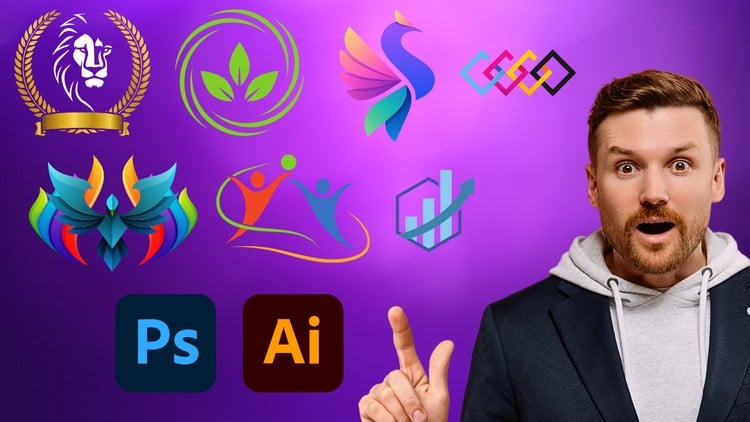
Essential Skills for Logo Designers
⏱️ Length: 4.3 total hours
⭐ 4.26/5 rating
👥 20,711 students
🔄 September 2024 update
Add-On Information:
Note➛ Make sure your 𝐔𝐝𝐞𝐦𝐲 cart has only this course you're going to enroll it now, Remove all other courses from the 𝐔𝐝𝐞𝐦𝐲 cart before Enrolling!
-
Course Overview
- This ‘Logo Design Essentials: Photoshop & Illustrator’ course offers a foundational yet comprehensive dive into creating impactful brand identities using Adobe Photoshop and Illustrator. It’s designed for aspiring designers to master the principles and practical techniques of professional logo creation, bridging conceptual ideas with tangible, effective designs. The curriculum blends theoretical understanding with hands-on application, ensuring a robust learning experience.
- Updated in September 2024, the course covers the synergy between Photoshop for initial concepts and Illustrator for precise vector construction. You’ll navigate a structured workflow from brainstorming to finalization, equipping you with industry-standard practices for crafting scalable, memorable logos that resonate with target audiences and effectively communicate a brand’s essence.
-
Requirements / Prerequisites
- Basic Computer Proficiency: Comfortably navigate file systems and applications on your computer.
- Access to Adobe Creative Cloud: Required access to trial or licensed versions of Adobe Photoshop and Adobe Illustrator for all practical exercises.
- Passion for Design: Enthusiasm for visual aesthetics and a willingness to explore creative concepts are highly beneficial.
- Dedicated Practice: Allocate time beyond the course’s 4.3 hours for hands-on application and skill reinforcement.
-
Skills Covered / Tools Used
- Illustrator Vector Mastery: Develop proficiency with Illustrator’s core vector tools including the Pen Tool, Shape Builder, and Pathfinder panel for crafting scalable, resolution-independent logos.
- Strategic Typography: Learn to select, pair, and manipulate typefaces to convey specific brand personalities, covering kerning, leading, tracking, and converting text to outlines for professional use.
- Effective Color Theory: Understand the psychology of color in branding, create harmonious color palettes, and apply global swatches to ensure consistency and impact in your logo designs.
- Gridding & Proportional Design: Implement foundational design principles like grids and the golden ratio to ensure visual balance, symmetry, and aesthetic appeal in your logo compositions.
- Photoshop for Concept & Mockups: Utilize Photoshop for brainstorming, creating mood boards, digital sketching initial concepts, and developing realistic mockups to effectively present logo designs in context.
- File Management & Output: Master appropriate file formats (.AI, .EPS, .SVG, .PNG, .JPG) for diverse logo applications, preparing your designs for print, web, and various branding assets.
- Iterative Design Process: Embrace a flexible workflow of sketching, prototyping, refining, and integrating feedback, fostering adaptability and problem-solving in your design approach.
-
Benefits / Outcomes
- Professional Logo Creation: Gain the ability to conceptualize, design, and finalize high-quality, scalable, and versatile logos for various branding needs.
- Streamlined Workflow: Develop an efficient design workflow integrating the strengths of Photoshop and Illustrator, from initial ideation to polished final output.
- Portfolio-Ready Projects: Build a collection of professional logo designs suitable for showcasing your skills to potential clients or employers.
- Foundational Branding Expertise: Acquire a solid understanding of how logos function as essential elements within broader branding strategies.
- Enhanced Visual Communication: Improve your ability to translate abstract brand attributes into concrete visual symbols, fostering creative problem-solving.
- Career Empowerment: Be well-equipped to pursue freelance logo design opportunities or contribute effectively to design teams, armed with essential tools and practical experience.
-
PROS
- Efficient & Focused Learning: A concise 4.3-hour curriculum delivers critical knowledge without excess, maximizing learning efficiency.
- High User Satisfaction: Backed by a strong 4.26/5 rating from over 20,000 students, highlighting its proven quality and instructional value.
- Current & Relevant Content: The September 2024 update ensures all material aligns with the latest industry trends and software features.
- Dual Software Proficiency: Offers comprehensive training in both Adobe Photoshop and Illustrator, essential for a versatile logo design workflow.
- Practical Application: Emphasizes hands-on projects, enabling immediate application of concepts and tangible portfolio development.
- Solid Career Foundation: Provides an excellent entry point or skill enhancement for graphic design, branding, and digital marketing careers.
-
CONS
- Due to its “essentials” focus and condensed duration, the course may not explore highly advanced, niche, or experimental logo design methodologies in exhaustive detail, necessitating further specialized study for specific advanced interests.
Learning Tracks: English,Design,Graphic Design & Illustration