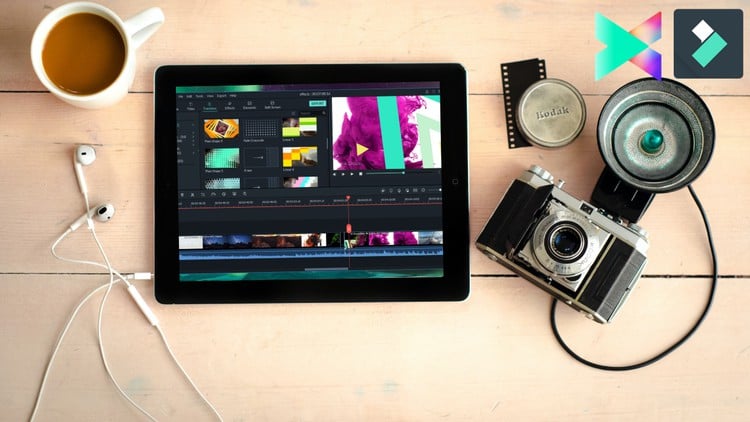
Learn Video Editing Like A Pro Using Wondershare Filmora X and Filmora 9 Zero To Hero With These Step By Step Tutorial.
⏱️ Length: 3.4 total hours
⭐ 4.19/5 rating
👥 94,809 students
🔄 November 2024 update
Add-On Information:
Note➛ Make sure your 𝐔𝐝𝐞𝐦𝐲 cart has only this course you're going to enroll it now, Remove all other courses from the 𝐔𝐝𝐞𝐦𝐲 cart before Enrolling!
- Course Overview
- Embark on a transformative journey into the world of video editing, starting from the absolute basics to mastering advanced techniques with Wondershare Filmora 11/X/9.
- This course is meticulously designed for aspiring content creators, marketers, educators, and anyone eager to produce compelling video content without prior experience.
- You will gain a practical, hands-on understanding of Filmora’s user-friendly interface and robust features, enabling you to bring your creative visions to life efficiently.
- Focusing on real-world application, this curriculum guides you through the entire video production workflow, from initial project setup to final export, ensuring you can confidently manage any video project.
- Leveraging the power of Filmora 9 and Filmora X (also applicable to Filmora 11), you’ll learn industry-standard practices tailored for social media, YouTube, personal vlogs, and professional presentations.
- Stay current with a recently updated curriculum (November 2024), ensuring you’re learning the most relevant features and techniques available in Filmora.
- Requirements / Prerequisites
- No Prior Video Editing Experience: This course is specifically structured to cater to complete beginners with a ‘Zero to Hero’ approach.
- Basic Computer Literacy: Familiarity with operating a computer, managing files, and navigating software interfaces is all that’s needed.
- Access to Filmora Software: You will need either Wondershare Filmora 9, Filmora X, or Filmora 11 installed on your computer (a free trial version is sufficient for learning).
- A Capable Computer: Ensure your computer meets Filmora’s minimum system requirements for smooth performance during editing.
- Passion for Creation: A genuine desire to learn, experiment, and transform raw footage into captivating visual stories.
- Skills Covered / Tools Used
- Intuitive Interface Navigation: Master the Filmora workspace, including the media panel, timeline, and preview window, for an organized and efficient editing experience.
- Precision Cutting and Trimming: Develop expert skills in splicing, cropping, and refining video clips to achieve perfect timing and pacing in your narratives.
- Efficient Media Management: Learn to effectively import, categorize, and organize various media types—video, audio, and images—within your Filmora projects.
- Multi-Track Timeline Mastery: Work confidently with multiple video and audio tracks, understanding track locking, grouping, and advanced clip arrangement for complex projects.
- Seamless Transition Application: Enhance visual flow between scenes using Filmora’s diverse library of built-in transitions, adding polish and professionalism.
- Dynamic Effects and Filters: Apply a wide range of visual effects, overlays, and color filters to establish specific moods, styles, and visual impact for your content.
- Essential Color Correction: Grasp fundamental color grading techniques, including adjusting brightness, contrast, saturation, and temperature for a visually appealing output.
- Professional Audio Enhancement: Fine-tune audio levels, implement fade-ins and fade-outs, integrate background music, and perform basic noise reduction for crystal-clear soundscapes.
- Engaging Text and Title Design: Create custom titles, lower thirds, and call-to-action text using Filmora’s extensive collection of templates and comprehensive customization options.
- Creative Speed Ramping: Manipulate video playback speed to craft dramatic slow-motion, exhilarating fast-motion, or effective freeze-frame moments for emphasis.
- Image and Graphic Integration: Seamlessly incorporate still images, graphic elements, and logos into your video timeline with precise sizing, positioning, and animation.
- Optimized Export Settings: Understand various output formats, resolutions, and quality configurations tailored for specific platforms such as YouTube, Instagram, and local playback.
- Fundamental Keyframing for Animation: Get introduced to basic keyframe animation for properties like scale, position, and opacity to create subtle yet impactful visual movements.
- Stock Media Utilization: Discover how to leverage Filmora’s integrated stock media library for royalty-free music, sound effects, and video clips to enrich your projects ethically and efficiently.
- Basic Green Screen Techniques: Learn the practical application of removing a green or blue background (chroma key) to composite subjects into new virtual environments, a core visual effects skill.
- Benefits / Outcomes
- Confidently produce high-quality, engaging video content suitable for personal projects, social media, or professional presentations.
- Develop a strong foundational understanding of video editing principles and best practices that are transferable across various editing software.
- Gain the ability to transform raw footage into compelling stories and polished final products from start to finish.
- Master the Filmora interface and its comprehensive toolset, empowering you to execute your creative vision effectively.
- Save time and resources by independently editing your own video projects, eliminating the need for expensive software or hiring external editors.
- Unleash your creativity and enhance your digital storytelling capabilities, making your content stand out.
- Build a valuable portfolio of edited videos demonstrating your newfound skills to potential clients or employers.
- PROS
- Beginner-Centric Curriculum: Specifically designed for absolute novices, ensuring a smooth learning curve with clear, step-by-step instructions.
- Practical & Hands-On: Focuses on immediate application, allowing students to learn by doing and build confidence with real-world examples.
- Up-to-Date Content: Features the latest versions of Filmora (X and 9/11) with a recent November 2024 update, guaranteeing relevant and current techniques.
- Comprehensive Core Skills: Covers a broad spectrum of essential video editing techniques crucial for modern content creation.
- Accessible Software: Utilizes Filmora, which is a powerful yet more user-friendly and affordable alternative to highly complex professional editing suites.
- High Student Satisfaction: Boasts an excellent rating from a large student base, indicative of effective teaching and valuable course material.
- Flexible Learning Pace: The self-paced format allows learners to progress through the material at their own convenience and schedule.
- CONS
- Concise Depth: Due to its ‘Zero to Hero’ nature and relatively short duration (3.4 hours), the course might not delve into every single advanced feature or highly niche theoretical concept with exhaustive detail.
Learning Tracks: English,Photography & Video,Video Design