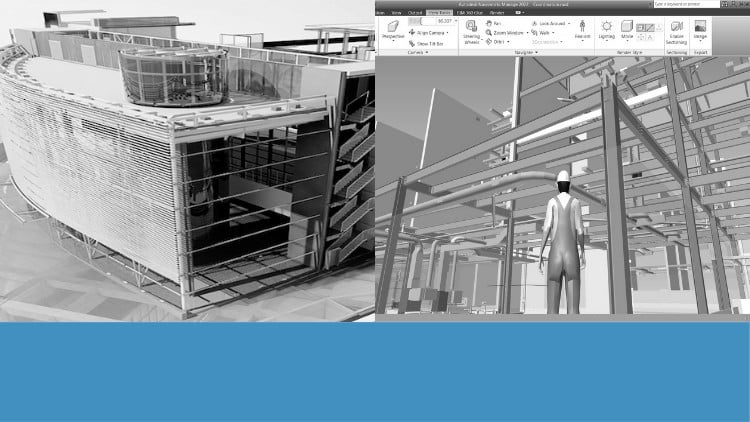
Tutorials on Navisworks: Navigation, Timeliner, Scripter, Clash Detection, Animator, Quantification, and Rendering
⏱️ Length: 2.9 total hours
⭐ 4.31/5 rating
👥 6,930 students
🔄 July 2024 update
Add-On Information:
Note➛ Make sure your 𝐔𝐝𝐞𝐦𝐲 cart has only this course you're going to enroll it now, Remove all other courses from the 𝐔𝐝𝐞𝐦𝐲 cart before Enrolling!
-
Course Overview
-
- Dive into Autodesk Navisworks’ foundational and advanced capabilities for comprehensive BIM project review.
- Grasp how Navisworks integrates diverse design models, providing a holistic view of complex construction projects.
- Learn to streamline multi-disciplinary coordination, critical for efficient AEC project delivery.
- Enhance project communication and transparency among all stakeholders, from designers to site teams.
- Proactively mitigate project risks by identifying potential issues virtually, before construction begins.
- Optimize construction schedules and resource deployment for more predictable timelines and budgets.
- Utilize Navisworks for robust quality assurance, ensuring design integrity and constructability.
- Become a valuable asset in project teams by mastering intelligent model aggregation and analysis tools.
-
Requirements / Prerequisites
-
- Basic BIM Concepts: A general understanding of Building Information Modeling (BIM) principles is highly recommended.
- Fundamental CAD/BIM Software Knowledge: Prior exposure to any CAD or BIM authoring software (e.g., Revit) is beneficial, but not mandatory.
- Windows Operating System: A compatible Windows system is essential for Navisworks software application.
- Access to Navisworks Software: Students require Navisworks Manage or Simulate installed to follow practical exercises.
- Stable Internet Connection: Necessary for accessing course materials and online resources.
- Commitment to Hands-On Learning: Dedication to replicating examples and experimenting with the software is key.
- Analytical Mindset: An aptitude for problem-solving and project logistics will enhance the learning experience.
- Desire to Improve Project Coordination: A genuine interest in boosting efficiency and reducing errors in construction projects.
-
Skills Covered / Tools Used
-
- Integrated Model Aggregation: Proficiency in compiling diverse model data from multiple sources into a unified project model.
- Advanced Model Interrogation: Skills in deeply examining model components, extracting attribute data, and conducting precise measurements.
- Constructability Assessment: Expertise in evaluating design feasibility and identifying potential construction challenges.
- Project Timeline Visualization: Mastering visual representation of schedules against a 3D model for intuitive progress monitoring.
- Cost Data Integration: Understanding how to link model elements to cost data for accurate budget forecasting.
- Risk Identification & Resolution: Learning systematic approaches to uncover and resolve conflicts within the integrated model.
- Dynamic Presentation Creation: Developing capabilities in crafting compelling visual narratives for stakeholder communication.
- Custom Workflow Automation: Acquiring the ability to automate repetitive tasks and create tailored review processes.
-
Benefits / Outcomes
-
- Enhanced Project Coordination: Facilitate smoother project workflows, minimizing design discrepancies and improving interdisciplinary communication.
- Reduced Rework & Cost Overruns: Identify and resolve issues virtually, leading to significant savings in time, materials, and labor.
- Improved Schedule Predictability: Create and analyze project schedules more effectively for reliable delivery dates.
- Stronger Risk Management: Develop a proactive approach to risk identification and early mitigation strategies.
- Greater Constructability Insight: Critically assess designs for practical buildability, contributing valuable input during development.
- Advanced Visualization Prowess: Master creating impactful visual demonstrations that clearly convey complex project information.
- Increased Employability & Career Advancement: Mastering Navisworks is a highly sought-after skill in the AEC industry, opening new career paths.
- Data-Driven Decision Making: Learn to extract meaningful insights from aggregated models, supporting informed choices throughout the project lifecycle.
-
PROS
-
- Concise & Focused Learning: At 2.9 hours, this course offers efficient skill acquisition for busy professionals.
- High Student Satisfaction: A 4.31/5 rating from a large student base indicates quality and effectiveness.
- Popular & Trusted Resource: With 6,930 students, it’s a widely recognized and valuable learning opportunity.
- Up-to-Date Content: The July 2024 update ensures relevance with current software versions and industry practices.
- Practical, Real-World Application: Focus on “Real World Project” scenarios ensures immediate applicability.
- Comprehensive Skill Set: Covers a broad array of Navisworks functionalities for a well-rounded understanding.
- Structured Progression: Guides learners effectively from basic concepts to advanced techniques.
- Enhanced Career Prospects: Equips learners with in-demand skills crucial for BIM coordination and project management.
-
CONS
-
- Limited Hands-On Project Depth: Its concise duration may offer less extensive, long-term project application compared to more immersive training programs.
Learning Tracks: English,Design,Design Tools