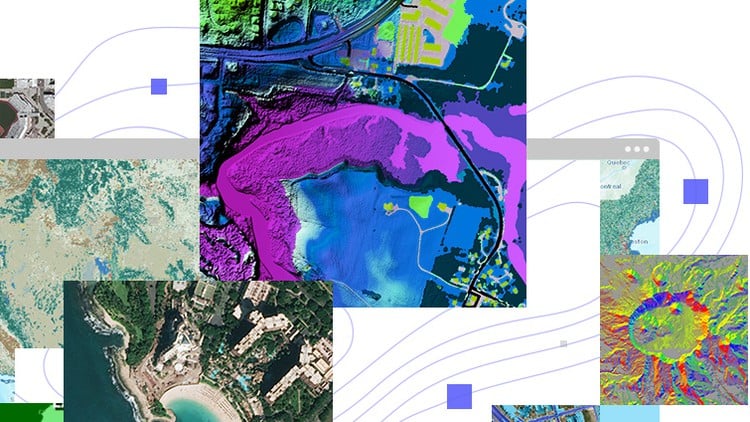
Embark on an exciting journey into the world of ArcGIS Pro with our video course, “Exploring ArcGIS Pro.”
⏱️ Length: 1.6 total hours
⭐ 4.37/5 rating
👥 9,757 students
🔄 July 2024 update
Add-On Information:
Note➛ Make sure your 𝐔𝐝𝐞𝐦𝐲 cart has only this course you're going to enroll it now, Remove all other courses from the 𝐔𝐝𝐞𝐦𝐲 cart before Enrolling!
-
Course Overview
- Launch your GIS journey with ArcGIS Pro. This “Exploring ArcGIS Pro” video course offers a practical, foundational introduction to Esri’s leading desktop GIS software.
- Master the modern ArcGIS Pro interface. Learn efficient navigation for spatial analysis and cartographic production.
- Suitable for all levels. From beginners to ArcMap users, gain a clear, step-by-step learning path.
- Acquire essential GIS skills. Gain competencies critical for urban planning, environmental science, and business intelligence.
- Stay updated. July 2024 update ensures current ArcGIS Pro features and best practices.
- Join a community. Benefit from a 4.37/5 rating and over 9,757 students.
- Transform data into insights. Convert geographic information into compelling maps and actionable analyses.
- Build core GIS understanding. Grasp software operation and fundamental spatial data principles.
-
Requirements / Prerequisites
- Basic computer literacy. Familiarity with computer operations, file management, and web browsing.
- Access to ArcGIS Pro. Licensed or trial version on Windows OS for hands-on practice.
- Stable internet connection. Required for seamless video streaming and course content access.
- Interest in geographic data. Enthusiasm for understanding and visualizing spatial information.
- No prior GIS experience. Curriculum is designed for absolute beginners.
- Commitment to practice. Active engagement with software tutorials is vital for skill development.
- Windows PC. ArcGIS Pro operates on Windows systems.
-
Skills Covered / Tools Used
- ArcGIS Pro Interface Navigation: Efficiently manage projects, panes, and customize ribbons.
- GIS Project Setup: Create, save, organize projects; connect to data sources.
- Spatial Data Model Comprehension: Differentiate vector and raster data types and their uses.
- Effective Data Symbolization: Apply cartographic principles for clear map visualization.
- Attribute Table Operations: Query, select, sort, calculate fields for tabular data analysis.
- Coordinate System Fundamentals: Understand geographic and projected systems for accurate representation.
- Introduction to Geoprocessing: Explore spatial operations and the Geoprocessing pane.
- Professional Map Layout Design: Create print-ready maps with standard elements (legends, scale bars).
- Web GIS Integration: Utilize ArcGIS Online basemaps and other web services.
- Data Properties and Metadata: Access/interpret metadata; modify layer properties.
- Data Import and Integration: Bring various spatial and non-spatial data into projects.
- Geospatial Problem-Solving: Analyze scenarios, select tools, interpret results for challenges.
-
Benefits / Outcomes
- Strong ArcGIS Pro foundation. Confidently operate core software functionalities.
- Practical, job-ready GIS skills. Directly applicable knowledge for professional roles.
- Enhanced spatial analysis. Critically analyze geographic patterns and relationships.
- Increased career opportunities. GIS proficiency is a valuable asset across industries.
- High-quality map production. Create visually appealing and accurate maps.
- Improved data visualization. Present spatial insights clearly and impactfully.
- Independent GIS work confidence. Gain assurance to tackle new projects.
- Foundation for advanced GIS. Excellent starting point for specialized geospatial studies.
- Spatially literate professional. Understand location intelligence for strategic decisions.
- Efficient data management. Organize and maintain GIS projects for long-term integrity.
-
PROS
- High Student Satisfaction: 4.37/5 rating from thousands confirms quality and value.
- Up-to-Date Content: Refreshed July 2024, ensuring current ArcGIS Pro features.
- Excellent for Beginners: Tailored to introduce ArcGIS Pro from scratch.
- Hands-On Learning: Practical application through guided tutorials for rapid skill development.
- Flexible Self-Paced Learning: Video format allows learning at your convenience.
- Cost-Effective Skill Acquisition: Efficient path to proficiency in industry-standard software.
- Engaged Learning Community: Benefits from large student base and potential peer support.
- Direct Career Relevance: Equips with in-demand skills for various professional GIS roles.
- Clear Instruction: Complex topics broken into digestible, understandable segments.
- Focus on Modern GIS: Teaches ArcGIS Pro, preparing for contemporary job market.
-
CONS
- Limited Advanced Depth: The 1.6-hour duration may only introduce, rather than fully master, highly advanced GIS concepts.
Learning Tracks: English,IT & Software,Other IT & Software