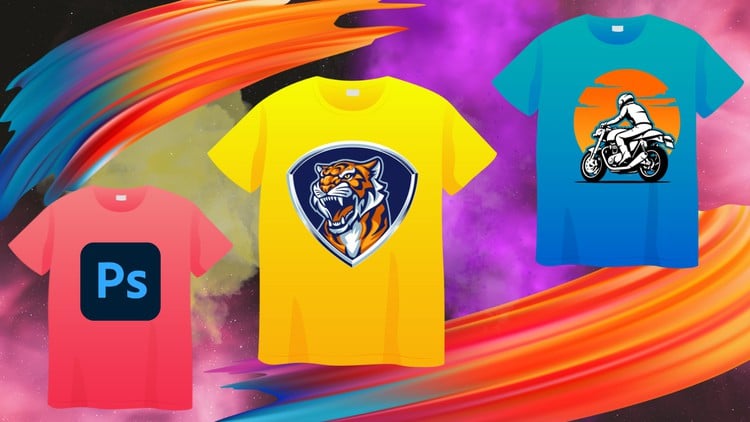
Photoshop for T-Shirt Design: A Beginner-Friendly Guide to Creating Stunning Designs
⏱️ Length: 4.7 total hours
⭐ 3.94/5 rating
👥 24,440 students
🔄 November 2023 update
Add-On Information:
Note➛ Make sure your 𝐔𝐝𝐞𝐦𝐲 cart has only this course you're going to enroll it now, Remove all other courses from the 𝐔𝐝𝐞𝐦𝐲 cart before Enrolling!
-
Course Overview
- Embark on a hands-on creative journey to transform your design ideas into stunning, wearable T-shirt art, guided entirely within Adobe Photoshop. This course bridges the gap from initial concept to print-ready files.
- Discover Photoshop’s powerful capabilities specifically tailored for apparel design, presented through a structured, beginner-friendly curriculum requiring no prior digital art experience.
- Gain practical understanding of the entire T-shirt design process, learning how commercial designs are conceived, executed digitally, and meticulously prepared for various printing methods.
- This foundational course empowers you to confidently navigate the custom apparel world, whether for personal projects, launching your own brand, or freelancing.
- Focus on leveraging Photoshop’s tools for textile applications, ensuring your designs are not only visually compelling but also technically optimized for high-quality fabric printing.
-
Requirements / Prerequisites
- Access to a functional installation of Adobe Photoshop (Creative Cloud subscription highly recommended) is essential, as all practical exercises are conducted within this environment.
- Basic computer proficiency, including file management and keyboard/mouse usage, is expected for smooth course navigation.
- No prior graphic design, digital art, or Photoshop experience is required; this course introduces all core concepts for absolute beginners.
- An eagerness to explore creative possibilities and a passion for personalized apparel will significantly enhance your learning.
- A stable internet connection is beneficial for accessing course materials, updates, and downloading supplementary resources.
-
Skills Covered / Tools Used
- Efficient Photoshop Interface Navigation: Master customizing your workspace and locating essential panels/shortcuts for an optimized T-shirt design workflow.
- Precision Selection & Advanced Masking: Learn expert techniques for isolating elements and seamlessly integrating visuals into cohesive T-shirt graphics.
- Dynamic Typography & Text Effects: Strategically select and manipulate fonts to craft impactful slogans and branding using Photoshop’s text engine.
- Strategic Color Palette Development: Cultivate an eye for impactful color combinations, understanding RGB vs. CMYK for print fidelity.
- Transformative Image Adjustments & Non-Destructive Filters: Explore adjustment layers, smart filters, and blending modes to refine imagery and achieve distinct artistic styles.
- Practical Brushes & Custom Shapes: Utilize various brush types for artistic flair and textures, alongside custom shapes for scalable design details.
- Print Resolution, DPI & Image Scaling: Grasp the critical importance of appropriate resolution for professional print quality, ensuring flawless translation from screen to fabric.
- Preparing Industry-Standard Print-Ready Files: Acquire knowledge to correctly export final T-shirt designs in industry formats, ensuring proper layering and optimization for commercial printers.
- Leveraging Layers & Smart Objects: Understand organizing complex designs and employing Smart Objects for non-destructive scaling, crucial for flexible iterative processes.
-
Benefits / Outcomes
- Build a Professional Portfolio of Original Designs: Complete multiple practical projects, culminating in unique designs ready for personal use, freelance work, or launching an apparel brand.
- Confidently Command Photoshop for Apparel Design: Develop robust operational command of Photoshop’s core functionalities specifically tailored for graphic design for apparel.
- Translate Ideas into Digital Realities: Acquire technical proficiency to transform raw design inspirations into high-quality, professional digital T-shirt graphics.
- Master the End-to-End Design Workflow: Gain a holistic understanding of the entire process, from concept development and digital execution to preparing artwork for commercial printing.
- Unlock Entrepreneurial & Freelance Opportunities: Equip yourself with foundational skills to confidently pursue a career in custom apparel, launch print-on-demand ventures, or offer design services.
- Develop Critical Print Feasibility Eye: Cultivate an understanding of how design choices impact printing, enabling creation of visually compelling yet practical designs.
-
PROS
- Highly Accessible for Absolute Beginners: Content is perfectly tailored for individuals with no prior design software experience to achieve tangible results.
- Directly Applicable & Niche-Specific Skills: Focuses solely on T-shirt design, providing immediately usable skills for a popular and growing market.
- Efficient & Time-Conscious Learning: At 4.7 hours, it’s concise, impactful, and packed with value, allowing rapid skill acquisition.
- Current & Relevant Information: The November 2023 update ensures all techniques and insights align with the latest Photoshop capabilities and design trends.
- Strong Community Validation: Over 24,000 students and a 3.94/5 rating indicate a well-regarded and effective learning experience.
- Actionable, Project-Based Learning: Emphasizes hands-on application, enabling students to build a portfolio of designs as they progress.
- Empowerment for Personal & Commercial Use: Provides a strong foundation for personal expression, gifts, or launching a print-on-demand business.
-
CONS
- While comprehensive for beginners, the course’s focused length may not delve into highly advanced, niche-specific design theories or extensive integration with other specialized apparel design software beyond Photoshop’s core.
Learning Tracks: English,Design,Graphic Design & Illustration