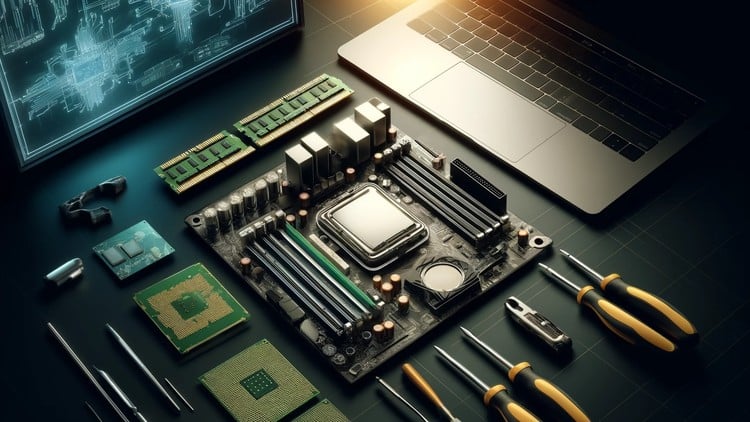
Pass the A+ Certification Core 1 Exam with confidence. Master the essentials of motherboards, CPUs, and memory.
⏱️ Length: 2.6 total hours
⭐ 4.03/5 rating
👥 13,682 students
🔄 June 2025 update
Add-On Information:
Note➛ Make sure your 𝐔𝐝𝐞𝐦𝐲 cart has only this course you're going to enroll it now, Remove all other courses from the 𝐔𝐝𝐞𝐦𝐲 cart before Enrolling!
-
Course Overview
- This concise yet impactful course serves as your accelerated pathway to understanding the foundational hardware components critical for any computer system. Designed specifically to bolster your preparedness for the CompTIA A+ Core 1 certification exam, it distills complex topics into easily digestible segments.
- Explore the intricate relationship between a computer’s central nervous system (the motherboard), its brain (the processor), and its short-term memory (RAM). Gain insight into how these core elements interact to enable system functionality and dictate overall performance.
- Beyond exam readiness, this module equips you with essential knowledge to comprehend PC architecture, empowering you to troubleshoot effectively, make informed upgrade decisions, and confidently discuss internal computer components. It’s a fundamental stepping stone for aspiring IT professionals, PC builders, and tech enthusiasts alike.
- Unravel the mysteries behind system stability and efficiency by grasping the nuances of component selection and proper integration, laying a solid groundwork for more advanced IT concepts.
-
Requirements / Prerequisites
- A foundational level of computer literacy and familiarity with basic operating system navigation is beneficial.
- An earnest desire to delve into the physical components that power modern computing devices.
- No prior formal IT certifications or advanced technical experience are required, making it ideal for beginners entering the IT field.
- Access to a computer with an internet connection to view course materials.
- A commitment to engaging with the focused, high-impact content to maximize learning within the given timeframe.
- A keen interest in pursuing the CompTIA A+ certification or enhancing personal hardware diagnostic capabilities.
-
Skills Covered / Tools Used
- Component Identification & Categorization: Develop the ability to distinguish between various motherboard form factors, CPU generations, and RAM modules, understanding their specific applications and limitations.
- System Architectural Understanding: Grasp how different chipsets manage data flow and connectivity, impacting component compatibility and system expansion potential.
- Firmware Interaction Proficiency: Learn to navigate the Unified Extensible Firmware Interface (UEFI) and BIOS environments, recognizing key settings that influence boot processes, virtualization, and hardware configuration beyond basic setup.
- Performance Bottleneck Analysis: Acquire the conceptual skills to identify potential performance limitations caused by mismatched or underpowered motherboards, processors, or memory.
- Thermal Management Principles: Understand the critical role of CPU cooling mechanisms and the factors influencing effective heat dissipation within a PC enclosure, ensuring component longevity.
- Memory Channel Optimization: Learn the implications of single, dual, and quad-channel memory configurations on system bandwidth and performance.
- Power Delivery Comprehension: Gain insight into how power connections from the power supply integrate with the motherboard and its components to ensure stable operation.
- Diagnostic Methodology Application: Apply a systematic approach to troubleshooting hardware failures, interpreting common boot sequence errors, beep codes, and POST (Power-On Self-Test) messages.
- Upgrade Path Assessment: Develop the capacity to evaluate existing system components and plan for future upgrades, considering compatibility and future-proofing.
- Conceptual Tools: While hands-on tool usage is limited in this short course, you will develop an understanding of when and how tools like multimeters (for power checks), electrostatic discharge (ESD) prevention kits, and basic hardware repair tools would be applied in real-world scenarios.
-
Benefits / Outcomes
- Accelerated A+ Exam Confidence: Significantly boost your readiness and understanding for the core hardware objectives of the CompTIA A+ Core 1 certification.
- Enhanced Troubleshooting Acumen: Equip yourself with the diagnostic skills to pinpoint and address common hardware issues related to the core components of a personal computer.
- Informed Decision-Making: Make intelligent choices when purchasing, upgrading, or assembling PCs, ensuring optimal component compatibility and performance for specific needs.
- Solid Career Foundation: Establish a strong knowledge base essential for entry-level IT support roles, computer repair technicians, and PC building enthusiasts.
- Deeper System Comprehension: Gain a profound understanding of how the motherboard, CPU, and memory collectively function as the backbone of every computer system.
- Improved Personal PC Management: Become more self-reliant in maintaining and optimizing your own computer systems, potentially saving on repair costs.
- Credibility in Hardware Discussions: Speak confidently and accurately about core PC components, their specifications, and their impact on system performance.
- Gateway to Advanced Studies: This course provides the prerequisite knowledge for exploring more complex hardware topics, server architecture, or specialized IT fields.
-
PROS
- Highly Targeted: Focuses exclusively on the critical motherboard, processor, and memory domains, making it efficient for exam prep.
- Time-Efficient: At just 2.6 hours, it delivers high-impact learning without a lengthy time commitment.
- Certification Aligned: Directly supports the CompTIA A+ Core 1 objectives, a key industry certification for IT professionals.
- Up-to-Date Material: Benefits from a recent June 2025 update, ensuring relevance with current hardware technologies.
- Strong Student Endorsement: High rating from over 13,000 students indicates quality and effectiveness.
- Excellent Starting Point: Ideal for beginners seeking foundational hardware knowledge.
-
CONS
- Limited Hands-On Depth: The brief duration necessitates a focus on theoretical understanding, potentially requiring additional practical exercises for complete mastery.
Learning Tracks: English,IT & Software,IT Certifications