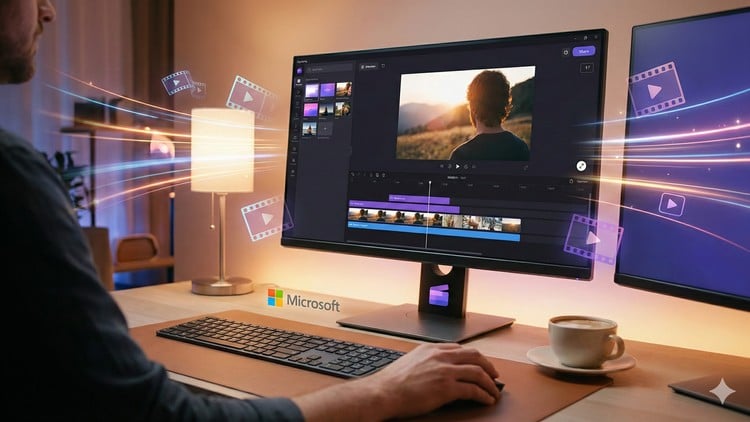
Learn Clipchamp easily and use Clipchamp to create high-quality videos for YouTube, Instagram reels, marketing and more.
What You Will Learn:
- Navigate the Clipchamp interface confidently and understand all core tools.
- Create professional-quality videos from scratch using templates and manual editing.
- Edit videos with trims, transitions, text, filters, and effects.
- Add voiceovers, music, subtitles, and use the stock media library effectively.
- Export, optimize, and share videos for platforms like YouTube, Instagram, and business use.
- Step by Step process of doing each activity, with live examples and clear descriptions.
Course Overview: The Modern Shortcut to Content Creation
Let’s be real for a second: not everyone has the time or the hardware to wrestle with Adobe Premiere Pro or DaVinci Resolve. As someone who has spent years in the tech and media space, I’ve seen the “pro” tools evolve, but I’ve also seen the rise of “efficiency-first” platforms. That is exactly where Clipchamp Video Editing Masterclass – A Complete A-Z Guide fits in. This isn’t your typical dry, academic tutorial; it’s a deep dive into what I call the “modern shortcut” to professional video production.
The beauty of this course lies in how it treats industry-standard tools within a browser-based environment. Most people dismiss Clipchamp as a “basic” Windows tool, but this masterclass flips that script. It takes you from beginner to advanced levels without the steep learning curve of traditional software. What I appreciated most was the instructor’s focus on the “why” behind the edits. Instead of just telling you which button to click, the course guides you through real-world projects that mirror what a freelance editor or a marketing manager actually does on a Tuesday afternoon. It’s about building job-ready skills that allow you to turn around high-quality content for YouTube or Instagram in half the time it would take on a heavier rig.
What You Need Before Diving In
One of the best things about this course—and Clipchamp itself—is the low barrier to entry. You don’t need a $3,000 MacBook Pro to get started. Here is the short list of prerequisites:
- A basic computer: As long as it can run a modern browser (Chrome or Edge) or the Windows app, you are good to go.
- Stable Internet Connection: Since Clipchamp processes a lot in the cloud, a decent connection is your best friend.
- Zero Prior Knowledge: You don’t need to know what a “keyframe” or a “bitrate” is yet—the course covers that from scratch.
- Content Ideas: While the course provides hands-on labs and assets, having your own footage makes the learning process much more personal and engaging.
The Toolkit: Skills You Will Actually Use
This masterclass isn’t just about trimming clips; it’s about the full ecosystem of modern video. By the end of the modules, you’ll have a firm grasp on several industry-standard tools and techniques:
- Advanced Timeline Management: Moving beyond simple cuts to layered editing with overlays and b-roll.
- AI-Powered Enhancements: Leveraging Clipchamp’s text-to-speech and auto-captioning features—absolute lifesavers for accessibility.
- Asset Curation: Learning how to navigate the massive stock media library without making your video look “generic.”
- Visual Branding: Applying filters, transitions, and text animations that align with a specific brand identity.
- Optimization and Export: Understanding the right aspect ratios and resolutions for different platforms to ensure career growth in the social media space.
Career Benefits and Job Roles
Is a Clipchamp “master” actually employable? In the current market, the answer is a resounding yes. Companies are moving away from bloated production cycles and toward rapid-fire social content. Completing this course serves as an excellent certification prep for anyone looking to enter the digital marketing world. Having these job-ready skills on your resume proves you can produce high-volume, high-quality content efficiently.
Common job roles where this masterclass applies include:
- Social Media Manager: Creating daily Reels, TikToks, and Shorts that look polished and professional.
- Content Creator/YouTuber: Streamlining your workflow so you spend more time filming and less time frustrated by your editing software.
- Corporate Trainer: Building clean, narrated internal training videos with real-world projects as a reference.
- Freelance Video Editor: Offering quick-turnaround editing services for small businesses who need marketing ads.
Why This Course Hits the Mark (Pros)
- The Workflow Efficiency: The course emphasizes speed. In a world where “done is better than perfect,” learning to use industry-standard tools effectively in a lightweight app is a huge win for your career growth.
- Hands-on Learning: This isn’t just theory. The hands-on labs ensure that you are actually clicking, dragging, and exporting alongside the instructor. You finish the course with a portfolio, not just a certificate.
- Clarity and Pacing: The instructor avoids jargon where possible but explains it when necessary. It’s perfect for someone who wants to move from beginner to advanced without feeling overwhelmed by technical “gatekeeping.”
The Reality Check (Cons)
- The “Glass Ceiling” of Browser Apps: While the course maximizes what Clipchamp can do, it’s important to remember that Clipchamp has its limits. If you are looking for heavy 3D motion graphics or complex color grading (the kind you’d see in a Marvel movie), you’ll eventually outgrow this tool. However, for 95% of web content, this course is more than enough.
In conclusion, if you want to stop making excuses about “not having the right software” and start producing content that actually looks good, this Masterclass is your ticket. It’s a practical, no-nonsense investment in your creative future.