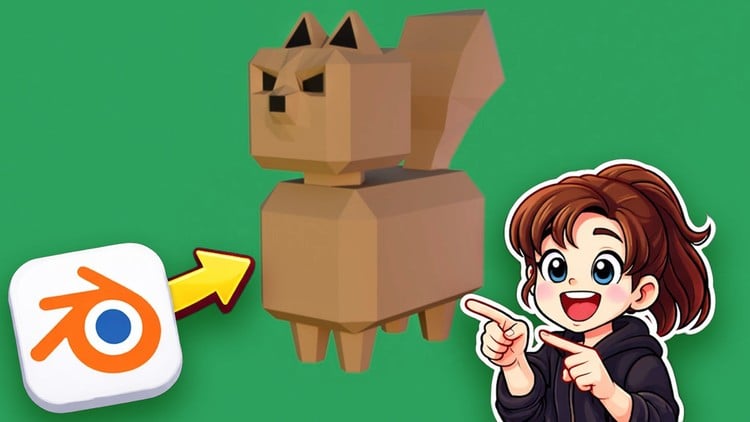
Complete Blender Starter Course: No Experience Needed
What You Will Learn:
- Understand the Fundamentals of 3D and Blender
- Know the basic concepts of modelling
- Make 4 adorable 3-D scenes using simple colours.
- Learn about the most common modifiers used in 3D modelling
An Honest Take on Blender 5 Basics Mastery: Is It Worth Your Time?
Let’s be real for a second. If you’ve spent any time in the creative tech space, you know that 3D modeling used to be locked behind a massive paywall of expensive licenses and specialized hardware. But the game has changed. With the release of Blender 5, we are seeing a shift where open-source software is genuinely rivaling the industry-standard tools used by top-tier studios. I’ve seen dozens of tutorials that claim to take you from “zero to hero,” but “Blender 5 Basics Mastery: Learn 3D from Zero Step-by-Step” actually delivers on that promise without the usual fluff.
What I appreciate about this course isn’t just that it teaches you where the buttons are; it’s about the hands-on labs style of learning. Instead of lecturing you on the theory of vertices and edges for three hours, it gets you into the viewport immediately. In the modern job market, job-ready skills are built through repetition and project-based learning, and this course understands that. It’s designed for the person who wants to jump into the 3D pipeline without getting bogged down in technical debt. If you are looking for a path toward career growth in digital arts, this is a solid entry point.
Prerequisites for Your 3D Journey
Before you dive in, let’s talk about what you actually need. You don’t need a $5,000 workstation, but you do need a decent rig with a dedicated GPU if you want to see your renders in real-time.
- A Computer: Windows, Mac, or Linux—Blender is platform-agnostic.
- A Three-Button Mouse: This is non-negotiable. Trying to navigate 3D space with a trackpad is a recipe for a headache.
- Blender 5 Installed: Ensure you have the latest version to follow along with the updated UI changes.
- Patience: 3D has a steep learning curve, but this course flattens it significantly.
The Skills and Tools You’ll Add to Your Arsenal
This course isn’t just a beginner to advanced walkthrough; it’s a toolkit for the modern creator. You’ll spend a significant amount of time mastering real-world projects that mirror what a junior 3D artist might do in a production environment.
- Navigating the 3D Viewport: Mastering the “Blender Zen” of movement and workspace customization.
- The Modifier Stack: You’ll dive deep into industry-standard tools like the Mirror, Array, and Boolean modifiers—essentially the building blocks of non-destructive modeling.
- Material Basics: Learning how to use simple colors and basic shaders to make low-poly art pop.
- Scene Composition: Building four distinct, adorable 3D scenes that help you understand lighting and camera placement.
- Problem-Solving: Learning how to fix “non-manifold geometry” and other common pitfalls that stop beginners in their tracks.
Career Benefits and Job Roles
Is learning Blender 5 just a hobby, or can it pay the bills? From my perspective, the career benefits are massive. We are seeing a surge in demand for 3D assets in UI/UX design, AR/VR development, and digital marketing.
By completing a course like this, you are essentially beginning your certification prep for a career in visual effects or game design. You aren’t just learning a program; you are developing job-ready skills that apply to roles such as:
- Junior 3D Modeler: Creating assets for indie games or architectural visualizations.
- Motion Graphics Artist: Using 3D elements to enhance video content.
- Product Designer: Prototyping physical goods in a digital space before they go to manufacturing.
- Freelance Illustrator: Offering unique 3D isometric scenes for tech blogs and startups.
Pros: Why This Course Stands Out
- Practical Output: You don’t just finish with a “knowledge of Blender”; you finish with four high-quality renders for your portfolio. This focus on real-world projects is vital for anyone looking to get hired.
- Logic Over Rote Memorization: The instructor explains why we use certain modifiers, helping you develop a workflow that translates to other software like Maya or Cinema 4D.
- Pacing: It respects your time. The “Zero Step-by-Step” approach means no skipping crucial details, but it doesn’t linger on the obvious.
- Focus on Aesthetics: By creating “adorable” scenes, the course teaches you that you don’t need complex textures to make something look professional.
Cons: The Honest Truth
If I have one critique, it’s that the course stays very much in the “simple colors” realm. While this is great for beginners to avoid “node-shading overwhelm,” it might leave you feeling a bit hungry for more advanced texturing and UV unwrapping techniques. You’ll get the model looking great, but you’ll eventually need a follow-up course to handle complex PBR (Physically Based Rendering) materials if you want to reach that “advanced” tier of the beginner to advanced spectrum.
Final Verdict
“Blender 5 Basics Mastery” is a high-value investment for anyone looking to break into the 3D world. It bypasses the gatekeeping and focuses on hands-on labs that yield immediate results. If you’re looking to boost your career growth or just want to finally understand how 3D works, this is where you start.