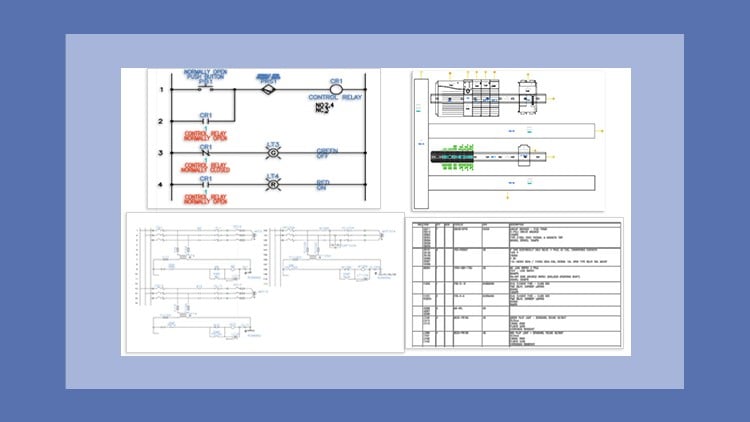
A Masterclass – Step-by-Step Learning Made Easy
⏱️ Length: 6.6 total hours
⭐ 4.88/5 rating
👥 1,035 students
🔄 October 2025 update
Add-On Information:
Note➛ Make sure your 𝐔𝐝𝐞𝐦𝐲 cart has only this course you're going to enroll it now, Remove all other courses from the 𝐔𝐝𝐞𝐦𝐲 cart before Enrolling!
-
Course Overview
- This masterclass offers an unparalleled journey into the robust world of AutoCAD Electrical 2026, meticulously designed for both aspiring and seasoned professionals seeking to master the premier software for electrical control design.
- Embark on a comprehensive learning adventure structured through intuitive tutorials, practical exercises, and real-world projects, ensuring a hands-on, immersive experience from foundational concepts to advanced functionalities.
- Leverage the very latest October 2025 update of the course content, guaranteeing your skills are perfectly aligned with AutoCAD Electrical 2026’s newest features, industry best practices, and evolving design standards.
- Discover how to transform complex electrical engineering challenges into streamlined, precise, and standardized designs, propelling your professional capabilities to the forefront of the industry.
- This course isn’t just about learning software; it’s about cultivating a sophisticated understanding of electrical design workflows, fostering efficiency, and ensuring accuracy in every project you undertake.
- Join a thriving community of over 1,000 students who have already benefited from this highly-rated program, benefiting from its clear instruction and practical application.
- With a concise yet powerful duration of 6.6 hours, this program is engineered for maximum impact, delivering a high return on your time investment by focusing on essential skills and practical application.
-
Requirements / Prerequisites
- Basic Computer Proficiency: A fundamental understanding of operating a computer, managing files, and navigating software interfaces is essential to seamlessly follow the course material.
- Access to AutoCAD Electrical 2026: Students are expected to have access to either a licensed version or a trial version of AutoCAD Electrical 2026 installed on their system to fully participate in the hands-on exercises and projects.
- Conceptual Grasp of Electrical Systems: While not a deep dive into electrical theory, a foundational conceptual understanding of basic electrical components, circuits, and symbols will significantly enhance the learning experience.
- Commitment to Hands-on Learning: The course emphasizes practical application, requiring learners to actively engage with the software through provided exercises and projects to consolidate their understanding.
- No Prior AutoCAD Electrical Experience Required: This course is designed to accommodate beginners to the software, building knowledge from the ground up, though familiarity with general CAD principles can be an advantage.
-
Skills Covered / Tools Used
- Advanced Project Management: Master the art of organizing large-scale electrical projects, including creating, managing, and structuring drawings within an AutoCAD Electrical project environment for optimal workflow.
- Intelligent Component Tagging & Numbering: Develop expertise in automating component identification, wire numbering, and device tagging, ensuring consistency and reducing manual errors across complex schematics.
- Comprehensive Symbol Library Customization: Learn to effectively utilize and customize the extensive symbol libraries, create your own proprietary symbols, and manage symbol properties to meet specific project or company standards.
- Cross-Referencing and Reporting Automation: Gain proficiency in setting up and generating dynamic cross-references between components, along with automating critical reports such as Bill of Materials (BOM), wire lists, and PLC I/O reports.
- Efficient Template and Standard Adherence: Implement and manage drawing templates, title blocks, and industry standards (e.g., JIC, IEC) within your projects to maintain consistency and compliance.
- Wire Type Management and Conduit Layout: Explore advanced techniques for defining wire types, colors, sizes, and managing conduit layouts within panel drawings, enhancing realism and accuracy.
- Utilizing Manufacturer Catalogs & Databases: Integrate real-world manufacturer components by linking to catalog databases, streamlining part selection and ensuring accurate documentation.
- Drawing Auditing and Error Checking: Employ built-in tools for auditing drawings, identifying potential errors, and ensuring design integrity before finalization.
- Dynamic Design Revision Control: Understand best practices for managing design revisions, updating drawings, and maintaining a clear history of changes throughout a project lifecycle.
-
Benefits / Outcomes
- Elevated Professional Competence: Emerge as a highly proficient AutoCAD Electrical 2026 user, capable of independently tackling complex electrical design projects with confidence and expertise.
- Significant Design Efficiency Gains: Drastically reduce design time and increase productivity by leveraging the software’s automation capabilities, intelligent tools, and streamlined workflows.
- Enhanced Accuracy and Reduced Errors: Minimize costly design errors through systematic methodologies, automated checks, and the robust cross-referencing features of AutoCAD Electrical.
- Compliance with Industry Standards: Produce electrical control drawings that consistently adhere to relevant industry standards and company specifications, improving project approval rates and reducing rework.
- Career Advancement Opportunities: Position yourself as a valuable asset in electrical engineering, design, and manufacturing sectors, opening doors to new professional opportunities and career progression.
- Development of a Professional Portfolio: The practical projects undertaken in the course will serve as tangible examples of your skills, perfect for showcasing your capabilities to potential employers or clients.
- Mastery of Advanced Design Principles: Beyond software operation, cultivate a deeper understanding of efficient electrical design principles, translating into more robust and maintainable control systems.
- Seamless Collaboration Readiness: Learn to produce clear, standardized documentation that facilitates easier collaboration with fellow engineers, technicians, and manufacturing teams.
-
PROS
- Highly Rated & Student Approved: A stellar 4.88/5 rating from over 1,000 students testifies to the course’s exceptional quality and effectiveness.
- Up-to-Date Content: The October 2025 update ensures you’re learning the absolute latest features and best practices for AutoCAD Electrical 2026.
- Practical, Project-Based Learning: Strong emphasis on hands-on exercises and real-world projects provides invaluable practical experience.
- Concise Yet Comprehensive: Delivers a “masterclass” level of detail within a manageable 6.6-hour duration, optimizing your learning time.
- Step-by-Step Guidance: Ideal for beginners, the easy-to-follow, structured approach demystifies complex software functionalities.
- Industry-Relevant Skills: Equips learners with in-demand skills directly applicable to various electrical design and engineering roles.
-
CONS
- Software Access Required: Learners must independently acquire or have access to AutoCAD Electrical 2026, which may involve additional cost or licensing considerations.
Learning Tracks: English,IT & Software,Other IT & Software