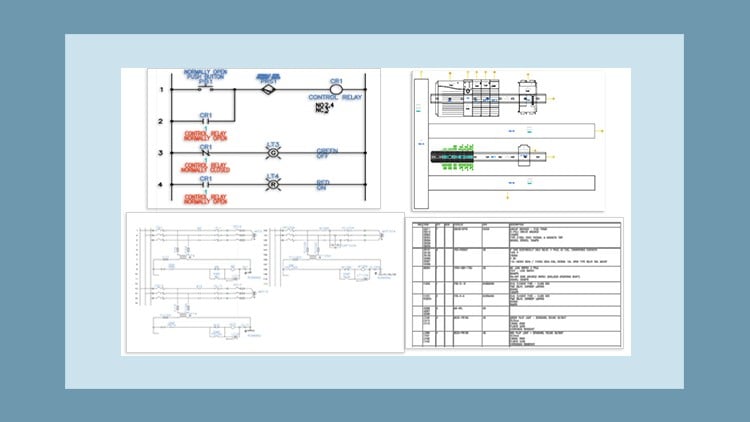
A Master class – Learn By doing
⏱️ Length: 6.0 total hours
⭐ 4.35/5 rating
👥 6,056 students
🔄 July 2025 update
Add-On Information:
Note➛ Make sure your 𝐔𝐝𝐞𝐦𝐲 cart has only this course you're going to enroll it now, Remove all other courses from the 𝐔𝐝𝐞𝐦𝐲 cart before Enrolling!
-
Course Overview
- Embark on a transformative journey into the world of professional electrical controls design with AutoCAD Electrical 2025, the industry-leading software for creating precise and intelligent electrical documentation.
- This “Master Class” is meticulously crafted to offer an immersive, hands-on experience, emphasizing the “Learn By Doing” methodology crucial for practical skill acquisition.
- Delve into the core principles of automating electrical design workflows, moving beyond traditional drafting to intelligent, data-driven system creation.
- Understand how AutoCAD Electrical 2025 streamlines the design process for industrial control panels, power distribution systems, and complex machinery.
- Explore the latest enhancements and features introduced in the 2025 version, ensuring your skills are cutting-edge and relevant to current industry demands.
- The curriculum is structured to progressively build your expertise, starting from foundational concepts and advancing to sophisticated project execution.
- Position yourself for success in fields requiring robust electrical engineering design, from manufacturing and automation to energy and infrastructure.
- Gain proficiency in generating accurate, compliant, and easy-to-interpret electrical schematics and documentation that facilitate efficient installation, maintenance, and troubleshooting.
- Benefit from a concise yet comprehensive 6.0 total hours of instruction, designed for maximum knowledge transfer and practical application.
- Join a vibrant community of over 6,056 students who have rated this course highly (4.35/5), reflecting its quality and effectiveness in skill development.
- This course aims to empower you to tackle real-world electrical design challenges with confidence and precision, leveraging the full power of AutoCAD Electrical 2025.
-
Requirements / Prerequisites
- A foundational understanding of basic electrical engineering concepts, including circuits, components (resistors, capacitors, relays), and electrical symbols.
- Familiarity with the Microsoft Windows operating system environment, including basic file management and navigation.
- Access to Autodesk AutoCAD Electrical 2025 software (a licensed version or a student/trial version is acceptable for practical exercises).
- A stable internet connection for accessing course materials, downloading software updates, and participating in online discussions if applicable.
- Basic computer literacy, including the ability to install software and manage digital files effectively.
- While not strictly mandatory, prior exposure to any CAD software can be beneficial, though not required, as the course will guide you through the AutoCAD Electrical interface.
- A genuine enthusiasm for learning and a commitment to applying automated design principles to electrical control systems.
- Recommended hardware specifications that meet or exceed Autodesk’s minimum requirements for AutoCAD Electrical 2025 to ensure smooth software operation during exercises.
- No prior experience specifically with AutoCAD Electrical is necessary, making this course ideal for dedicated beginners.
-
Skills Covered / Tools Used
- Intelligent Project Management: Master the creation, organization, and efficient management of multiple drawing electrical projects using the Project Manager interface.
- Automated Component Tagging: Implement automatic numbering and annotation of components (e.g., motors, switches, contactors) according to globally recognized standards like IEC, JIC, and NFPA.
- Smart Wire Numbering: Develop proficiency in assigning unique, sequential, and source/destination-based wire numbers across complex schematics, ensuring clarity and traceability.
- Dynamic Cross-Referencing: Configure and utilize intelligent cross-referencing between schematic components, such as relay coils and their associated contacts, for enhanced design integrity.
- Terminal Strip Generation: Design, generate, and edit multi-level terminal strips, including automatic terminal numbering and creating detailed terminal plans for manufacturing.
- Custom Symbol Libraries: Learn to create, modify, and integrate custom electrical symbols into your project libraries, expanding your design capabilities beyond standard offerings.
- Comprehensive Report Generation: Automate the creation of critical project documentation, including Bill of Materials (BOMs), wire lists, PLC I/O reports, and component usage reports.
- Panel Layout Design: Develop precise panel layout diagrams, including inserting component footprints, optimizing spacing, and managing wire duct and DIN rail placement.
- Inter-Drawing Navigation: Efficiently navigate between various drawings within a large project using advanced tools, ensuring a cohesive and interconnected design.
- Electrical Auditing Tools: Utilize built-in error checking and auditing functionalities to identify inconsistencies, duplicates, and potential design flaws before fabrication.
- Title Block Integration: Automate the population and synchronization of project data within custom title blocks across all project drawings.
- Re-sequencing Components: Learn techniques for re-sequencing component tags and wire numbers quickly in response to design changes, maintaining accuracy.
- Import/Export Data Functionality: Master the import and export of design data for seamless collaboration with other engineering disciplines or external software applications.
- Wire Linkage & Bridging: Understand how to manage wire connections, breaks, and bridges within drawings and across multiple pages for complex circuits.
- Design Reuse & Standardization: Implement strategies for creating and utilizing reusable circuit snippets and standardized templates to accelerate future projects.
-
Benefits / Outcomes
- Dramatic Productivity Gains: Significantly reduce design time and effort by leveraging AutoCAD Electrical’s automation features, freeing up time for innovation.
- Superior Design Accuracy: Minimize human error and ensure design integrity through intelligent validation, automatic updates, and comprehensive error checking.
- Enhanced Career Prospects: Acquire a highly sought-after skill set, making you a valuable asset in the industrial automation, control systems, and panel building sectors.
- Global Industry Compliance: Consistently produce electrical designs that adhere to critical international and regional standards such as IEC, NFPA, and JIC.
- Optimized Collaboration: Facilitate seamless data exchange and foster better communication with manufacturing, procurement, and field service teams.
- Reduced Project Costs: Lower material waste and fabrication errors through accurate Bill of Materials and precise documentation, leading to overall project cost savings.
- Versatile Project Application: Gain the ability to confidently undertake a diverse range of electrical design projects, from simple machine controls to intricate factory automation systems.
- Streamlined Troubleshooting: Create logical, easy-to-follow documentation that greatly simplifies installation, maintenance, and field troubleshooting processes.
- Future-Proof Expertise: Invest in a skill that remains at the forefront of electrical design technology, ensuring long-term relevance in a rapidly evolving industry.
- Professional Documentation: Consistently generate clear, professional-grade electrical drawings and reports essential for project handovers, regulatory compliance, and system longevity.
- Empowered Innovation: Shift your focus from tedious drafting tasks to more creative problem-solving and optimization within electrical system design.
-
PROS
- Highly practical and project-oriented learning approach, ensuring hands-on skill development.
- Features content updated for AutoCAD Electrical 2025, providing the latest software insights.
- Suitable for individuals with basic electrical knowledge, making it accessible to aspiring designers and engineers.
- Emphasizes industry best practices and international standards, preparing you for real-world scenarios.
- A valuable skill addition for career advancement in the rapidly growing fields of industrial automation and control systems.
- Offers flexibility for self-paced learning, allowing students to progress at their own convenience.
- Backed by a strong student community and positive ratings, indicating a well-received and effective course.
- Covers a comprehensive range of tools and features essential for modern electrical design.
- Helps in developing a systematic, efficient, and error-reducing approach to complex electrical projects.
- Provides a solid foundation for automating repetitive design tasks, enhancing overall productivity.
-
CONS
- Given the extensive capabilities of AutoCAD Electrical 2025 and the “Master class” designation, the 6-hour duration might be perceived as relatively brief for achieving comprehensive mastery over all advanced features, potentially necessitating additional self-study or practice for deeper specialization.
Learning Tracks: English,IT & Software,Other IT & Software