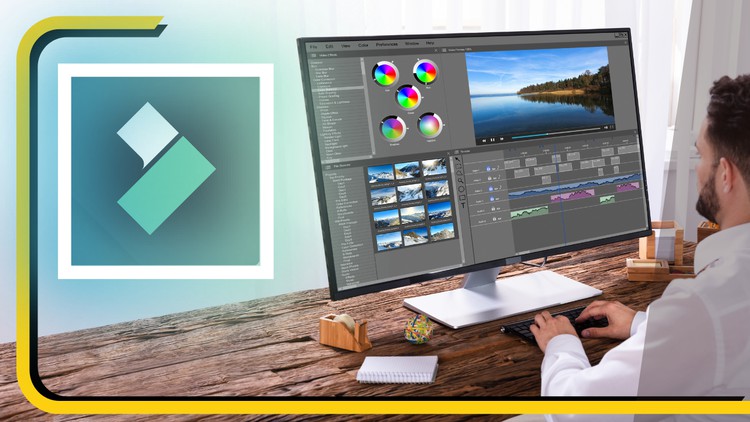
Video Editing, Color Grading, Motion Graphics, Keyframes, AI Tools
What you will learn
Introduction and Creating a new project in Filmora
Merging different videos in same panel
Colour Correction
Editing Audio
Transition
Effects, Stickers and Templates
Projects
Description
Welcome to the “Learn Filmora for Video Editing Masterclass” on Udemy, your gateway to mastering the art of video editing with Wondershare Filmora, a powerful and user-friendly editing software. Whether you’re a beginner aspiring to create captivating YouTube videos, social media content, or professional-quality films, this comprehensive course is tailored to cater to all skill levels.
Course Highlights:
- Introduction to Filmora:
- Navigate the Filmora interface and understand its features.
- Learn how to import media files, organize your projects, and set up your workspace efficiently.
- Basic Editing Techniques:
- Master the fundamental editing tools such as cutting, trimming, and splitting clips.
- Understand transitions, overlays, and effects to enhance the visual appeal of your videos.
- Advanced Editing Skills:
- Dive deeper into advanced editing techniques like keyframing and motion tracking.
- Explore advanced effects, filters, and color grading to add a professional touch to your videos.
- Audio Editing and Enhancement:
- Learn how to work with audio, including adding background music, voiceovers, and sound effects.
- Understand audio mixing and synchronization techniques for polished and engaging videos.
- Text and Graphics:
- Create dynamic titles, lower thirds, and text animations to make your videos visually engaging.
- Utilize graphic elements, stickers, and overlays to add creativity and flair to your projects.
- Special Effects and Advanced Features:
- Explore Filmora’s special effects library and understand how to apply them effectively.
- Learn about advanced features like split-screen, green screen, and 3D LUTs to elevate your editing capabilities.
- Exporting and Sharing Your Projects:
- Understand the various export settings and formats for different platforms.
- Learn how to upload your videos to YouTube, social media, and other online platforms directly from Filmora.
- Hands-on Projects and Feedback:
- Engage in practical, hands-on editing projects to apply your skills in real-world scenarios.
- Receive constructive feedback and guidance on your projects to accelerate your learning process.
By the end of this masterclass, you’ll have the confidence and expertise to edit videos like a professional using Filmora. Join us on this creative journey, and let’s bring your video editing skills to the next level!
Content
Introduction
My Take on the Filmora Masterclass: Is It Actually Worth Your Time?
Look, I’ve spent the better part of a decade jumping between industry-standard tools like Premiere Pro and DaVinci Resolve. When I first heard about the Learn Filmora for Video Editing Masterclass Course, I’ll be honest—I had my doubts. For a long time, the tech community looked at Filmora as “the beginner’s toy.” But after diving into this curriculum, I realized how much the landscape has shifted. This isn’t just about dragging clips onto a timeline; it’s a deep dive into a beginner to advanced workflow that actually respects your time.
What struck me most about this course isn’t just the technical walkthrough, but the way it bridges the gap between “I have a camera” and “I have a brand.” We’re living in a creator economy where speed is the ultimate currency. While other software forces you to spend hours on a single color grading node, this masterclass shows you how to achieve a cinematic look in minutes. It focuses heavily on real-world projects, which is where most online courses fail. You aren’t just watching a cursor move; you’re building a portfolio that actually looks job-ready.
The instructor doesn’t just show you where the buttons are; they explain the why behind the edit. This is crucial for anyone looking for career growth in digital marketing or social media management. The integration of AI tools within the Filmora ecosystem is a massive highlight here. We’re talking about smart cutouts and automated audio syncing that used to take us hours of manual labor. If you’re looking for a hands-on labs experience that doesn’t feel like a dry college lecture, this is it.
What You Need Before Jumping In
The beauty of Filmora—and this course specifically—is that the barrier to entry is incredibly low. You don’t need a $5,000 rig to get started. Here is what I’d recommend having on your desk:
- A Mid-Range PC or Mac: As long as you can run modern browser tabs without your fan screaming, you’re likely good to go.
- Filmora Software: Ideally the latest version to make use of the AI tools discussed in the later modules.
- Basic Computer Literacy: You should know how to manage files and folders—basic housekeeping is key for video editing.
- A Creative Spark: No certification prep can replace a genuine interest in storytelling.
The Toolkit: Skills & Tools You’ll Master
By the time you wrap up the final project, your hands-on labs experience will have covered a surprisingly wide range of technical skills. This isn’t a surface-level overview; it’s a toolkit for the modern digital age. You will master:
- Advanced Timeline Management: Moving beyond basic cuts to complex keyframes and motion graphics.
- The AI Suite: Leveraging built-in AI tools for background removal, smart masking, and text-to-speech.
- Audio Engineering Lite: Learning how to clean up “room hiss” and balance background music so it doesn’t drown out the speech.
- Visual Aesthetics: Mastering color correction and the art of using LUTs to give your footage a consistent, professional “vibe.”
- Efficiency Hacks: Using industry-standard tools like keyboard shortcuts and proxy editing to speed up your render times.
Career Benefits & Job Roles
Let’s talk money and career growth. Taking a course like this isn’t just a hobby; it’s about gaining job-ready skills that companies are actively hiring for. Video is the king of content right now, and being able to churn out high-quality edits quickly makes you a massive asset.
Once you’ve completed the real-world projects in this course, you’ll be qualified for roles such as:
- Social Media Content Creator: Producing high-engagement Reels, TikToks, and YouTube shorts for brands.
- Freelance Video Editor: Taking on real-world projects for small businesses or corporate clients.
- Digital Marketing Specialist: Using video to drive conversion rates on ad campaigns.
- YouTube Channel Manager: Handling the end-to-end production of long-form educational or entertainment content.
The Pros: Why This Course Hits the Mark
- Efficiency-First Approach: Unlike Premiere, which feels like flying a 747, this course teaches you to produce industry-standard results with a much faster turnaround time.
- Focus on Keyframes: I was impressed by the depth of the keyframes section. It’s the difference between a static, boring video and a dynamic, motion graphics-heavy production.
- Practical AI Integration: The course doesn’t treat AI tools as a gimmick. It shows you how to actually use them to save hours of tedious manual masking.
- Portfolio-Ready Output: You leave the course with actual real-world projects you can show to a potential employer or client immediately.
The Cons: An Honest Reality Check
If I have to be brutally honest, the one drawback is the “Filmora Ceiling.” While this course is perfect for 90% of the content on the internet, if your ultimate goal is to work on a Hollywood feature film or a high-end Netflix documentary, you will eventually need to migrate to more complex software. Filmora is an incredible industry-standard tool for the web, but it lacks the deep-level metadata management required for massive, multi-editor studio productions. However, for career growth in the creator economy, this is a non-issue.