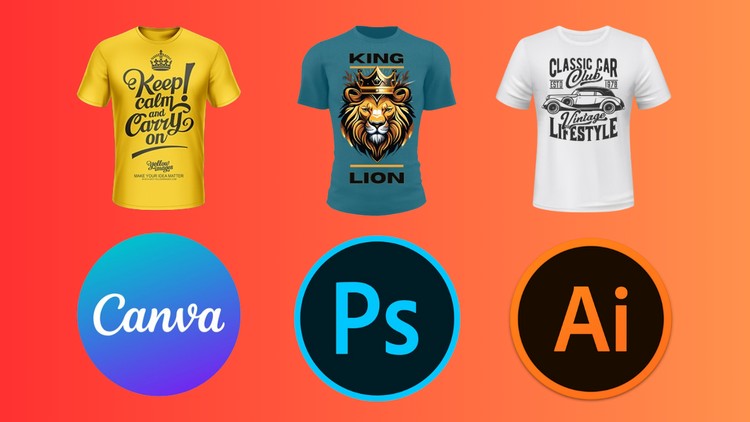
Design Unique and Eye-Catching T-Shirts using Illustrator, Photoshop and Canva
Why take this course?
🌟 Course Title: T-Shirt Design Mastery: Illustrator, Photoshop & Canva
📚 Course Headline: Design Unique and Eye-Catching T-Shirts using Illustrator, Photoshop, and Canva 🚀
Level up your t-shirt design game with this 3-in-1 course!
Welcome to the ultimate T-Shirt Design Mastery course where we blend theory with hands-on practice across three powerful software tools: Canva, Photoshop, and Illustrator. This comprehensive course is your one-stop shop for mastering the art of t-shirt design, guiding you from ideation to execution with precision and creativity. 🎨
What You’ll Learn:
- Canva: The Beginner’s Friend
- Grasp the fundamentals of graphic design with Canva’s user-friendly interface.
- Create basic layouts, incorporate text and graphics, and explore customization options.
- Photoshop: Power Up Your Designs
- Unlock the potential of Photoshop for t-shirt design.
- Learn photo editing, image manipulation, and advanced text effects to create professional-looking tees.
- Illustrator: Mastering Vector Graphics
- Dive into the world of vector graphics with Illustrator.
- Create logos, illustrations, and intricate designs that can be scaled to any size without losing quality.
Who Is This Course For?
- Beginners with no prior design experience
- Enthusiasts who want to create their own t-shirt designs
- Entrepreneurs looking to launch their own t-shirt business
By the End of This Course, You’ll Be Able to:
- Design unique and eye-catching t-shirts using Canva, Photoshop, and Illustrator.
- Confidently use design elements like text, graphics, and illustrations.
- Apply photo editing and manipulation techniques for t-shirt designs.
- Create high-quality vector graphics for scalable designs.
- Prepare your designs for printing or online marketplaces.
What’s Included in the Course?
- Comprehensive Video Lectures: Clear and concise instructions that walk you through each step of the design process.
- Downloadable Resources: Practice files to help you follow along with the course material.
- Engaging Quizzes: To test your understanding and reinforce learning.
- Exclusive Tips & Tricks: Get access to insider tips for creating stand-out t-shirt designs.
🎓 Take the Next Step in Your Design Journey
Don’t wait! Enroll today and transform your creativity into a marketable skill. Whether you’re an aspiring designer, a hobbyist looking to explore your artistic side, or a business owner aiming to create custom merchandise, this course is tailored to help you succeed in the world of T-Shirt Design. 👕✨
Enroll now and start your journey towards becoming a T-Shirt design expert!
My Honest Take: Why the Multi-Tool Approach to T-Shirt Design Actually Works
Look, I’ve spent the better part of a decade navigating the ever-evolving landscape of digital design, and if there’s one thing I’ve learned, it’s that being a one-trick pony is a recipe for career stagnation. Most design courses force you into a box—either you’re a “hardcore” Adobe user or a “casual” Canva enthusiast. The T-Shirt Design Mastery: Illustrator, Photoshop and Canva course finally breaks that wall down. From a tech professional’s perspective, this isn’t just about making cool shirts; it’s about workflow efficiency and understanding which industry-standard tools to use for specific real-world projects.
What I appreciated most was the lack of “gatekeeping.” Usually, pros look down on Canva, but this course treats it as a legitimate entry point for rapid prototyping. However, it doesn’t stop there. It bridges the gap between a quick social media graphic and the scalable vector graphics needed for high-end screen printing. It’s a beginner to advanced journey that feels less like a classroom and more like a hands-on lab where the output is actually something you’d see on a shelf at a streetwear boutique.
Prerequisites: What You Actually Need Before Hitting Play
You don’t need a degree in Fine Arts to get started, but you do need to be realistic about your setup. This course moves fast once it hits the Adobe suite, so you’ll want to have your Creative Cloud subscription active and a decent mouse or drawing tablet. While the course covers the Photoshop and Illustrator interfaces, having a baseline comfort with moving files around your OS is essential. If you’re coming in with zero design experience, don’t sweat it—the Canva interface section acts as a perfect “soft landing” before you dive into the deep end of masking and typography.
Developing a Professional Skill Set & Toolkit
This course isn’t just a list of “click here” instructions; it’s a deep dive into the technical logic of design. You aren’t just learning how to make a sunset; you’re learning about gradient masks, color theory, and asset management. By the end of the modules, you’ll have a grasp on:
- Vector Illustration: Creating designs in Illustrator that stay crisp whether they are on a sleeve or a billboard.
- Raster Manipulation: Using Photoshop to add grit, texture, and complex masks to streetwear T-shirt designs.
- Typography & Layout: Understanding how to balance text with imagery, a critical job-ready skill for any graphic designer.
- Rapid Prototyping: Leveraging Canva for quick iterations and client mockups before moving into heavy-duty production.
Career Benefits & Real-World Job Roles
If you’re looking for career growth, the “starving artist” trope is dead. Every brand, from tech startups to local breweries, needs apparel. This course provides the certification prep mindset needed to build a portfolio that actually converts. By mastering these three tools, you’re positioning yourself for several high-demand job roles:
- Apparel Designer: Working directly with fashion brands to create seasonal collections.
- Print-on-Demand (POD) Entrepreneur: Building a passive income stream on platforms like Redbubble or Amazon Merch with unique and eye-catching designs.
- Freelance Graphic Designer: Offering specialized services to small businesses looking for real-world projects and branding.
- Creative Lead: Managing the design pipeline from initial concept (Canva) to final production-ready files (Illustrator).
The Pros: What Makes This Course Stand Out
- The Hybrid Workflow: Most courses stick to one software. Teaching the interplay between Photoshop, Illustrator, and Canva is a brilliant reflection of how modern designers actually work.
- Niche-Specific Projects: Instead of generic shapes, you’re building Gaming, Hunting, and Lumberjack designs. This gives you a diversified portfolio right out of the gate.
- Focus on Typography: Typography is often an afterthought, but the Typography Floral and Retro Sunset sections show you how to treat text as a primary design element.
- Actionable Outcomes: Every lesson ends with a finished product. It’s hands-on learning at its best, ensuring you develop job-ready skills rather than just theoretical knowledge.
The Cons: One Honest Reality Check
If I have one gripe, it’s that the transition from the Canva interface to Illustrator might feel like jumping from a tricycle to a fighter jet for absolute novices. While the instructor does their best to bridge the gap, the sheer depth of Adobe’s industry-standard tools means you might need to pause and re-watch the vector sections a few times to truly master the Pen Tool and Pathfinder logic. It’s a steep learning curve, but one that is absolutely necessary for professional-level work.