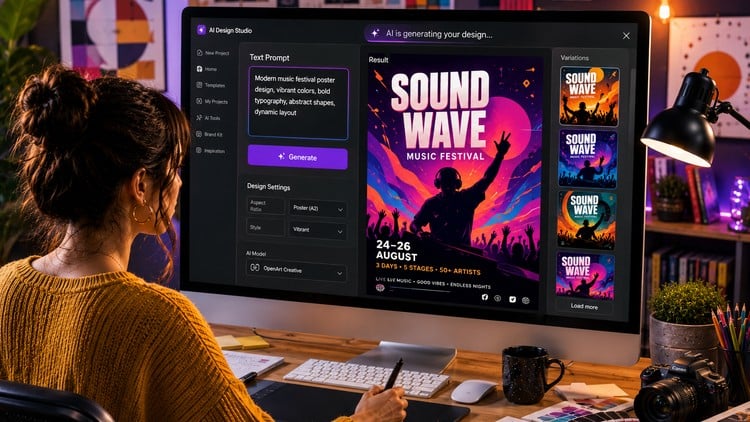
Adobe Generative AI, Canva AI, OpenArt, Ideogram, HeyGen, InVideo & Nano Banana, Google Flow
What You Will Learn:
- Create moodboards, logos, brand kits, social media posts, reels, package designs, thumbnails, and video ads using AI.
- AI workflows in Adobe Photoshop 2026, Illustrator 2026, InDesign 2026, and Adobe Express.
- Canva AI 2026 features, Magic Edit, Ask Canva, Magic Animate, Magic Morph in Canva
- Create graphics using Gemini AI, detailed workflows for Nano Banana Pro, and Leonardo AI.
- Image creation with 20 free AI apps.
- Video generation with 10+ free AI apps.
- Show more
The New Creative Paradigm: My Take on ‘AI for Graphic Designers’
Let’s cut through the noise. Every designer I know has had that late-night “Is AI going to replace me?” panic. I’ve been in the tech and design space for over a decade, and I’ve seen tools come and go, but the shift toward generative AI is different. It’s not just a new brush; it’s a new engine. I recently went through the ‘AI for Graphic Designers: Master Generative AI & 50+ AI apps’ course, and honestly, it’s the most comprehensive roadmap I’ve seen for anyone trying to stay relevant in an industry that’s moving at light speed.
What struck me most wasn’t just the sheer volume of tools—though 50+ apps is a lot to digest—but the focus on industry-standard tools. Most “AI experts” on YouTube show you how to make a cool cat in a space suit. This course shows you how to integrate Adobe Photoshop 2026 and Illustrator 2026 features into a professional pipeline. It’s about career growth and moving from a pixel-pusher to a creative director who orchestrates these tools. If you’re looking for job-ready skills that go beyond “prompt engineering” and actually land you in a high-paying creative role, this is where the bar is set.
Prerequisites
You don’t need to be a coder, but you shouldn’t be a complete stranger to a computer either. Here is what I’d suggest having before you dive in:
- Basic Design Literacy: You should understand the fundamentals of color theory, typography, and composition. AI can generate images, but it can’t tell you if a layout “breathes” correctly.
- A Solid Internet Connection: Since most of these tools (like Canva AI, Leonardo AI, and HeyGen) are cloud-based, you’ll be doing a lot of heavy uploading and downloading.
- Subscription Readiness: While the course covers 30+ free apps, to get the most out of the hands-on labs, you’ll eventually want access to the Adobe Creative Cloud and perhaps a Pro version of a tool like Nano Banana or Midjourney.
- A Growth Mindset: The 2026 versions of software bring massive changes. You have to be willing to unlearn some old “manual” habits.
Skills & Tools You’ll Master
The curriculum is a deep dive into beginner to advanced workflows. You aren’t just scratching the surface; you’re building real-world projects that you can actually show to a client.
- The Adobe 2026 Ecosystem: Mastering Generative Fill, Vector Expansion in Illustrator, and AI-driven layout automation in InDesign.
- Canva’s “Magic” Suite: Using Magic Morph, Magic Animate, and Ask Canva to cut social media production time by 80%.
- Advanced Image Gen: Moving past basic prompts into detailed workflows using Leonardo AI, Ideogram for perfect text rendering, and OpenArt.
- AI Motion & Video: Crafting high-converting video ads and reels using InVideo, HeyGen for AI avatars, and Google Flow.
- Brand Kit Automation: Creating consistent package designs and brand identities across multiple AI platforms without losing visual cohesion.
Career Benefits & Job Roles
The landscape for design jobs is shifting. Companies aren’t looking for someone who can spend six hours clipping a mask; they want someone who can deliver 50 variations of a social media post by lunch. This course functions as a certification prep for the modern era, giving you a competitive edge in several roles:
- AI Content Creator: Specialized in high-volume, high-quality asset production for digital marketing agencies.
- Brand Identity Designer: Using AI to rapidly prototype logos and moodboards for client presentations.
- UI/UX Visual Designer: Rapidly generating high-fidelity assets and thumbnails for app interfaces.
- Creative Director: Managing a team of AI-augmented designers and overseeing real-world projects from concept to final render.
- Freelance Consultant: Charging a premium for career growth services, helping traditional businesses transition their marketing to AI-driven workflows.
Pros
- Future-Proofing: By focusing on the 2026 updates for Adobe and Canva, the course ensures you aren’t learning outdated techniques that will be obsolete in six months.
- Workflow Efficiency: The emphasis on hands-on labs means you aren’t just watching videos; you’re building a portfolio of video ads and package designs as you go.
- Niche Tool Coverage: I was surprised to see deep dives into tools like Nano Banana Pro and Google Flow, which are often ignored by mainstream “top 10” lists but offer incredible professional utility.
Cons
- The “App Overload” Factor: Covering 50+ apps is a double-edged sword. For a beginner, it can feel overwhelming to keep track of which tool does what. I’d recommend focusing on the “Big Three” (Adobe, Canva, Leonardo) first before experimenting with the 30+ free alternatives mentioned.