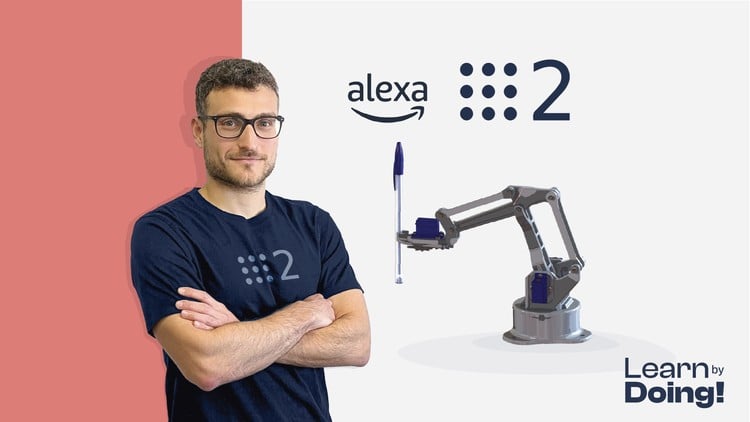
Create a ROS2 Manipulator Robot with Python and C++. Master Robot Control and MoveIt and use Alexa to move your robot
What You Will Learn:
- Create a Real Robot, powered by ROS 2
- Mastering ROS2, the latest version of the Robot Operating System
- Robotics Theory
- Use Alexa to actuate the Robot
- Programming Arduino for Robotics Applications
- Create a Digital Twin
- Simulate the robot in Gazebo
- Robot Kinematics
- Trajectory Planning with MoveIt 2
- Use the ros2_control library
- Show more
Why This Course Changes the Game for Aspiring Robotics Engineers
Look, I’ve spent the better part of a decade navigating the shifting tides of automation and software engineering, and if there is one thing I’ve learned, it’s that the “theory-only” approach to robotics is a dead end. If you want to actually get hired in 2024, you need to stop staring at slides and start breaking things. That is why I was genuinely impressed by Robotics and ROS 2 – Learn by Doing! Manipulators. Unlike the dozens of fluff-filled tutorials out there, this course treats you like a professional from day one.
The industry is currently in the middle of a massive migration from the original ROS to ROS 2. Companies are desperate for engineers who understand the nuances of the DDS (Data Distribution Service) layer, real-time performance, and secure communication. This course doesn’t just teach you how to move a virtual arm; it bridges the gap between a Digital Twin in Gazebo and a physical piece of hardware on your desk. It’s gritty, it’s technical, and it focuses on hands-on labs that mirror the actual challenges we face in industrial environments. If you’re looking for certification prep or a way to build a portfolio that actually speaks to recruiters, this is the deep dive you’ve been waiting for.
Prerequisites for Success
This isn’t a “coding for toddlers” course. To get the most out of it, you should come prepared with the following:
- Foundational Programming: You don’t need to be a senior architect, but you should be comfortable with Python and have a basic understanding of C++ syntax, as the course cleverly uses both.
- Linux Literacy: ROS 2 lives and breathes in Ubuntu. You should know your way around a terminal and be comfortable with package management.
- Basic Math: A passing familiarity with trigonometry and linear algebra will make the Robot Kinematics section much less painful.
- Hardware Access: While you can do a lot in simulation, having an Arduino and some basic servos will significantly amplify your learning.
The Toolkit: Industry-Standard Skills & Tools
The curriculum is a “who’s who” of industry-standard tools. You aren’t just learning proprietary shortcuts; you’re learning the stack used by the world’s leading robotics labs.
- MoveIt 2: The gold standard for Trajectory Planning and collision avoidance. Mastering this is a non-negotiable for manipulator roles.
- ros2_control: You’ll learn how to write the hardware abstraction layer that allows your software to talk to your actuators.
- URDF (Unified Robot Description Format): Learning to define your robot’s physical structure from scratch.
- Gazebo: Using high-fidelity Simulations to test code before deploying to expensive physical hardware.
- IoT Integration: Using Alexa to command a robot might seem like a gimmick, but it’s actually a brilliant lesson in cloud-to-edge communication.
Career Benefits & Job Roles
Completing a course of this magnitude is about career growth. We are seeing a massive surge in demand for job-ready skills in the logistics, medical, and manufacturing sectors. By completing the real-world projects in this syllabus, you are effectively auditioning for several high-paying roles:
- Robotics Software Engineer: Developing the intelligence behind autonomous systems.
- Automation Specialist: Designing Robot Kinematics solutions for factory floors.
- Full-Stack Robotics Developer: Bridging the gap between embedded Arduino code and high-level ROS 2 orchestration.
- Simulation Engineer: Creating Digital Twins to de-risk expensive hardware deployments.
The Pros: What Sets It Apart
- Beginner to Advanced Pathing: It starts with the basics but moves quickly into complex topics like Inverse Kinematics, ensuring you don’t stay in the “tutorial hell” zone for long.
- The Hybrid Approach: The way the instructor alternates between Python (for speed/prototyping) and C++ (for production performance) is exactly how it’s done in the field.
- Hardware Realism: It addresses the “messiness” of real hardware—jittery servos, latency, and power issues—which most courses conveniently ignore.
The Cons: An Honest Assessment
If I have one gripe, it’s the hardware barrier to entry. While the Gazebo simulations are top-tier, the true magic of this course happens when you build the physical arm. Depending on where you live, sourcing the specific Arduino components and servos can be an additional investment of $50-$100, which might be a hurdle for some students on a budget. However, if you’re serious about career growth, think of it as a necessary lab fee for your future.