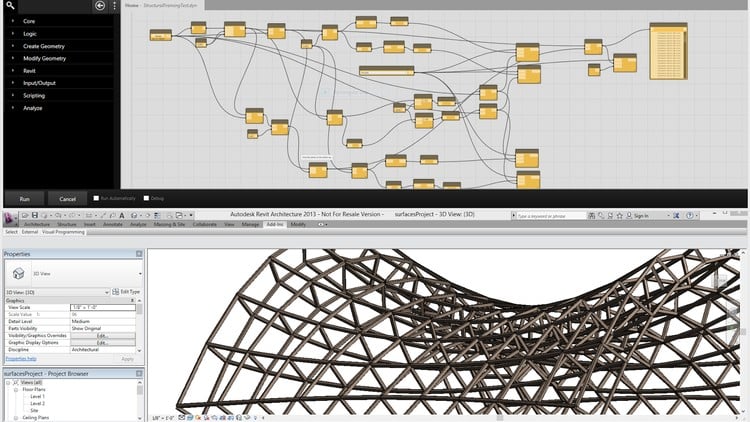
Mastering Dynamo and Generative Design: From Fundamentals to Advanced Techniques- Complex Forms and Data Management
⏱️ Length: 6.5 total hours
⭐ 4.32/5 rating
👥 5,528 students
🔄 October 2025 update
Add-On Information:
Note➛ Make sure your 𝐔𝐝𝐞𝐦𝐲 cart has only this course you're going to enroll it now, Remove all other courses from the 𝐔𝐝𝐞𝐦𝐲 cart before Enrolling!
-
Course Overview
- This comprehensive course, “Learn Dynamo in Revit: Zero to Hero in Hindi,” offers a guided journey into the realm of visual programming and generative design within the Revit environment.
- Tailored for Hindi-speaking learners, it demystifies complex computational design principles, making advanced parametric modeling accessible to a broader audience.
- Embark on a transformative learning experience, beginning with the fundamental concepts of Dynamo and progressively advancing to sophisticated techniques for creating intricate architectural forms and managing data effectively.
- Discover how to leverage Dynamo’s power to automate routine tasks, explore design variations with unprecedented speed, and solve complex geometric challenges that are often intractable with standard Revit functionalities.
- With a practical, hands-on approach, the course illustrates the application of visual scripts in real-world architectural, engineering, and construction (AEC) scenarios, fostering a deeper understanding of computational design workflows.
- Beyond just learning tools, this program empowers you to think algorithmically, transforming design intent into dynamic, adaptable, and data-driven models.
- Rated highly by thousands of students and regularly updated, this course ensures you’re learning the most current and effective methods in Dynamo and Revit.
-
Requirements / Prerequisites
- A basic understanding of the Revit interface and its fundamental functionalities is highly recommended to get the most out of this course.
- No prior experience with Dynamo or any other programming language is required; the course starts from absolute scratch, building foundational knowledge.
- Access to Autodesk Revit (preferably 2020 or newer with Dynamo pre-installed or easily installable) is essential for practicing the exercises.
- A working computer with a Windows operating system capable of running Revit smoothly will be necessary to follow along with the practical demonstrations.
- An eagerness to explore new design methodologies and embrace visual programming as a powerful tool for architectural innovation will greatly enhance your learning experience.
-
Skills Covered / Tools Used
- Algorithmic Thinking: Develop a systematic approach to problem-solving by breaking down complex design challenges into logical, executable steps.
- Visual Scripting Logic: Master the art of connecting nodes to create powerful scripts that automate tasks and generate intricate geometries.
- Parametric Design Implementation: Learn to build flexible and adaptable models whose parameters can be easily adjusted to explore countless design iterations.
- Data Flow Management: Understand how to control and manipulate data within Dynamo graphs, ensuring efficient and accurate script execution.
- Debugging Dynamo Graphs: Acquire essential techniques for identifying, understanding, and resolving errors within your visual scripts, leading to robust solutions.
- Computational Design Workflows: Integrate Dynamo seamlessly into your existing Revit projects to enhance efficiency and expand design possibilities.
- Generative Design Principles: Explore methods to create multiple design options based on predefined rules and constraints, fostering innovation.
- Custom Node Development (Introduction): Get an initial understanding of how to encapsulate frequently used functionalities into reusable custom nodes for efficiency.
- Geometric Data Structuring: Learn to effectively manage and organize various geometric elements and their properties within Dynamo’s list structures.
- Interoperability with Revit: Understand how to push and pull data between Dynamo and Revit, creating dynamic linkages and automating BIM processes.
- Tools Used: Dynamo (visual programming environment), Revit (BIM authoring software), Code Block (DesignScript language interface), various core and geometric node libraries.
-
Benefits / Outcomes
- Enhanced Design Efficiency: Significantly reduce the time spent on repetitive tasks by automating them with custom Dynamo scripts, freeing up more time for creative design.
- Unleashed Geometric Freedom: Gain the ability to model highly complex and organic forms that are challenging or impossible to create using standard Revit tools alone.
- Rapid Design Iteration: Explore a multitude of design variations quickly and systematically, allowing for optimized design solutions based on performance or aesthetics.
- Data-Driven Design Decisions: Develop designs informed by data, leading to more intelligent, responsive, and performance-oriented architectural solutions.
- Elevated Professional Skillset: Position yourself as a valuable asset in the AEC industry by mastering cutting-edge computational design methodologies and tools.
- Improved Project Accuracy: Minimize human error in design and documentation by letting Dynamo handle precise calculations and geometric manipulations.
- Problem-Solving Prowess: Cultivate a stronger analytical and problem-solving mindset, applicable not just in design but across various professional challenges.
- Seamless Workflow Integration: Learn to integrate Dynamo as an indispensable part of your Revit workflow, bridging the gap between design intent and parametric execution.
- Confidence in Advanced Topics: Build a solid foundation that prepares you for even more advanced computational design challenges and software applications.
-
PROS
- Culturally Accessible: Conducted entirely in Hindi, making advanced computational design concepts more approachable and understandable for a specific linguistic audience.
- Comprehensive Learning Path: Expertly structured from “Zero to Hero,” ensuring a logical progression from foundational concepts to advanced practical applications.
- Strong Community & Reputation: Backed by a high rating (4.32/5) and a large student base (5,528+), indicating a trusted and effective learning environment.
- Up-to-Date Content: The October 2025 update ensures learners are exposed to the latest features, best practices, and industry standards in Dynamo and Revit.
- Practical Application Focus: Emphasizes real-world scenarios and project examples, enabling immediate application of learned skills in professional contexts.
- Empowering Automation: Provides the skills to automate mundane Revit tasks, significantly boosting productivity and allowing designers to focus on creativity.
-
CONS
- While comprehensive, mastering all aspects of Dynamo and generative design often requires significant personal practice and exploration beyond the core course duration.
Learning Tracks: Hindi,Design,Design Tools