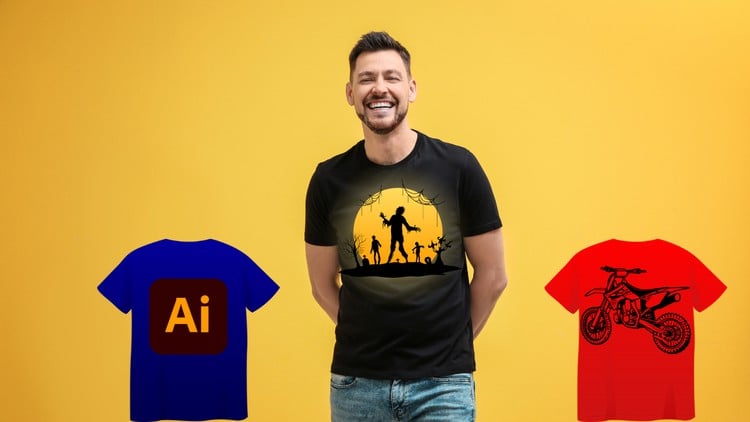
Become a T-Shirt Design Pro: Create Eye-Catching Tees with Illustrator
⏱️ Length: 5.0 total hours
⭐ 4.23/5 rating
👥 20,166 students
🔄 March 2025 update
Add-On Information:
Note➛ Make sure your 𝐔𝐝𝐞𝐦𝐲 cart has only this course you're going to enroll it now, Remove all other courses from the 𝐔𝐝𝐞𝐦𝐲 cart before Enrolling!
-
Course Overview
- This dynamic course, “Adobe Illustrator for T-Shirt Design: From Sketch to Print,” is your comprehensive guide to transforming creative concepts into ready-to-wear apparel. Systematically covering the entire process from initial idea to exporting a professionally prepped file for printing, it empowers aspiring designers and entrepreneurs to craft eye-catching T-shirts that truly stand out in a competitive market. You will master Adobe Illustrator’s robust capabilities, focusing on tools and techniques essential for producing high-quality, scalable vector graphics perfectly suited for various printing methods, ultimately helping you become a T-shirt design pro with practical, market-ready skills.
-
Requirements / Prerequisites
- Adobe Illustrator CC: Essential access to Adobe Illustrator CC (version or newer recommended) for hands-on practice. A valid subscription or trial is required to follow along with the practical exercises and complete your design projects.
- Basic Computer Proficiency: Familiarity with fundamental computer operations, such as file management, navigating software interfaces, and using a mouse or trackpad, will ensure a smooth and efficient learning experience throughout the course.
- Creative Enthusiasm: A genuine passion for T-shirt fashion, graphic design, and the desire to unleash your artistic potential is the primary prerequisite. No prior experience in design or Illustrator is strictly necessary, making this course accessible to motivated beginners.
- Stable Internet Connection: Required for seamless streaming of course videos, accessing supplementary resources, and downloading project files without interruption.
-
Skills Covered / Tools Used
- Illustrator Core Tool Mastery: Gain expertise in essential tools like the Pen Tool for creating precise, smooth vector paths, the Shape Builder Tool for effortlessly combining and subtracting shapes, and robust Pathfinder operations to construct intricate and unique design elements. You’ll also learn to effectively apply Gradients and Blends for visual depth, alongside using Clipping Masks and Compound Paths for advanced effects and compositions.
- Advanced Typography for Apparel: Go beyond standard text; master techniques to warp, distort, path type, and convert text to outlines, ensuring ultimate design flexibility and crispness. Develop the ability to craft expressive, colorful, and commercially appealing typographic layouts that form the backbone of many successful T-shirt designs.
- Vector Graphic Creation from Concept: Develop the crucial skill of translating raw sketches and initial ideas into scalable vector artwork. This involves understanding the principles of clean line work, effective form, and striking silhouettes, utilizing Illustrator’s tools to produce high-quality, print-ready graphics that maintain integrity at any size.
- Effective Color Management and Application: Become proficient in selecting and applying impactful color palettes that resonate with specific moods and target demographics. You’ll learn to manage color modes (RGB vs. CMYK) and utilize global colors for efficient, cohesive design adjustments, which are critical for vibrant print outcomes.
- Efficient Design Workflow and Organization: Implement industry best practices for organizing your projects using Layers, Artboards, and Symbols. This ensures your design files are always tidy, editable, and scalable, significantly streamlining your creative process and collaboration.
- Pre-Press Preparation and Export: Understand the critical steps for preparing your T-shirt designs for various printing methods, such as screen printing, direct-to-garment (DTG), and vinyl cutting. This includes correctly setting resolutions, defining cut lines, understanding color separations, and exporting files in the precise formats required by manufacturers.
- Creative Brush Applications: Explore the versatile use of both default and custom Art Brushes to add unique textures, decorative flourishes, and organic, hand-drawn effects, elevating your designs beyond standard geometric shapes and lines to truly stand out.
-
Benefits / Outcomes
- Design Portfolio: Graduate with a strong collection of diverse, professionally crafted T-shirt designs, ready to showcase your skills to potential clients or market your own brand.
- Entrepreneurial Skills: Acquire practical skills to confidently start your own T-shirt business, create custom merchandise, or offer freelance design services, effectively turning your creativity into a source of income.
- Illustrator Mastery: Gain comprehensive confidence and competence in using Adobe Illustrator, not just for T-shirt design, but for a wide array of graphic design projects, significantly broadening your overall skill set.
- Market-Ready Designs: Learn to identify current trends and effectively integrate them into your designs, ensuring your creations are not only visually appealing but also commercially viable and resonate with target audiences.
- Print-Ready Expertise: Demystify the printing process by understanding crucial file setup for various printing methods, guaranteeing a seamless and accurate translation from screen to fabric and avoiding costly production errors.
- Creative Empowerment: Empower yourself to visually articulate your unique ideas and messages through custom apparel, allowing for unparalleled personal and artistic expression on a tangible product.
-
PROS
- Practical Learning: The course offers a hands-on, project-based approach where you learn by creating actual T-shirt designs, fostering immediate and effective application of skills.
- Highly Rated & Popular: Backed by a strong 4.23/5 rating from over 20,000 students, indicating high satisfaction and proven effectiveness within the design community.
- Current Content: Recently updated in March 2025, ensuring relevance with the latest Adobe Illustrator features, tools, and contemporary T-shirt design trends.
- Time-Efficient: At just 5 hours of total content, it’s an efficient way to acquire specialized design skills without a lengthy time commitment, ideal for busy individuals.
- Comprehensive Niche Focus: Specifically tailored to T-shirt design, providing deep insight into a popular and potentially lucrative niche within graphic design.
- Strong Foundation: Builds a solid understanding of Illustrator tools and core design principles that are directly applicable to apparel and other creative projects.
-
CONS
- Software Cost: Requires an ongoing investment in an Adobe Illustrator subscription, which is a necessary but additional cost beyond the course fee itself.
- Specific Focus: While excellent for T-shirt design, its narrow focus means it may not delve into broader graphic design theories or other diverse print media extensively.
- Pacing: Advanced Illustrator users might find some introductory sections too basic or slow-paced, though the project-based learning remains valuable for all levels.
Learning Tracks: English,Design,Graphic Design & Illustration