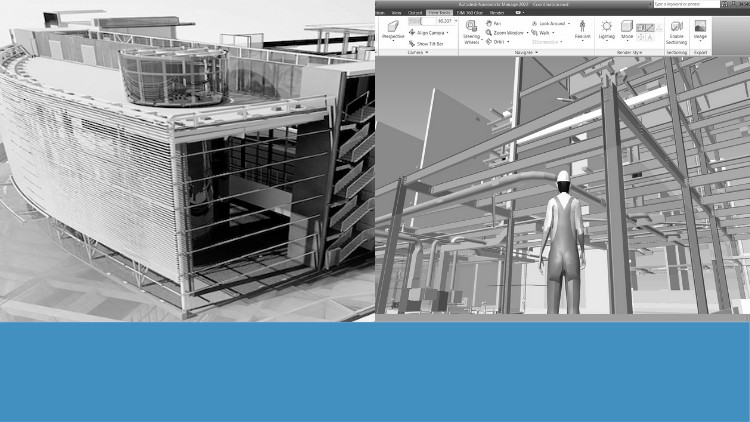
Tutorials on Navisworks: Navigation, Timeliner, Scripter, Clash Detection, Animator, Quantification, and Rendering
Why take this course?
🌟 Exploring Navisworks: BIM Tutorials from Basics to Advanced 🌟
Course Headline:
Tutorials on Navisworks: Navigation, Timeliner, Scripter, Clash Detection, Animator, Quantification, and Rendering 🚀
Course Description:
Embark on a journey to master Autodesk Navisworks with our meticulously crafted online course. This comprehensive guide is tailored to take you from an absolute beginner to an advanced user of one of the most critical tools in Building Information Modeling (BIM). 🛠️✨
What You’ll Learn:
- Model Navigation: Learn to effortlessly traverse complex BIM models, exploring every nook and cranny with views, sections, and visualization techniques that will make your projects come alive.
- Timeliner: Unleash the power of 4D and 5D simulations to track schedules and costs over time, giving you a dynamic view of project progression.
- Clash Detection: Sharpened your skills in identifying and resolving conflicts within models, ensuring that every component works together seamlessly.
- Scripter and Animator: Create compelling animations and scripts to simulate real-world conditions, enhancing the understanding of project workflows and stakeholder communication.
- Quantification: Perform precise quantity takeoffs and generate detailed reports for accurate project planning and cost estimation.
- Rendering: Produce stunning visuals and presentations with advanced rendering techniques that will showcase your BIM projects in the best light possible.
Course Features:
- Real-World BIM Projects: Engage with real-world scenarios to apply your skills directly to practical challenges.
- Step-by-Step Tutorials: Follow a structured, clear, and progressive learning path that will gradually enhance your expertise in Navisworks.
- Exercises and Quizzes: Solidify your knowledge with hands-on exercises and comprehensive quizzes at the end of each module.
- Comprehensive Coverage: From foundational concepts to advanced techniques, this course is designed to give you a complete understanding of Navisworks’ features.
- Reading Materials: Each tutorial section is complemented with in-depth reading materials that delve into the tools and processes covered in those lessons.
📚 Why Enroll?
- Industry Standard: Autodesk Navisworks is an industry-standard tool for BIM project visualization, quantification, and coordination. Mastery of this software is essential for any professional looking to advance in the field.
- Career Advancement: Enhancing your skills in Navisworks will open new career opportunities and allow you to take on more complex and demanding projects.
- Skill Set Expansion: This course is designed to fill gaps in your knowledge, making you a more versatile and valuable member of any project team.
Don’t miss this opportunity to elevate your BIM skills to professional excellence. 🏗️💻 Enroll in “Exploring Navisworks: BIM Tutorials from Basics to Advanced” today and transform the way you work with BIM! 🚀🔥
Whether you’re a design professional, an engineer, a contractor, or a student, this course is your gateway to becoming a Navisworks expert. Join us and unlock the full potential of your BIM projects! 🔑🌐
- Master the Navisworks interface for efficient project navigation and precise data access across complex models.
- Seamlessly aggregate multi-format BIM models into a single, cohesive project environment for comprehensive review and analysis.
- Develop advanced search sets and selection filters to efficiently isolate and analyze specific model elements or properties with unparalleled precision.
- Implement precise viewpoint management and sectioning techniques for detailed visual inspection and clear design communication.
- Execute rigorous interference management workflows, moving beyond basic clash detection to proactive issue resolution and reporting strategies.
- Craft dynamic 4D construction simulations using Timeliner, visualizing project schedules and identifying potential sequencing conflicts.
- Leverage the Scripter tool to automate repetitive tasks and customize data extraction for enhanced productivity and tailored insights.
- Produce compelling project animations and fly-throughs, effectively communicating design intent and construction sequences to all stakeholders.
- Perform accurate material quantification and takeoff directly from aggregated BIM models for precise cost estimation and resource planning.
- Generate high-fidelity photorealistic renders to showcase design proposals and construction progress with impactful visual realism.
- Establish robust coordination meeting workflows, facilitating effective communication and collaborative decision-making among project teams.
- Integrate external data sources and properties to enrich model information for comprehensive analysis and detailed reporting.
- Apply best practices for model federation and managing diverse file types (RVT, DGN, DWG, IFC, etc.) within a unified project.
- Develop custom reporting templates for clash results, timetables, and quantities to streamline project documentation and accountability.
- Explore advanced data visualization techniques, including appearance profilers, to highlight specific model attributes or statuses.
- Understand Navisworks’ strategic role within the broader BIM ecosystem, from early design coordination through facility management.
- PROS:
- Comprehensive Skill Set: Gain a holistic understanding of Navisworks for advanced project analysis and multifaceted coordination.
- Real-World Application: Master practical workflows and problem-solving strategies essential for effective BIM coordination roles.
- Enhanced Career Prospects: Develop highly sought-after expertise, significantly boosting your employability in AEC sectors.
- CONS:
- Software-Specific Focus: Exclusively on Navisworks, requiring prior foundational BIM knowledge for optimal absorption.