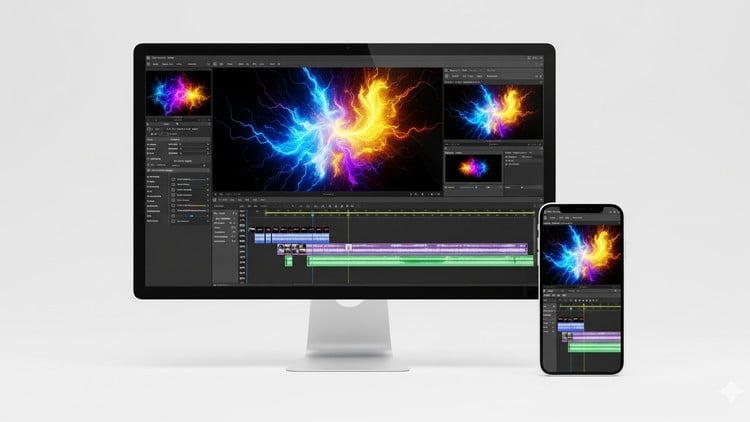
The Complete CapCut Video Editing Code for Beginners: From Beginner to Viral Video Creator
⏱️ Length: 2.4 total hours
⭐ 4.33/5 rating
👥 146 students
🔄 September 2025 update
Add-On Information:
Note➛ Make sure your 𝐔𝐝𝐞𝐦𝐲 cart has only this course you're going to enroll it now, Remove all other courses from the 𝐔𝐝𝐞𝐦𝐲 cart before Enrolling!
- Course Overview
- This comprehensive masterclass is designed for absolute beginners eager to dive into video creation using CapCut, the industry’s fastest-growing and most intuitive mobile editing application.
- Embark on a guided educational journey that demystifies video production, transforming complex techniques into easily digestible steps, perfect for producing high-quality content without prior experience.
- Discover CapCut’s immense potential as your primary creative tool, enabling stunning, professional-grade videos directly from your smartphone, expressing your unique stories and ideas.
- This course serves as your definitive roadmap to becoming a proficient video editor, equipping you with foundational knowledge and practical expertise to craft compelling narratives and engaging visuals.
- Leverage CapCut’s accessible interface and powerful features under expert guidance, ensuring a robust skill set for all your future video editing endeavors, from personal projects to social media masterpieces.
- Dive into a curriculum structured to foster creativity and technical mastery, empowering you to move beyond basic clip arrangements into sophisticated, attention-grabbing video production.
- Requirements / Prerequisites
- A Smartphone or Tablet: Essential for running the CapCut application and practicing lessons.
- CapCut Application Installed: Ensure the latest version is downloaded on your device for optimal performance.
- No Prior Video Editing Experience Required: This course is tailored for beginners; an eagerness to learn is your main prerequisite.
- Basic Device Literacy: Familiarity with navigating a smartphone interface (downloading apps, managing files) is helpful.
- A Desire to Create: An enthusiastic and open mindset will significantly enhance your creative output.
- Internet Connection: Necessary for course materials, CapCut’s online features, and sharing projects.
- Skills Covered / Tools Used
- Efficient Workflow Management: Learn streamlined editing processes within CapCut, optimizing time from asset import to final export.
- Visual Storytelling Principles: Grasp fundamentals of conveying engaging narratives through video, understanding sequence and pacing.
- Dynamic Content Creation: Develop the ability to produce visually stimulating content for various platforms, capturing audience attention.
- Mobile-First Production: Specialize in high-quality video creation using only a mobile device, a highly sought-after digital media skill.
- Aesthetic Enhancement: Explore methods to elevate video appeal beyond basic edits, focusing on cohesive, professional looks.
- Sound Design Fundamentals: Understand how audio elements, including music and effects, influence video mood and impact.
- Export & Sharing Optimization: Learn best practices for rendering and sharing videos across social media for optimal quality and reach.
- Creative Problem-Solving: Cultivate an adaptive approach to overcoming common editing challenges, fostering innovation.
- CapCut’s Comprehensive Features: Gain familiarity with the full spectrum of CapCut’s capabilities, becoming an advanced practitioner.
- Iterative Editing: Understand the importance of refining and reviewing edits, leading to polished and impactful final productions.
- Benefits / Outcomes
- Unleash Creative Potential: Gain confidence and technical prowess to transform imaginative concepts into tangible, high-quality video productions.
- Versatile Content Creation: Equip yourself to produce engaging video for personal vlogs, social media campaigns, and marketing purposes.
- Boost Social Media Presence: Master crafting viral-worthy videos, enhancing your ability to captivate audiences on platforms like TikTok, Instagram Reels, and YouTube Shorts.
- Develop a Marketable Skill: Acquire practical video editing capabilities on a popular, accessible platform, a valuable asset in today’s visually-driven job market.
- Save Time & Resources: Create professional-looking videos efficiently and affordably using your smartphone, bypassing expensive software or complex desktop setups.
- Cultivate Professional Portfolio: Start building a collection of expertly edited videos, showcasing your talent to potential clients or employers.
- Enhance Personal Branding: Develop the ability to consistently produce visually appealing content that reflects your unique style and message.
- Join Creative Community: Leverage your CapCut skills to connect with a vast network of creators, sharing ideas and staying abreast of the latest trends.
- PROS
- Highly Accessible Learning: CapCut’s intuitive interface and the course’s beginner-friendly structure ensure rapid skill acquisition.
- Mobile-Centric Production: Master professional video creation solely on your smartphone, eliminating the need for expensive desktop software.
- Practical & Project-Based: Focuses on real-world application, allowing immediate practice and confidence building through hands-on projects.
- Up-to-Date Content: A September 2025 update guarantees coverage of CapCut’s latest features and best practices.
- Viral Content Focus: Learn skills directly applicable to social media success and audience engagement, optimizing for “viral video” creation.
- Cost-Effective Skill Development: Gain proficiency in a powerful, free mobile video editing tool, offering significant value without additional software investment.
- CONS
- Platform Specificity: Skills are primarily focused on CapCut, which might not directly translate to advanced desktop editing software without further learning.
Learning Tracks: English,Photography & Video,Video Design