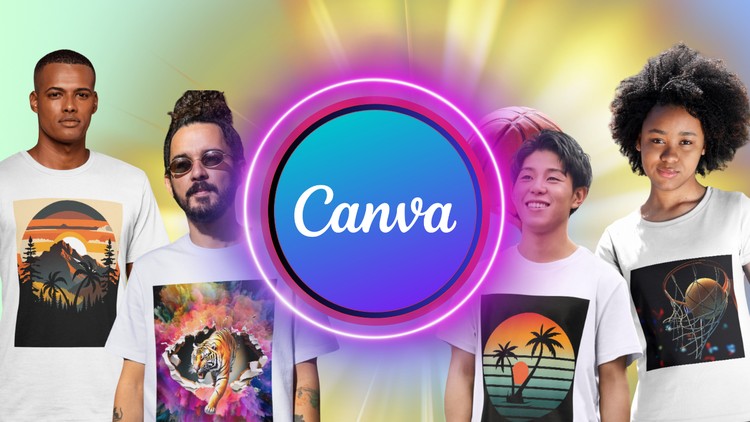
Effortless Design, Professional Results: T-Shirts Made Easy
What you will learn
Note➛ Make sure your 𝐔𝐝𝐞𝐦𝐲 cart has only this course you're going to enroll it now, Remove all other courses from the 𝐔𝐝𝐞𝐦𝐲 cart before Enrolling!
Design trends and inspiration for t-shirts.
Tips for creating mockups to showcase your designs.
Resources for finding high-quality t-shirt printing services.
Learn how to arrange elements, choose impactful colors, and select fonts for maximum impact.
Add-On Information:
- Mastering Canva’s Interface for Apparel: Navigate Canva’s specific tools for t-shirt design, discovering shortcuts and features to streamline your creative process from initial concept to a print-ready file. This module focuses on optimizing your workflow within the platform to maximize efficiency and unleash your design potential without getting bogged down by technicalities.
- Unlocking Canva’s Vast Asset Library: Efficiently search, customize, and integrate Canva’s extensive collection of graphics, vectors, and photos. Beyond basic usage, learn to confidently upload and manipulate your own unique elements, images, and brand assets to create truly bespoke designs that stand out from the crowd.
- Advanced Textual Artistry: Go beyond basic font selection with sophisticated typography techniques tailored for apparel. Explore dynamic effects like curving text, creating text masks, applying gradient fills, and expertly layering text for maximum visual impact that amplifies your message and captures attention on any garment.
- Strategic Design for Niche Markets: Learn to identify and target specific audiences by developing t-shirt designs that deeply resonate with particular interests, hobbies, or demographics. This section teaches you to adapt your visual language and design choices for maximum appeal across diverse and profitable niches, ensuring your creations find their perfect market.
- Seamless File Preparation for Professional Printing: Master the critical steps to prepare your finalized Canva designs for various professional printing methods. Understand optimal DPI, transparent backgrounds, and critical color accuracy checks to avoid common printing pitfalls, ensuring your vision translates perfectly from screen to garment every time.
- Introduction to Print-on-Demand (POD) Integration: Gain a foundational understanding of connecting your finished Canva designs with leading Print-on-Demand platforms. Discover how to upload artwork, set up product listings, and begin selling custom t-shirts with minimal overhead, effectively turning your creative designs into a viable income stream.
- Iterative Design & Feedback Incorporation: Develop a systematic approach to refining t-shirt designs. Learn to solicit constructive feedback from peers or potential customers, interpret critiques effectively, and make targeted adjustments within Canva to enhance your creations, ensuring they meet professional standards and resonate with your audience.
- Understanding Copyright & Commercial Use: Acquire essential knowledge about intellectual property, copyright, and licensing related to design elements and fonts within Canva and for commercial applications. This crucial module empowers you to confidently create and sell designs while adhering to legal guidelines, safeguarding your work and reputation.
- Optimizing Design for Different Garment Types: Understand how to adapt a single design concept across various apparel items, such as hoodies, tank tops, and long-sleeve shirts. Learn to consider fabric color, texture, and print area limitations to ensure your design looks fantastic on every product.
- Creating Cohesive T-Shirt Collections: Develop skills in creating a unified series of t-shirt designs that share a common theme, aesthetic, or message. Learn how to build a brand identity through a collection, offering variety while maintaining a strong, recognizable style.
- Exploring Canva’s Smart Mockups & Advanced Features: Dive deeper into Canva’s more advanced features like using Smart Mockups for more realistic presentations (beyond basic mockups), leveraging frames, grids, and the background remover tool to refine design elements and achieve polished results.
- Time-Saving Design Strategies: Discover efficient techniques for batch designing, utilizing templates strategically, and organizing your design assets within Canva to maximize productivity and accelerate your t-shirt design output without compromising quality.
- PROS:
- Accessibility for All Skill Levels: Designed to be easily understood by beginners, while still offering advanced techniques for those with some design experience, making it universally beneficial and welcoming.
- Cost-Effective Design Solution: Leverage Canva’s free and premium features to create professional designs without the need for expensive, complex software, significantly maximizing your potential profit margins.
- Practical, Actionable Curriculum: Every lesson provides hands-on exercises and clear instructions, enabling you to immediately apply what you learn and see tangible, real-world results in your design projects.
- Empowers Entrepreneurship: Offers foundational knowledge and practical steps for launching or significantly enhancing a t-shirt business, from initial design creation to understanding market dynamics and print readiness.
- Directly Applicable Skills: All learning is focused on a specific, marketable outcome – designing sellable t-shirts – ensuring the skills acquired are immediately useful for personal projects or commercial ventures.
- CONS:
- Canva-Specific Focus: While powerful for Canva, the course’s techniques and strategies are primarily tied to the Canva platform, and might not directly translate to more advanced graphic design software like Adobe Illustrator or Photoshop without further dedicated study.
English
language