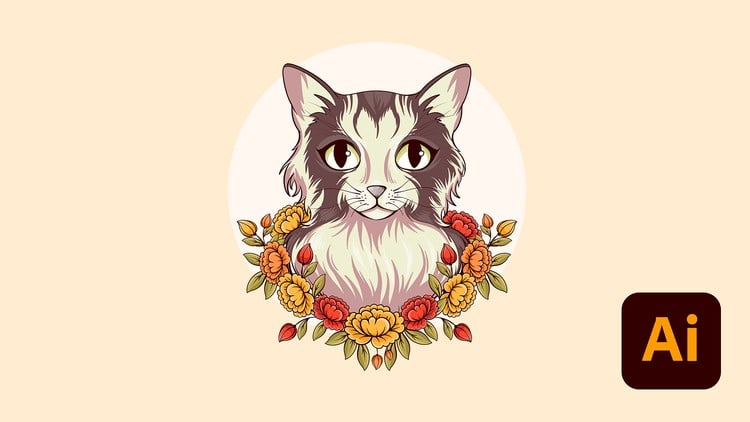
Create. Design. Conquer. Level Up your Adobe Illustrator Skill and Build a Portfolio That Stands Out!
What you will learn
Note➛ Make sure your 𝐔𝐝𝐞𝐦𝐲 cart has only this course you're going to enroll it now, Remove all other courses from the 𝐔𝐝𝐞𝐦𝐲 cart before Enrolling!
Students will advance their basic knowledge on Adobe Illustrator CC.
Students will learn how to work with the text to vector graphic AI feature in Adobe Illustrator CC.
Students will be able to create Geometric Grid based designs with Adobe Illustrator CC.
Students will be able to use Shortcuts and Actions in Adobe Illustrator CC.
Students will learn how to create amazing Digital Artwork using Adobe Illustrator CC.
Students will learn how to create Complex Line Art designs in Adobe Illustrator CC.
Students will learn how to create trendy Text based poster designs in Adobe Illustrator CC.
Students will learn how to create Animations with Adobe Illustrator and Adobe After Effects.
Students will learn how to create amazing 3D Isometric designs in Adobe Illustrator CC.
Students will learn how to create amazing Graph Visualizations in Adobe Illustrator CC.
Students will learn how to work with textures in Adobe Illustrator CC.
Students will learn how to create custom brushes in Adobe Illustrator CC.
Students will learn how to work with clipping, compound, and opacity masks in Adobe Illustrator CC.
Students will learn how to create complex shape blend designs in Adobe Illustrator CC.
Students will learn how to create professional logo designs using grids in Adobe Illustrator CC.
Students will learn how to how create GIFs in Adobe Illustrator CC.
Students will learn how to work with Generative recolor AI feature in Adobe Illustrator CC.
Students will learn how to work with incredible color tools like the color guide tool.
Students will learn how to create catchy hand drawn patterns in Adobe Illustrator CC.
Add-On Information:
-
Course Overview
- This course propels proficient Adobe Illustrator users beyond foundational skills, diving deep into sophisticated techniques and workflows. Master advanced features, optimize your creative process, and elevate your artistry to produce industry-standard vector graphics, distinguishing your work in a competitive creative landscape.
-
Requirements / Prerequisites
- Solid Foundational Knowledge: Essential familiarity with Illustrator CC, including interface, basic shapes, color, and fundamental path operations. Strictly for intermediate to advanced users.
- Software Access: Active Illustrator CC subscription (2020+ recommended) and stable internet.
- Commitment to Practice: Genuine interest in graphic design/illustration, coupled with consistent practice of advanced techniques.
-
Skills Covered / Tools Used
- Advanced Path Mastery: Achieve unparalleled precision with Pen and Curvature tools for complex, fluid shapes.
- Sophisticated Typography: Explore advanced text-on-a-path, envelope distortions, and complex layouts for powerful visual communication.
- Dynamic Brushes & Custom Patterns: Craft bespoke brushes and intricate, seamless patterns to infuse unique textures and stylistic depth.
- Gradient Mesh & Blends: Master Gradient Mesh for photorealistic shading; leverage Blend tool for smooth object morphing and visual effects.
- Non-Destructive Workflows: Utilize the Appearance panel for layering fills/strokes and custom graphic styles, ensuring flexible, editable designs.
- Efficient Symbol Management: Optimize projects by creating and deploying dynamic symbols for scalable, editable elements, perfect for iconography.
- Precision Shape Building: Employ advanced Pathfinder and Shape Builder tools to construct highly intricate vector forms from multiple objects.
- Professional Color Management: Deepen understanding of color spaces, global swatches, and Recolor Artwork for efficient, consistent color scheme application.
-
Benefits / Outcomes
- Elevated Portfolio & Employability: Produce stunning, high-quality vector artwork, enhancing your professional portfolio and competitive edge.
- Streamlined & Efficient Workflow: Implement industry-best practices and advanced techniques for faster completion of complex projects with superior precision.
- Expanded Creative Versatility: Develop a comprehensive skill set to confidently tackle a broader spectrum of design challenges.
- Empowered Creative Problem-Solving: Gain deeper conceptual understanding, translating ambitious artistic visions into polished, professional art.
-
PROS
- Comprehensive coverage of advanced Illustrator features.
- Strong emphasis on practical, industry-relevant techniques.
- Direct path to significantly enhance design quality and efficiency.
-
CONS
- Demands substantial time commitment and self-discipline for full mastery of complex topics.
English
language