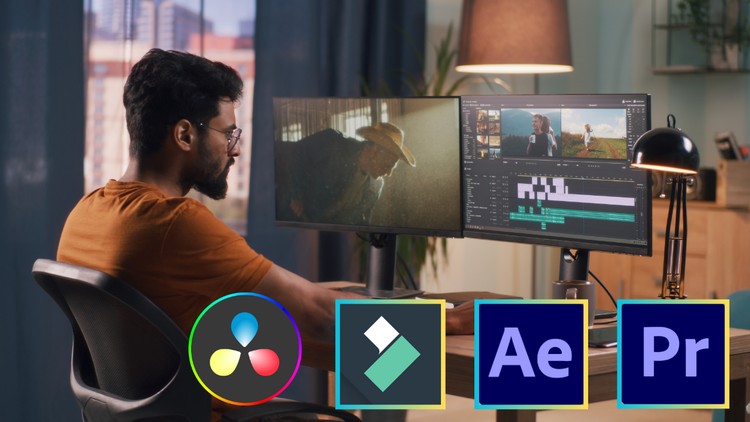
Learn Video Editing With Adobe Premiere Pro, Adobe After Effect, Filmora, Da Vinci Resolve
What you will learn
Note➛ Make sure your 𝐔𝐝𝐞𝐦𝐲 cart has only this course you're going to enroll it now, Remove all other courses from the 𝐔𝐝𝐞𝐦𝐲 cart before Enrolling!
Navigate the Premiere Pro interface with confidence
mport, organize, and manage your media assets efficiently.
Master timeline editing, including cuts, transitions, and effects.
Learn advanced techniques for color correction and audio editing.
Understand the basics of motion graphics and visual effects.
Create stunning animations and dynamic visual elements.
Explore advanced features like keyframing, tracking, and compositing.
Gain hands-on experience with Wondershare Filmora, a user-friendly yet powerful editing tool.
Export videos in various formats for different platforms.
Dive into professional color grading with Da Vinci Resolve.
Utilize the powerful Fusion page for visual effects.
Add-On Information:
-
- Foundation for Visual Storytelling: Develop a profound understanding of the core principles driving effective visual communication, enabling you to transform raw footage into compelling narratives that resonate deeply with audiences and achieve specific creative objectives.
- Multi-Platform Software Mastery: Acquire versatile proficiency across a suite of industry-standard tools (Adobe Premiere Pro, Adobe After Effects, Da Vinci Resolve) and user-friendly alternatives (Wondershare Filmora), equipping you with adaptability for any project and client requirement.
- Optimized Post-Production Workflows: Learn to establish streamlined project management strategies, from efficient media ingest and organizational tactics to mastering version control and project archiving, ensuring seamless execution and maximizing productivity.
- The Art of Pacing and Rhythm: Discover advanced techniques for manipulating the temporal flow of your edits to evoke specific emotions, build suspense, or deliver high-impact moments, elevating your videos beyond mere compilation into sophisticated cinematic experiences.
- Immersive Audio Design & Mixing: Go beyond basic audio adjustments to craft rich, immersive soundscapes. You’ll learn to strategically use dialogue enhancement, foley, music, and ambient sound to add depth, realism, and emotional resonance to your visual storytelling.
- Strategic Visual Effects Integration: Understand the purpose-driven application of visual effects. This includes knowing when and how to implement enhancements, clean-ups, and complex scene manipulations to solve creative problems and enhance narrative, rather than just adding spectacle.
- Professional Color Science Fundamentals: Grasp the theoretical and practical aspects of professional color grading. You’ll learn to establish consistent visual tones, correct problematic footage, and develop unique aesthetic looks that define the mood and style of your diverse projects.
- Targeted Platform Optimization: Gain critical insights into tailoring your video output for optimal performance and viewer engagement across various digital platforms, including understanding specific aspect ratios, compression best practices, and delivery standards for social media, web, and broadcast.
- Building a Dynamic Professional Portfolio: Receive comprehensive guidance on curating your best work, structuring compelling demo reels, and effectively showcasing your acquired editing skills to attract potential clients, collaborators, or employers in the competitive creative industry.
- Critical Troubleshooting & Problem-Solving Acumen: Develop robust analytical skills to diagnose and efficiently resolve common technical and creative challenges encountered throughout the post-production process, ensuring smooth project execution and maintaining creative momentum.
- Collaborative Editing Best Practices: Understand how to prepare and manage your projects for seamless collaboration with other team members, such as motion graphic artists, sound designers, or other editors, a vital skill for success in professional production environments.
- Translating Creative Vision to Reality: Acquire the ability to take a conceptual idea or script and translate it into a polished, final video product, mastering the iterative process of editing to refine and perfect your artistic vision.
- PROS:
- Comprehensive Skill Set: Master a wide array of tools and techniques across multiple software, making you a versatile and highly capable video editor ready for diverse projects and industry demands.
- Industry Relevance: Learn software and workflows utilized by leading professionals, ensuring your skills are immediately applicable to real-world scenarios and significantly enhancing your employability.
- Practical, Hands-On Learning: The emphasis on practical application means you’ll build a strong portfolio and develop confidence through direct project experience, ready to tackle any editing challenge.
- Holistic Understanding: Beyond just technical proficiency, gain deep insights into visual storytelling, creative strategy, and advanced post-production best practices, fostering a well-rounded expertise.
- CONS:
- Steep Learning Curve: Covering multiple advanced software applications and complex concepts in depth may require significant dedication, consistent practice, and substantial time commitment to achieve true mastery.
English
language