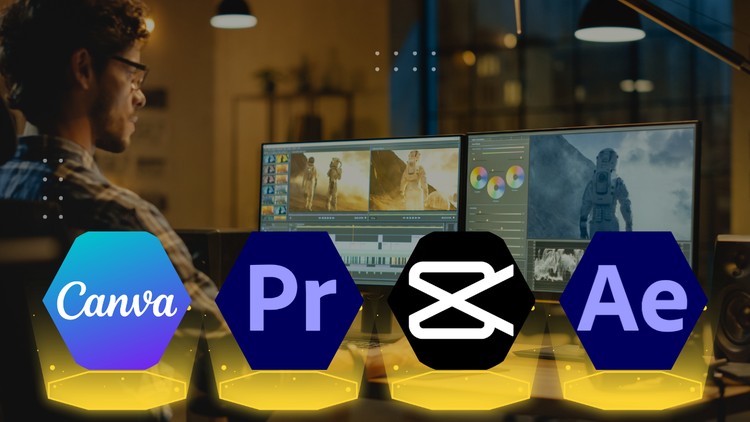
Social Media Video Edit With Adobe Premiere Pro, After Effect, Canva, Capcut
What you will learn
Import, edit, and organize your video clips with confidence.
Apply stunning visual effects, transitions, and motion graphics.
Incorporate captivating text, animations, and lower thirds.
Add high-quality sound effects and royalty-free music.
Export your videos in various formats for different platforms.
An Industry Pro’s Take: The Reality of Modern Video Content
Look, if you’ve spent more than five minutes on LinkedIn or YouTube lately, you know that the “pivot to video” wasn’t just a phase—it’s the entire game now. As someone who has been navigating the tech and creative sectors for over a decade, I’ve seen a lot of “masterclasses” that are basically just glorified software manuals. The Complete Social Media Video Editing Masterclass, however, takes a different approach that actually mirrors how we work in the real world.
Most courses try to force you into being a “Premiere Pro person” or a “CapCut person.” In a professional environment, that’s a losing strategy. This course acknowledges the industry-standard tools but understands that sometimes you need the precision of Adobe After Effects for a complex motion graphic, while other times you need the raw speed of CapCut or Canva to hit a trending window on TikTok. It’s about the hybrid workflow. It isn’t just about clicking buttons; it’s about understanding the “why” behind the edit to ensure your content actually stops the scroll. It’s a beginner to advanced journey that feels less like a classroom and more like a high-intensity mentorship session.
Prerequisites: What You Actually Need
I’ll be honest with you—you don’t need a film degree, but you do need a bit of grit. From a technical standpoint, the requirements are straightforward, but there are some practical realities to consider:
- A Capable Machine: While you can do the Canva and CapCut modules on a potato, Adobe Premiere Pro and After Effects demand a decent processor and at least 16GB of RAM if you don’t want to spend half your time watching a loading bar.
- The Software Suite: You’ll need an active Adobe Creative Cloud subscription to get the most out of the professional-grade modules.
- Creative Curiosity: If you’re just looking for a “get rich quick” shortcut, this isn’t it. You need a genuine interest in visual storytelling and the patience to iterate on real-world projects.
- Basic File Management: You’d be surprised how many people fail because their desktop is a mess. Knowing how to organize assets is the unsexy secret to professional editing.
The Toolkit: Skills & Tools You’ll Master
The curriculum is surprisingly dense, covering the full spectrum of modern editing. You start by building job-ready skills in the heavy hitters. You’ll dive deep into Adobe Premiere Pro for long-form narrative flow and After Effects for that high-end “wow” factor through custom motion graphics and visual effects.
What I appreciated was the inclusion of Canva and CapCut. In a fast-paced agency setting, these tools are increasingly used for rapid prototyping and social-first assets. You’ll learn how to bridge the gap between these platforms, ensuring your lower thirds and animations look professional regardless of the software. The course also emphasizes the “hidden” side of editing: sound design. Learning to layer royalty-free music and sound effects is what separates an amateur video from a piece of high-converting marketing collateral.
Career Benefits & Job Roles
If you’re looking for career growth, this is where the rubber meets the road. We are currently seeing a massive shortage of editors who actually understand social media algorithms. This course doubles as certification prep for anyone looking to validate their skills to HR departments or high-ticket freelance clients. By the time you finish the hands-on labs, you’ll have a portfolio of real-world projects that prove you can handle the pressure of a professional pipeline.
The potential job roles are diverse. You could aim for:
- Social Media Content Specialist: Creating high-volume, high-impact short-form content.
- Digital Video Editor: Working within a marketing agency or an in-house brand team.
- Freelance Content Creator: Building your own brand or managing channels for influencers.
- Motion Graphics Designer: Focusing specifically on the After Effects and animation side of the house.
These are high-demand roles where industry-standard tools are the gatekeepers to entry.
Pros of the Masterclass
- Multi-Platform Versatility: It teaches you to be a tool-agnostic editor. You aren’t tied to one piece of software; you’re taught the best tool for the specific job.
- Project-Based Learning: This isn’t theoretical. The hands-on labs ensure you’re actually building things, which is the only way to develop muscle memory in editing.
- Focus on “Social-First” Editing: It specifically addresses the nuances of different platforms—aspect ratios, pacing for mobile users, and how to use captivating text to keep viewers engaged.
- End-to-End Workflow: From the initial import and organization to the final export settings for different platforms, it covers the “boring” parts that are actually critical for professional delivery.
The One Big Con
If I’m being completely transparent, the sheer breadth of the course can feel overwhelming for a total novice. Switching between the complexity of After Effects and the simplicity of Canva within the same curriculum can give you a bit of “software whiplash.” If you don’t stay disciplined, you might find yourself sticking to the easy tools and avoiding the harder, high-value Adobe modules. You really have to force yourself to push through the steeper learning curves of the professional software to get the full value of the course.