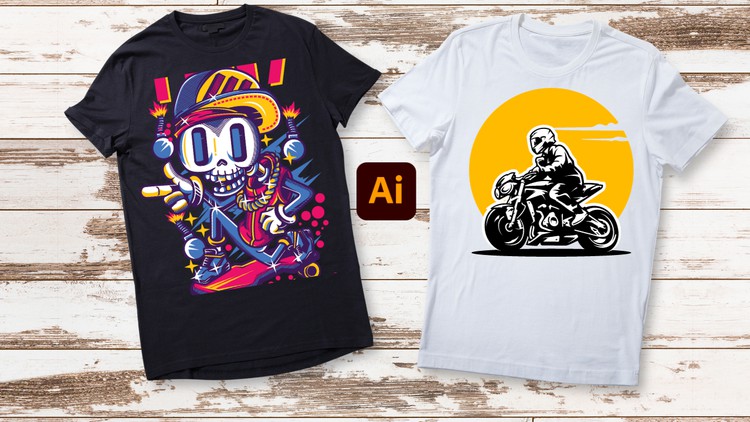
Unleash Your Creativity: From Beginner Brushstrokes to Expert Masterpieces – T-Shirt Design in Adobe Illustrator
What you will learn
Basic tools to use in Adobe Illustrator to make t-shirt designs
How you can start designing from the basic to advance in making t-shirt design
How you can customize fonts and elements
How to add in photos and ai objects in the panel
How to customize objects and turning objects into outlines for editing
How to mockup designs on t-shirt
Making desired shapes and editing them
How to make several types of t-shirt designs
Description
Hello everyone, welcome to our class of Adobe Illustrator t-shirt design so if you are planning to learn T-shirt designing from the beginning then you are in the right place because we will cover in this class from the basic to advanced. This is a beginner level class so if you have no previous experience then you can join in this class.
Let’s look what you will learn from this class:
- Introduction to Adobe Illustrator
- Workspace and Interface
- Basic tools to use in Adobe Illustrator to make t-shirt designs
- How you can start designing from the basic to advance in making t-shirt design
- How you can customize fonts and elements
- How to add in photos and ai objects in the panel
- How to customize objects and turning objects into outlines for editing
- How to mockup designs on t-shirt
- How to mask objects
- Making desired shapes and editing them
- Gradients and colors
- How to make several types of t-shirt designs
After complete this class you will be able to do:
- Make your own t-shirt design
- Get more comfortable using the workspace of Adobe Illustrator
- Able to grab a good knowledge of making shapes and objects and editing
- Customizing elements to your own desire
This is a project-based class so during learning you will have class project so what you learned you will be able to participate in class project so you can practice while you are learning. You will have supporting resources in this class so it will be easier for you to learn.
While learning if you face any issue or if you have any questions then feel free to ask me, I am always there to help you. So, let’s start learning Adobe Illustrator t-shirt design together.
Content
Introduction
The Truth About Going From Doodles to High-Value Apparel Design
Listen, I’ve spent the better part of a decade staring at industry-standard tools, and if there is one thing I have learned, it’s that Adobe Illustrator is a beast that needs to be tamed before it can be used. Many people jump into the world of “T-shirt design” thinking they can just throw a brushstroke onto a canvas and call it a day. That is the quickest way to have a screen printer laugh you out of their shop. The “T-Shirt Design in Adobe Illustrator Beginner Guide to Expert” course caught my eye because it doesn’t just promise “art”—it promises job-ready skills that bridge the gap between a hobbyist’s sketch and a commercial-grade vector masterpiece.
The real value here isn’t just in learning where the buttons are; it’s about the workflow. In the tech world, we talk a lot about “clean code,” but in graphic design, “clean vectors” are the equivalent. This course dives deep into the technical nuance of how a design is actually constructed. It moves past the surface-level tutorials you find on YouTube and enters the realm of hands-on labs where you are actually building files that are ready for the press. Whether you are looking for a side hustle in Print on Demand (POD) or you want to transition into a professional creative role, the transition from beginner to advanced techniques shown here is what separates the amateurs from the pros who actually get paid.
Prerequisites for Your Creative Journey
You don’t need a PhD in fine arts to get started, but you do need the right setup. To get the most out of this curriculum, you should have Adobe Illustrator installed (the Creative Cloud version is preferred to keep up with the latest AI-integrated features). A stable internet connection is a given, but I’d also suggest a decent mouse or a drawing tablet—trying to master the Pen Tool with a laptop trackpad is a special kind of torture I wouldn’t wish on anyone. No prior design experience is required, making this an excellent beginner to advanced pathway for those starting from zero.
Hard Skills & Industry Tools You Will Master
This isn’t just a “watch me draw” series; it’s a deep dive into the industry-standard tools that dominate the fashion and merchandising world. You start with the fundamental basic tools, but the course quickly ramps up the complexity. You’ll spend a significant amount of time mastering real-world projects involving:
- Vector Construction: Making desired shapes and editing them using the Pathfinder and Shape Builder tools to ensure your designs are scalable without losing quality.
- Typography Mastery: How you can customize fonts and elements to create “lettering” that feels bespoke rather than “off-the-shelf.”
- Object Manipulation: Turning objects into outlines for editing, which is a non-negotiable step for certification prep in the design world.
- Hybrid Assets: Learning how to add in photos and AI objects into the panel effectively, blending raster and vector elements without breaking the print file.
- Professional Presentation: How to mockup designs on t-shirts so your clients (or your boss) can visualize the end product before a single drop of ink hits the fabric.
Career Benefits & Emerging Job Roles
The market for custom apparel is exploding, and companies are desperate for designers who understand the technical constraints of printing. Completing a course like this is a massive boost for your career growth. By moving through these hands-on labs, you aren’t just learning a software; you are building a portfolio of real-world projects.
Potential job roles for graduates of this path include:
- Junior Graphic Designer: Working within marketing agencies to create branded merchandise.
- Apparel Production Specialist: Ensuring designs are technically sound for screen printing, DTG, or embroidery.
- Freelance Brand Designer: Helping startups build their visual identity through apparel.
- E-commerce Entrepreneur: Launching your own high-end t-shirt brand with job-ready skills that reduce your reliance on expensive third-party designers.
The Pros: Why This Course Stands Out
- Commercial Viability: The course focuses heavily on “outlining” and “vectorizing,” which are the most important steps for professional printing. It’s not just about looking good on screen; it’s about being functional.
- Logical Progression: It avoids the “tutorial hell” trap by moving systematically from basic tools to complex t-shirt design types, ensuring you don’t get overwhelmed.
- Mockup Mastery: Teaching students how to present their work on actual garment templates is a game-changer for anyone looking to do freelance work.
- Modern Workflow: The inclusion of how to handle AI objects shows that the instructor is keeping pace with the rapidly changing tech landscape.
The Honest Con: My One Gripe
If I have to be the “grumpy tech lead” for a moment, I’d say the course moves a bit fast through the initial basic tools setup. If you have never opened a Creative Cloud app in your life, you might find yourself hitting the “pause” and “rewind” button quite a bit in the first hour. It assumes a certain level of technical literacy, so absolute tech-phobes might feel a slight sting at the start. However, the payoff for sticking with it is well worth the initial hustle.