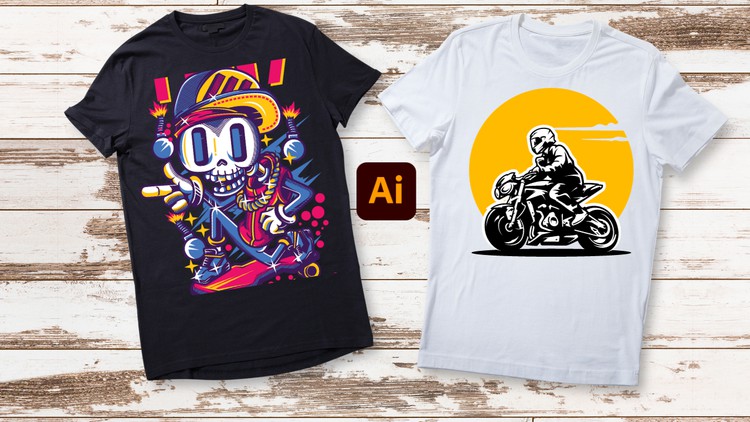
Unleash Your Creativity: From Beginner Brushstrokes to Expert Masterpieces – T-Shirt Design in Adobe Illustrator
What you will learn
Note➛ Make sure your 𝐔𝐝𝐞𝐦𝐲 cart has only this course you're going to enroll it now, Remove all other courses from the 𝐔𝐝𝐞𝐦𝐲 cart before Enrolling!
Basic tools to use in Adobe Illustrator to make t-shirt designs
How you can start designing from the basic to advance in making t-shirt design
How you can customize fonts and elements
How to add in photos and ai objects in the panel
How to customize objects and turning objects into outlines for editing
How to mockup designs on t-shirt
Making desired shapes and editing them
How to make several types of t-shirt designs
Add-On Information:
- Embark on a creative journey from foundational Adobe Illustrator skills to advanced t-shirt design mastery, transforming your ideas into wearable art.
- Unlock the secrets of visual storytelling on fabric, learning to conceptualize and execute designs that stand out in the crowded apparel market.
- Master the art of vector graphics creation from scratch, producing scalable, high-quality artwork perfect for any printing method.
- Delve into comprehensive color theory specifically for apparel, understanding how hues and contrast impact appeal on different garment colors and materials.
- Cultivate an intuitive understanding of layout and composition, arranging design elements effectively for balance and visual impact across various t-shirt styles.
- Explore diverse typography techniques, selecting, modifying, and pairing fonts to convey specific moods and messages, making text-based designs powerful and legible.
- Learn to integrate raster images seamlessly with vector elements, creating dynamic hybrid designs while maintaining professional quality and print compatibility.
- Develop expertise in creating stunning graphic elements, from intricate illustrations to bold geometric patterns, employing Illustrator’s powerful drawing tools.
- Uncover advanced layering and organization strategies within Illustrator, streamlining your workflow for complex designs and collaborative projects.
- Acquire critical file preparation knowledge for commercial printing, ensuring your designs are print-ready for various methods like screen printing, DTG, and sublimation.
- Discover techniques for creating distressed, vintage, or textured effects, adding character and unique aesthetic appeal to your t-shirt graphics.
- Gain insights into current t-shirt design trends and how to adapt your skills to stay relevant and innovative in the fast-evolving fashion landscape.
- Build a robust portfolio of diverse t-shirt designs throughout the course, showcasing your journey from beginner to a skilled designer.
- Understand basic intellectual property considerations for t-shirt designs, helping you protect your work and navigate common copyright pitfalls.
- Transform simple concepts into polished, professional-grade apparel graphics, gaining confidence to tackle any design brief with precision and creativity.
- PROS:
- Comprehensive Learning Path: Guides you from absolute basics to advanced techniques, suitable for all skill levels.
- Practical & Project-Based: Focuses on hands-on design creation, allowing you to build a portfolio as you learn.
- Industry-Relevant Skills: Equips you with professional knowledge crucial for commercial t-shirt design and printing.
- Fosters Creativity: Encourages unique design thinking and experimentation across various styles.
- CONS:
- Software Dependency: Requires access to Adobe Illustrator, which is a subscription-based software.
English
language