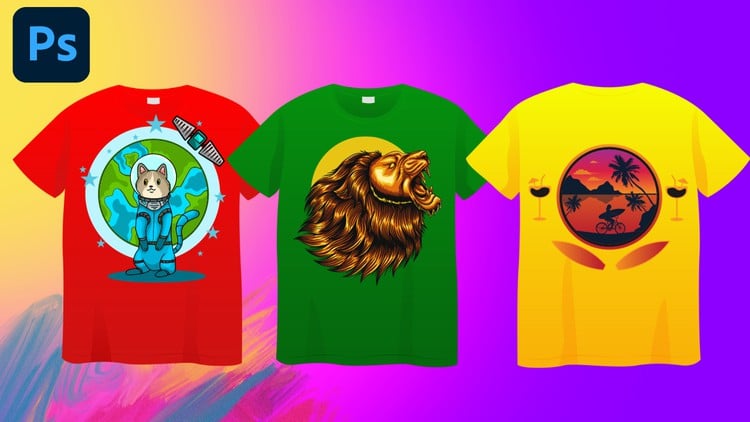
Create Eye-Catching T-Shirt Designs with Photoshop: From Beginner to Pro
⏱️ Length: 4.6 total hours
⭐ 4.34/5 rating
👥 23,908 students
🔄 June 2024 update
Add-On Information:
Note➛ Make sure your 𝐔𝐝𝐞𝐦𝐲 cart has only this course you're going to enroll it now, Remove all other courses from the 𝐔𝐝𝐞𝐦𝐲 cart before Enrolling!
-
Course Overview
- Embark on a transformative creative journey, demystifying the art and business of T-shirt design using Adobe Photoshop. This course acts as your comprehensive guide, meticulously structured to build your proficiency from fundamental concepts to advanced professional techniques.
- Discover how to translate raw ideas into visually compelling wearable art, understanding the nuances of appeal for various target audiences and market niches. It’s more than just drawing; it’s about crafting a message, an aesthetic, and a brand statement that resonates.
- Gain a deep appreciation for the entire design lifecycle, from initial ideation and digital sketching through to final production-ready file creation, ensuring your designs transition seamlessly from screen to fabric.
- Learn to harness the full potential of Photoshop, not just as an image editor, but as a powerful textile design studio, enabling you to produce unique and professional-grade apparel graphics suitable for personal projects, client work, or entrepreneurial ventures.
- Uncover the secrets behind popular design styles, contemporary trends, and timeless principles that make a T-shirt not just an item of clothing, but a coveted piece of self-expression.
-
Requirements / Prerequisites
- Access to Adobe Photoshop: Participants must have a working installation of Adobe Photoshop (Creative Cloud subscription recommended for the latest features) on their computer to actively follow along with practical exercises and projects.
- Basic Computer Literacy: A fundamental understanding of operating a computer, managing files and folders, and navigating software interfaces is beneficial, though the course is structured to be beginner-friendly.
- Eagerness to Learn and Create: The most crucial requirement is an enthusiastic attitude towards learning digital design, a willingness to experiment, and a passion for bringing creative T-shirt ideas to life. No prior graphic design or Photoshop experience is explicitly required, making it accessible for absolute novices.
- Stable Internet Connection: Essential for streaming course lectures, downloading practice files, and accessing any supplementary resources provided throughout the curriculum.
-
Skills Covered / Tools Used
- Conceptual Design & Brainstorming: Develop systematic approaches to generating innovative T-shirt concepts, exploring diverse themes, imagery, and messaging that align with market trends and personal brand visions.
- Digital Illustration & Manipulation: Master Photoshop’s powerful toolset for creating original vector-like graphics, intricate raster illustrations, photo manipulation techniques, and effective use of brushes and filters for unique visual effects tailored for fabric.
- Color Theory in Apparel: Understand the psychological impact of color, effective color palette selection, and practical application of color schemes that enhance design impact and ensure print accuracy across various garment colors.
- Layer Management & Non-Destructive Editing: Cultivate efficient workflow habits through expert use of layers, groups, smart objects, and masks, enabling flexible revisions and professional-grade file organization crucial for complex designs.
- Print Method Adaptability: Gain insight into the technical implications of different printing processes (e.g., screen printing, direct-to-garment, sublimation) on design choices, color separation, resolution, and overall file preparation.
- Branding & Merchandising Concepts: Learn to design not just individual T-shirts, but to think about cohesive collections and how T-shirt designs contribute to a broader brand identity or merchandise line.
- Software Proficiency: The primary tool is Adobe Photoshop, with a focus on its specific capabilities for graphic design, digital painting, text effects, and print-ready file optimization relevant to the apparel industry.
-
Benefits / Outcomes
- Launch Your T-Shirt Business: Acquire the complete skill set needed to design, mock-up, and prepare files for production, empowering you to confidently start your own custom apparel brand or offer design services to clients.
- Develop a Unique Design Voice: Cultivate a distinctive aesthetic and personal style, enabling you to create designs that stand out in a competitive market and truly reflect your creative vision or a client’s brand identity.
- Professional Portfolio Readiness: Generate a collection of high-quality T-shirt designs and realistic mock-ups throughout the course, providing tangible examples to showcase your new expertise to potential employers or clients.
- Master Print-Ready File Preparation: Understand critical considerations such as resolution, color modes (RGB vs. CMYK), spot colors, file formats, and bleed, ensuring your designs translate perfectly from digital screen to printed garment, minimizing costly production errors.
- Expand Your Creative Toolkit: Beyond T-shirt design, the advanced Photoshop techniques and design principles learned are transferable, enhancing your overall graphic design capabilities for other mediums and projects.
- Confidence in Digital Artistry: Gain the technical proficiency and creative confidence to tackle any T-shirt design challenge, from intricate illustrations to minimalist typographic statements, knowing you can execute your vision professionally.
-
PROS
- Comprehensive Skill Development: Offers a holistic learning path covering both creative design principles and technical Photoshop execution, ensuring a well-rounded skill set from concept to final product.
- Industry-Relevant Knowledge: Provides practical insights into various printing processes and crucial file preparation, bridging the gap between design creation and actual production for real-world application.
- Project-Based Learning: The course is likely structured with hands-on projects and exercises, allowing learners to immediately apply concepts and build a practical portfolio as they progress.
- Empowers Entrepreneurship: Equips individuals with the specific skills necessary to create and potentially market their own custom apparel, fostering self-sufficiency in the creative economy.
-
CONS
- Requires Software Investment: Full participation necessitates an ongoing subscription to Adobe Photoshop, which is an additional financial commitment beyond the course fee.
Learning Tracks: English,Design,Graphic Design & Illustration