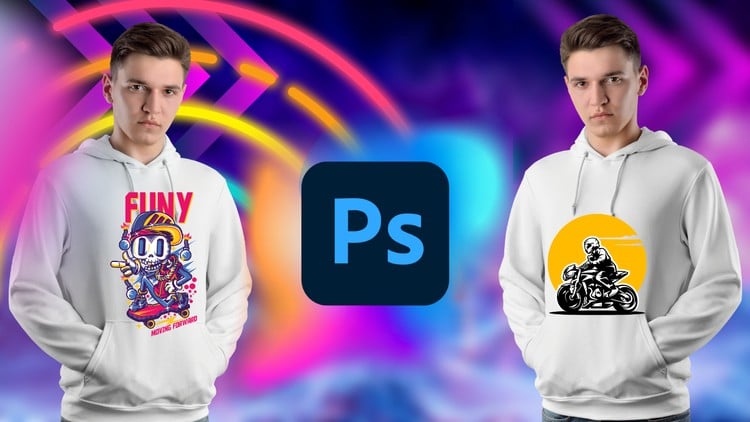
Unleash Your Creativity: Master T-Shirt Design from Beginner to Advanced with Adobe Photoshop
⏱️ Length: 4.1 total hours
⭐ 4.22/5 rating
👥 43,573 students
🔄 June 2023 update
Add-On Information:
Note➛ Make sure your 𝐔𝐝𝐞𝐦𝐲 cart has only this course you're going to enroll it now, Remove all other courses from the 𝐔𝐝𝐞𝐦𝐲 cart before Enrolling!
-
Course Overview
- This comprehensive course guides aspiring and experienced designers through the art of creating compelling T-shirt graphics using Adobe Photoshop.
- Structured to take you from foundational software understanding to executing intricate, print-ready apparel illustrations.
- Dive into the creative process, translating initial ideas into visually striking and marketable T-shirt designs.
- Explore diverse design styles, from minimalist typography to complex illustrative pieces, building a broad skill set.
- The curriculum ensures beginners build a solid understanding while advanced users refine existing workflows.
- Understand commercial aspects of T-shirt design, preparing your creations for various printing methods and market demands.
- Develop a unique design voice, helping you stand out in the competitive apparel design world.
- Gain practical, hands-on experience, applying design principles directly within Photoshop.
- Insights into industry best practices ensure aesthetically pleasing and technically sound designs for production.
-
Requirements / Prerequisites
- Basic Computer Literacy: Familiarity with operating a personal computer (Windows or macOS) is essential.
- Adobe Photoshop Access: A working installation of Adobe Photoshop (Creative Cloud recommended) is mandatory.
- Internet Connection: A stable internet connection is required for accessing course materials.
- Enthusiasm for Design: A genuine interest in graphic design or apparel will enhance your learning experience.
- No Prior Photoshop Experience Required: The course guides complete beginners through Photoshop’s interface and core functionalities.
- No Formal Design Background Needed: Welcomes individuals from all creative backgrounds, providing foundational design principles.
- Willingness to Experiment: An open mind and desire to experiment with different design styles and tools are key.
- Time Commitment: Be prepared to dedicate time to practice and complete projects beyond the core content.
-
Skills Covered / Tools Used
- Advanced Layer Management: Master complex layer structures, smart objects, and non-destructive editing.
- Precision Selection: Utilize various selection tools (Pen Tool, Quick Selection) for isolating elements and refining edges.
- Effective Typography: Select fonts, customize text paths, and understand typographic hierarchy for impactful messages.
- Apparel Color Theory: Apply palettes that translate effectively to different fabric types and printing processes.
- Composition & Layout: Arrange elements within the T-shirt canvas for visual flow, balance, and harmony.
- Vector Shape Creation: Employ Photoshop’s vector tools to create scalable, print-ready graphics.
- Image Manipulation: Crop, resize, color correct, and integrate raster images seamlessly.
- Mockup Generation: Create realistic T-shirt mockups for effective design visualization and client presentation.
- Distress & Texture: Add vintage, grunge, or worn-out effects using brushes, textures, and blending modes.
- Print File Preparation: Understand file formats, resolution, color modes (RGB vs. CMYK), and vector/raster considerations.
- Repeat Pattern Design: Design seamless patterns for all-over print T-shirts or background elements.
- Logo & Icon Development: Create original logos and icons specifically optimized for T-shirt placement.
- Smart Object Workflows: Leverage Smart Objects for scalable graphics and non-destructive transformations.
- Apparel Industry Standards: Learn about common T-shirt sizes, print areas, and garment type considerations.
- Non-Destructive Editing: Emphasize adjustment layers, layer masks, and Smart Filters for maximum flexibility.
-
Benefits / Outcomes
- Build a Professional Portfolio: Conclude with high-quality, diverse T-shirt designs suitable for showcasing skills.
- Launch Your Own T-Shirt Brand: Acquire expertise to conceptualize, design, and prepare your own apparel line.
- Freelance T-Shirt Designer: Gain confidence and skills to offer T-shirt design services, attracting clients.
- Enhanced Photoshop Proficiency: Develop robust command of Adobe Photoshop for apparel graphic design.
- Monetize Your Creativity: Learn to turn artistic ideas into tangible products, opening income avenues.
- Deep Understanding of Print Production: Demystify printing by understanding file preparation and method selection.
- Creative Problem-Solving: Develop critical thinking to overcome design challenges and innovate.
- Self-Expression Through Design: Discover a powerful medium for personal expression and unique style.
- Industry-Ready Design Practices: Adopt best practices for T-shirt design valued in the apparel industry.
- Expand Your Design Horizons: Apply principles to other merchandise categories beyond T-shirts.
- Confident Design Presentations: Learn to effectively present T-shirt designs using professional mockups.
-
PROS
- Highly Rated & Popular: With a 4.22/5 rating from 43,573 students, demonstrates proven effectiveness and widespread satisfaction.
- Up-to-Date Content: The June 2023 update ensures material is current with the latest Adobe Photoshop features and design trends.
- Concise Learning Path: At 4.1 total hours, offers an efficient way to acquire practical T-shirt design skills without extensive time commitment.
- Comprehensive Skill Range: Covers both fundamental and advanced techniques, suitable for a wide spectrum of learners.
- Actionable & Project-Based: Emphasis on “T-Shirt Design Projects” suggests a hands-on approach, building a practical portfolio.
-
CONS
- Limited Direct Instructor Interaction: As a pre-recorded course, personalized feedback and direct Q&A with the instructor may be limited.
Learning Tracks: English,Design,Graphic Design & Illustration