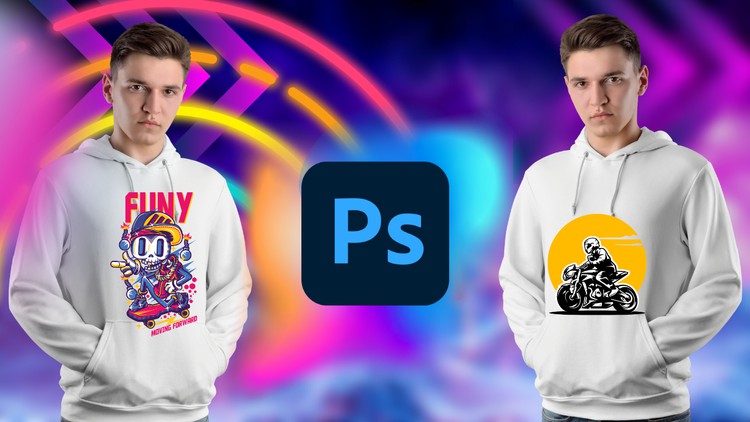
Unleash Your Creativity: Master T-Shirt Design from Beginner to Advanced with Adobe Photoshop
What you will learn
Note➛ Make sure your 𝐔𝐝𝐞𝐦𝐲 cart has only this course you're going to enroll it now, Remove all other courses from the 𝐔𝐝𝐞𝐦𝐲 cart before Enrolling!
Function of Adobe Photoshop
Tools of Adobe Photoshop
T-Shirt Design Fundamentals
T-Shirt Design Projects
Add-On Information:
- Conceptualize & Execute: Master the full T-shirt design workflow in Adobe Photoshop, transforming initial ideas into captivating, print-ready graphics for personal or commercial use.
- Advanced Photoshop for Apparel: Harness powerful Photoshop features like sophisticated layering, non-destructive editing, and smart object manipulation for professional-grade garment design effects.
- Tailored Design Principles: Understand how typography, imagery, and color interact specifically on fabric. Craft designs with strong visual hierarchy and composition optimized for wearable art.
- Printing Method Insights: Gain critical knowledge of screen printing, DTG, vinyl, and sublimation. Learn to adapt your designs and file preparation for each method, ensuring flawless production.
- Impactful Typography & Layouts: Elevate your T-shirt messages through expert font selection, pairing, and customization. Create compelling textual layouts that are legible and aesthetically pleasing on any garment.
- Strategic Color Management: Dive into advanced color theory for textiles. Build vibrant palettes, manage CMYK/RGB, and effectively utilize spot colors for consistent, high-quality output across fabrics.
- Professional Mock-ups: Create realistic, high-quality T-shirt mock-ups to present your designs effectively for client pitches, portfolio building, and pre-production visualization.
- Flawless Print File Preparation: Master crucial steps like optimal resolution, correct file formats, color accuracy, and proper separations, ensuring your artwork is always production-ready and error-free.
- Build a Marketable Portfolio: Through practical, engaging projects, develop a strong, diverse portfolio of T-shirt designs, showcasing your expertise for freelance opportunities or brand collaborations.
- Business & Branding Basics: Understand intellectual property, copyright, and licensing. Explore strategies for developing a cohesive brand identity and positioning your designs successfully in the market.
- Intricate Graphic Integration: Seamlessly combine raster/vector elements, apply textures, create distressed effects, and build complex composite images, adding a professional, dynamic edge to your apparel graphics.
- Stay Ahead with Trends: Cultivate an awareness of current T-shirt design trends, consumer preferences, and niche markets, creating commercially appealing and relevant designs.
- PROS:
- Comprehensive skill acquisition, transforming beginners into confident, versatile designers.
- Hands-on, project-based learning that immediately translates into a robust, tangible portfolio.
- Direct applicability to a booming e-commerce, fashion, and creative industry.
- CONS:
- Requires a dedicated Adobe Photoshop subscription to fully apply the learned skills beyond the course material.
English
language