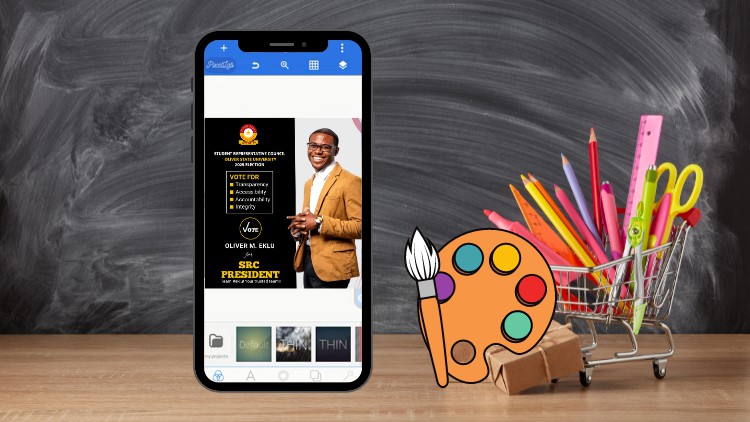
Graphic Design – Design Compelling Graphics with Your Smart Phone
Why take this course?
Course Title: SmartPhone Graphic Design
Course Headline: 🚀 Graphic Design – Design Compelling Graphics with Your Smart Phone 🎨
Unlock Your Creative Potential with Your Smartphone!
Course Description:
Are you ready to transform your smartphone into a powerful tool for graphic design? Whether you’re a complete beginner or an experienced designer looking to expand your skillset, this Smart Phone Graphic Design course is your gateway to creating stunning visuals on the go. With Oliver Ekulu, a seasoned instructor, guiding you through every step, you’ll learn to harness the capabilities of your device to produce professional-quality graphics.
📖 What You’ll Learn:
- The Foundations of Graphic Design: We’ll start with the basics, covering the different types and uses of graphic design.
- Practical Projects: Follow along with real-world projects designed to help you quickly grasp the principles of design.
- Color Mastery: Understand how to use color effectively in your designs, including essential color theory and harmonious combinations.
- Typography Magic: Discover the art of font selection and pairing to enhance your design’s readability and aesthetic appeal.
- Shape Spectacular: Learn about the impact of shapes and how to incorporate them into your work for a polished look.
- Layout Wizardry: Get to grips with the fundamentals of grid systems, layouts, spacing, and alignment to make your designs more coherent and engaging.
- Pixel Lab Expertise: Dive into the Pixel Lab application, where you’ll learn all the tools and their functions through practical demonstrations.
- Hands-On Learning: Engage with real-time projects that will solidify your understanding of graphic design principles on a smartphone.
✅ What You Can Expect to Achieve:
- Master the concept of graphic design, its types, and its various uses.
- Learn why pursuing this course is a valuable investment for your creative future.
- Gain a deep understanding of color concepts in design and how to apply them effectively.
- Explore fonts and discover the secret to selecting and combining them for maximum impact.
- Understand the role of shapes in design and which ones stand out.
- Learn to implement grids and layouts like a pro, ensuring your designs are both functional and attractive.
- Achieve perfect spacing and alignment to elevate your designs from good to great.
- Get an introduction to the Pixel Lab application and its interface.
- Explore all the tools within Pixel Lab with clear explanations and demonstrations.
- Complete practical projects that will showcase your new skills and design approach.
Why This Course?
We are committed to providing you with a comprehensive, easy-to-follow learning experience. With its structured format, this course is designed to cater to all levels of graphic designers, from novices to seasoned professionals. Our focus is to ensure that by the end of this course, you will have the knowledge and skills necessary to create compelling graphics using only your smartphone.
🔄 Continuous Learning:
Your journey with us doesn’t end when the course concludes. We regularly update our content to keep you at the forefront of graphic design trends and techniques. With new designs and insights added periodically, you’ll continue to grow as a designer long after completing the course.
Embark on your graphic design journey today! Let SmartPhone Graphic Design transform your smartphone into a canvas for creativity. Enroll now and start designing your way to success! 📱🎨✨
- Uncover the hidden artistic potential within your mobile device, transforming it into a powerful portable design studio.
- Master the art of visual storytelling, learning how to convey messages and emotions effectively through mobile-first design principles.
- Explore a curated selection of intuitive and powerful mobile design applications, optimizing your workflow for speed and efficiency.
- Develop a keen eye for color theory and typography, applying them with precision to create aesthetically pleasing and impactful graphics.
- Learn to leverage pre-made templates and asset libraries, while also understanding how to customize and create unique elements from scratch.
- Design eye-catching social media posts, banners, and stories that stand out in crowded digital feeds.
- Create professional-looking logos and branding elements that can be used for personal projects or small businesses.
- Understand composition and layout techniques specifically tailored for mobile screen dimensions and user interfaces.
- Experiment with photo editing and manipulation directly on your smartphone, achieving polished and professional results.
- Discover techniques for creating engaging infographics and visual data representations.
- Learn to export your designs in various formats suitable for digital sharing and basic print applications.
- Build a portfolio of mobile-designed graphics showcasing your acquired skills and creative vision.
- Pros:
- Extremely accessible, requiring only a smartphone and a willingness to learn.
- Highly practical for social media managers, content creators, and small business owners.
- Fosters rapid prototyping and iteration of design ideas on the go.
- Cons:
- May have limitations in complex, print-heavy design projects compared to desktop software.